

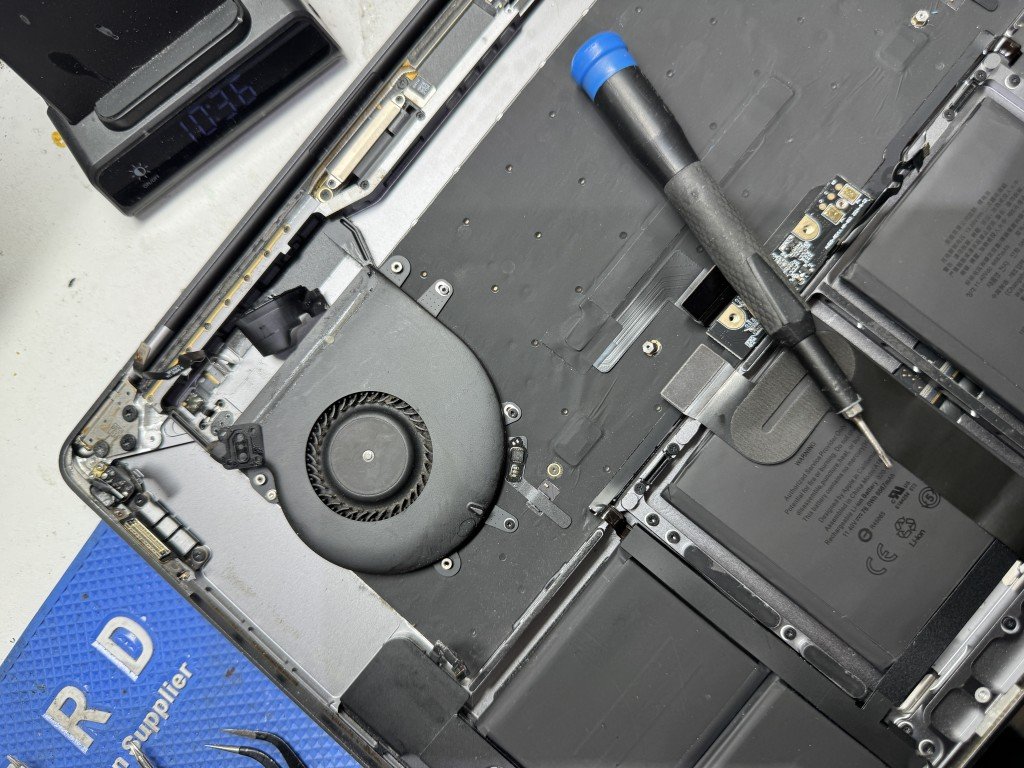
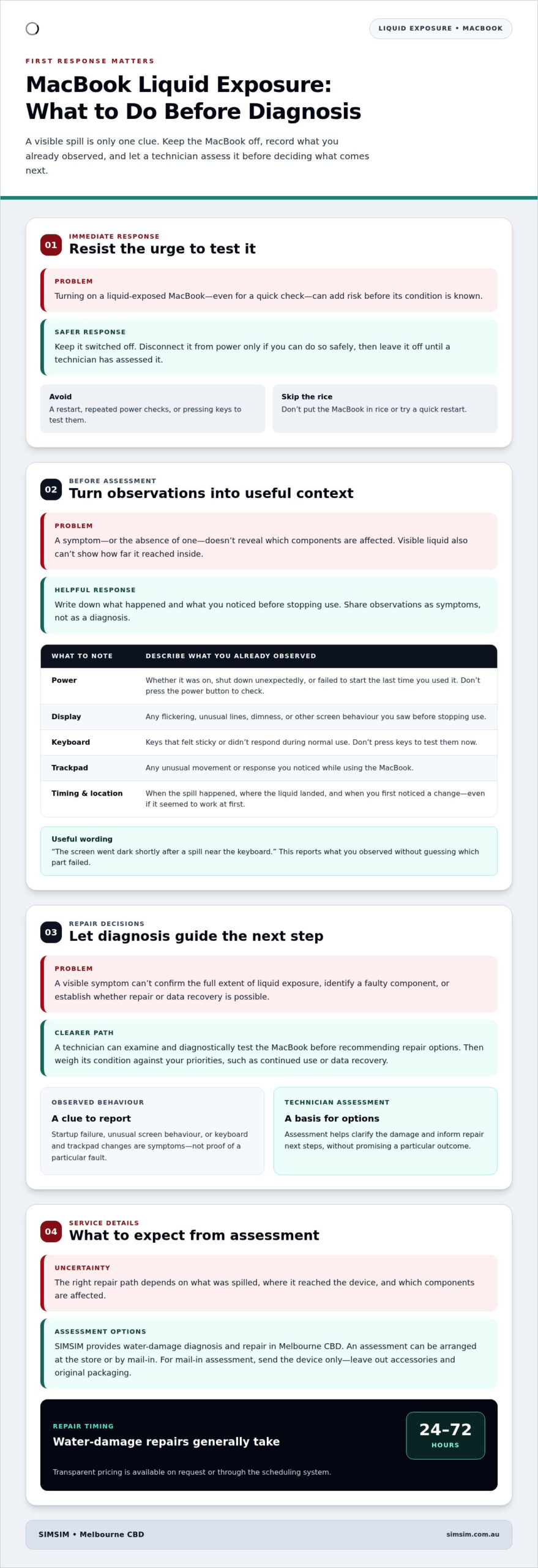
Could switching your MacBook back on turn a spill into a bigger problem? It might, so resist the urge to test it. If you need macbook water damage repair melbourne, keep the device switched off, disconnect it from power if you can do so safely, and leave it off until a technician has assessed it. Don’t put it in rice or try a quick restart.
Liquid damage can be worrying, especially when you’re unsure whether your MacBook or its data can be recovered. The right repair path depends on what was spilled, where it reached the device and which components are affected. A careful diagnosis can clarify the damage and the available options without promising a particular outcome.
At the SIMSIM Repairs Melbourne CBD store at 80 Flinders St, Melbourne VIC 3000, technicians provide water-damage diagnosis and repair. Water damage repairs generally take between 24 and 72 hours. This guide covers what to do straight away, which observations to share with a technician, and how to arrange an assessment with SIMSIM Repairs. You’ll also find practical local service details, including repair timing and how to access transparent pricing.
Key Takeaways
- A visible spill doesn’t show how far liquid has reached inside a MacBook. Changes in performance can offer clues, but they aren’t a diagnosis.
- Startup failure, unusual screen behaviour, or keyboard and trackpad problems are symptoms to share during assessment, not proof of a particular faulty component.
- Decide between repair and replacement after diagnosis. Weigh the device’s condition against your priorities, such as continued use or data recovery.
- If mailing your MacBook for assessment, send the device only. Leave out accessories and original packaging.
- For macbook water damage repair melbourne, SIMSIM provides technician-led diagnosis and discusses repair next steps. Transparent pricing is available on request or through the scheduling system.
MacBook water damage in Melbourne: why your first response matters
A small spill can leave a big question: how much liquid reached your MacBook, and what might it have affected? A mark on the keyboard or drops near the trackpad can’t answer that on its own. Liquid exposure may affect external parts, internal components, or both. The visible spill is one clue, not a full picture of the device’s condition.
Safe handling comes before repair decisions. Don’t turn on a MacBook that’s been exposed to water, even if it looks dry or was working moments earlier. If it’s connected to power, disconnect the charger only if you can do so safely. Avoid pressing keys or repeatedly checking whether the screen responds. A technician can assess the MacBook before recommending what to do next.
What counts as MacBook liquid damage?
Liquid exposure includes spills, splashes and other contact with liquid. A drink tipped beside a MacBook, moisture reaching its ports, or liquid landing across the keyboard are different situations, but the description alone can’t confirm what’s affected inside. General information about water damage explains how liquid can affect materials and electrical devices. The condition of an individual MacBook still needs to be assessed directly.
Symptoms can be useful to report, but they don’t reveal every affected component. A MacBook might show an obvious change, or its behaviour may seem normal at first. Neither observation proves there’s no internal impact, and neither identifies a particular fault. Note what happened, where the liquid landed and what you observed afterwards. That account gives the technician helpful context without turning a guess into a diagnosis.
Why early professional assessment matters
Waiting to see whether the MacBook continues to work means making decisions without knowing its condition. A technician-led assessment gives repair decisions a clearer starting point: the device can be examined and diagnostically tested before a repair is recommended. Acting promptly doesn’t guarantee recovery, but it avoids the added risk of powering on a device that has had liquid exposure.
For people in Melbourne, SIMSIM provides water-damage diagnosis and repair at its Melbourne CBD store. Arrange an assessment through the online booking system or bring the device to the store. If visiting isn’t practical, SIMSIM also offers a mail-in process. These are straightforward ways to move from urgent handling to a considered repair plan, with the technician’s findings guiding the next step.
If you’re looking for macbook water damage repair melbourne, begin with the safest action, not a repair guess. Keep the MacBook off and let a technician assess it before deciding whether repair or another option makes sense. A careful first response, a clear account of the exposure and a proper diagnosis put you on firmer ground.
MacBook water damage symptoms: what you can observe before diagnosis
After liquid exposure, changes in how a MacBook behaves can help describe the situation, but they’re clues, not a component-level diagnosis. A device that won’t start is one concern; a display that flickers or a trackpad that behaves differently is another. Symptoms may appear straight away, come and go, or be absent from what you can observe. Don’t switch the MacBook on to look for them. Note only what you’ve already seen.
Which changes should you note after a spill?
Write down when the exposure happened, where liquid landed, and what changed afterwards. If you noticed a symptom before switching the device off, record it in your own words. Avoid testing keys, ports or power after the spill. A clear timeline helps a technician understand what you observed without treating it as proof of a particular fault.
- Power: Note whether the MacBook was already on, shut down unexpectedly or failed to start when you last used it. Don’t press the power button to check.
- Display: Describe any flickering, unusual lines, dimness or other screen behaviour you saw before stopping use.
- Keyboard: Record keys that felt sticky or didn’t respond during normal use. Don’t press keys to test them now.
- Trackpad: Note any unusual movement or response you observed while using the MacBook.
- Timing: Include when the spill or splash occurred and when you first noticed a change, even if the device seemed to work at first.
Small details matter. “The screen went dark shortly after a spill near the keyboard” is more useful than concluding that a particular part has failed. If the MacBook’s behaviour was intermittent, describe when it happened and whether it stopped. Don’t restart the device to see if the symptom returns.
Can symptoms reveal whether the MacBook is repairable?
A visible symptom describes what happened; only diagnosis can identify the damage and inform repair options. The same outward problem doesn’t establish the full extent of liquid exposure, and an apparently normal screen or keyboard doesn’t rule out an issue elsewhere. A single symptom can’t confirm whether repair or data recovery will be possible.
That’s why intermittent behaviour still deserves attention. A MacBook might work normally for a time, then show an unexpected display, keyboard or power change. This pattern is worth reporting, but it doesn’t prove what caused the change or how far the liquid reached. Avoid making a repair-or-replace decision from a symptom alone. Technician-led assessment provides the basis for discussing next steps.
If you’ve noticed a change after exposure, keep the device off and include your observations when arranging an assessment. For macbook water damage repair melbourne, you can book an assessment with SIMSIM. A concise account of what happened, when it happened and what you observed gives the technician useful context, while the diagnosis determines which options can be discussed.
MacBook water damage repair or replacement: how to weigh your options
It’s natural to wonder whether a MacBook exposed to liquid is worth repairing or should be replaced. But deciding from the spill or an observed symptom alone can leave out important details. First, understand the device’s diagnosed condition. Then weigh the available next steps against how you use your MacBook, what you need from it and whether the data matters most.
What should guide the repair-versus-replacement decision?
A technician’s findings help clarify the repair options for your particular MacBook. Consider your practical priorities too: do you need a working device for everyday tasks, or is access to important files your immediate concern? There isn’t one answer that suits everyone. Diagnosis provides information for a considered choice, but it doesn’t guarantee that repair will be possible or produce a particular result.
Use the assessment to focus the conversation on what matters to you, rather than treating replacement as the automatic next step or assuming repair is always preferable. If you have a preferred outcome, such as keeping the current device or prioritising the data, say so before repair work proceeds.
What can a diagnostic assessment establish?
SIMSIM’s water-damage diagnostic and cleaning service includes technician-led assessment and diagnostic testing. The findings can help explain the device’s condition and inform a discussion of repair next steps. Inspection is a starting point for a decision, not a promise of successful repair or data recovery. If files are a priority, make that clear before work begins so data-recovery needs can be considered in the discussion.
The table below offers a practical way to connect what you know and what you value with questions to raise during diagnosis. It doesn’t predict an outcome; the technician’s findings guide the options.
| Device condition or concern | Your priority | Question diagnosis can answer |
|---|---|---|
| The MacBook has changed behaviour since liquid exposure | Understanding the device’s condition | What does the assessment indicate, and what next steps are available? |
| You rely on the MacBook for work or study | Deciding how to plan for continued use | What repair options, if any, can be discussed for this device? |
| Important files are stored on the MacBook | Making data access a priority | How do the diagnostic findings relate to the data-recovery options? |
| You’re weighing repair against replacement | Choosing a practical path forward | What does the diagnosed condition mean for the available choices? |
For macbook water damage repair melbourne, a diagnosis can replace guesswork with a clearer conversation. SIMSIM provides transparent pricing on request or through the scheduling system, so you can consider the next step with the assessment findings in view. The decision remains yours, informed by the device’s condition and the priorities you’ve shared.
What to Do After MacBook Liquid Exposure
Do not turn on a water-damaged MacBook. Keep it off and arrange an assessment as soon as you can. Trying to see whether it still works can add risk without telling you what the liquid has affected. When you’re ready to arrange service, choose the local store or mail-in option that suits you.
How should you arrange a local assessment?
If you’re in Melbourne, you can visit the SIMSIM store in Melbourne CBD during the stated operating hours of 9 am to 6 pm. You can also schedule online before bringing the device in. The aim is simple: get the MacBook to a technician for assessment without trying to test it yourself first.
To book a time, use the SIMSIM online booking system. If you’re travelling to the store, keep the MacBook switched off on the way. Share a brief account of what happened, including when the exposure occurred and any changes you noticed before you stopped using it. Those details help frame the assessment, but the technician’s findings determine what can be discussed next.
What should you include with a mail-in repair?
If you can’t bring the MacBook to the store, SIMSIM’s mail-in process offers another way to arrange water-damage assessment. Send the device only. Don’t include accessories or the original packaging. Keeping the parcel to the MacBook avoids sending items that aren’t needed for the assessment.
Whether you visit the Melbourne CBD store or use mail-in service, share useful details about the exposure and your priorities, such as whether access to data matters to you. That information helps guide the conversation, while a technician-led diagnosis informs the repair options. An assessment can’t guarantee a particular outcome, so treat it as the step that clarifies what may be possible.
For macbook water damage repair melbourne, arrange an assessment rather than trying another restart. Book your MacBook assessment with SIMSIM and choose the local or mail-in route that works for you.
MacBook water damage repair at SIMSIM in Melbourne CBD: process and next steps
Once your MacBook reaches SIMSIM, a technician assesses the device before discussing possible repair steps. Diagnostic testing helps establish its condition, so the conversation is based on the findings rather than assumptions about what a spill may have affected. The assessment guides the next steps, but it can’t guarantee that a particular repair or recovery outcome will be possible.
What happens during SIMSIM’s water-damage service?
SIMSIM provides water-damage diagnosis and cleaning, with diagnostic testing included in the repair service. If the assessment indicates that replacement parts are needed, genuine replacement parts are used. Not every repair requires a replacement part. The technician’s findings help explain what work may be appropriate and give you a clearer basis for considering the options.
Water damage repairs generally take between 24 and 72 hours. This is different from SIMSIM’s Repair within 30’ timeframe, which applies only to eligible on-site fixes, not water-damage repairs. Transparent pricing is available on request or through the scheduling system, so you can consider the proposed next step with pricing information in view.
If access to your files is a priority, raise your data-recovery needs before repair work proceeds. The diagnostic findings can inform a discussion of available options, but no recovery outcome is guaranteed. Sharing your priorities early helps keep them part of the repair conversation.
How can you book MacBook water damage repair in Melbourne?
You can arrange an assessment online or visit SIMSIM’s Melbourne CBD store. When scheduling, include useful details about the exposure and any changes you observed. Keep the MacBook switched off while arranging service; an assessment is the next step, not another power-up.
If you bring the MacBook in, a passcode is recommended for testing. Without it, the camera, Wi-Fi and Bluetooth can’t be verified. Share the passcode directly with the technician if you’re comfortable doing so, and mention any data-recovery priority before repair work begins. These details help set expectations for testing and discussion.
For macbook water damage repair melbourne, schedule a repair with SIMSIM or visit the Melbourne CBD store. You can also explore SIMSIM Repairs on YouTube as a separate resource.
Take the next step with a clear assessment
A liquid spill can leave you with urgent questions, but you don’t need to settle on repair or replacement before your MacBook has been assessed. Keeping it switched off and choosing a technician-led evaluation gives you a considered starting point. From there, you can weigh the findings against what matters most to you, including your device and your data.
If you’re considering macbook water damage repair melbourne, SIMSIM’s team can assess the device and discuss possible next steps without promising an outcome in advance. SIMSIM has 142 Google reviews, Trustindex-verified, offering another point of reference as you decide how to proceed.
Ready to move from uncertainty to an informed discussion? Schedule your MacBook repair with SIMSIM. Take the next step when you’re ready, and let the assessment guide the conversation.
Frequently Asked Questions
Should I turn on my MacBook after water damage?
No. Keep it switched off and don’t connect it to power or try another restart. Even if the MacBook appeared to work after the spill, testing it yourself won’t establish its condition. Arrange an assessment and tell the technician what happened, including whether the device was on at the time. This gives them useful context without adding another attempt to operate the MacBook.
How long does MacBook water damage repair take in Melbourne?
Water damage repairs generally take between 24 and 72 hours. The timeframe depends on the damage and the work identified during assessment. SIMSIM’s separate “Repair within 30’” timeframe applies to eligible on-site fixes, not water-damage repairs.
Can a water-damaged MacBook be repaired?
It may be possible, but only an assessment can inform which repair options are appropriate for your MacBook. A device that won’t start, for example, can’t be judged from that symptom alone. SIMSIM’s technicians assess the device and discuss next steps based on their findings. An assessment doesn’t guarantee that repair will be possible or achieve a particular result.
Can data be recovered from a water-damaged MacBook?
Data recovery may be considered, but no result can be promised before the device is assessed. If your files are a priority, tell the technician before repair work proceeds so that this need is part of the discussion. SIMSIM provides data recovery services, and the diagnostic findings help inform which options can be discussed. Don’t try to access files by turning the MacBook on.
Do I need to include my charger or accessories with a mail-in repair?
No. Send the MacBook by itself. Leave out the charger, other accessories and original packaging, as SIMSIM’s mail-in process calls for the device only. Before packing, check that you haven’t added an item simply because it was used with the MacBook. If you have information about the exposure or the problem you observed, share it when arranging the repair rather than placing accessories in the parcel.
Do I need to provide a SIM card or passcode for MacBook repair?
A SIM card isn’t required for repair. Providing the passcode is recommended; without it, the camera, Wi-Fi and Bluetooth can’t be verified. If you’re comfortable sharing the passcode, provide it directly to the technician. You can still arrange an assessment if you don’t provide it, but those functions won’t be tested and therefore can’t be verified to work.
Where can I get MacBook water damage repair in Melbourne CBD?
SIMSIM provides MacBook water-damage diagnosis and repair at its Melbourne CBD store at 80 Flinders St, Melbourne VIC 3000. You can arrange a visit online through SIMSIM’s booking system, or use the mail-in process if visiting isn’t convenient. Keep the MacBook switched off while you arrange service, and include a brief description of the exposure when booking so the technician has that context.