

What if the fastest charger isn’t the best match for your Galaxy? The right choice depends on your phone’s charging capabilities, the format you prefer and how you use it day to day. A samsung fast charger melbourne buyers choose should suit their specific Galaxy model, not just promise a high speed on the packaging.
Comparing wall chargers with wireless options can feel confusing, especially when you’re unsure which one suits your phone. This guide explains how to check compatibility and choose a format that fits your routine. We’ll also point you to Samsung wall chargers at SIMSIM Repairs’s store at 80 Flinders St, Melbourne VIC 3000. A few practical checks before you buy can make it easier to compare your options and choose with confidence.
Key Takeaways
- Start with your exact Galaxy model, then match its connector and supported wired or wireless charging standards.
- A higher charger rating alone doesn’t guarantee faster charging. The phone, charger and connection all affect performance.
- Compare wired and wireless options based on how you charge each day, including cable use, placement and phone compatibility.
- For a samsung fast charger melbourne option, SIMSIM sells Samsung wall chargers at 80 Flinders St, Melbourne VIC 3000. Compare the exact product details before choosing.
- Visit the SIMSIM YouTube channel, or book an appointment if your charging concern may involve a phone fault.
What does Samsung fast charging mean for a Galaxy phone?
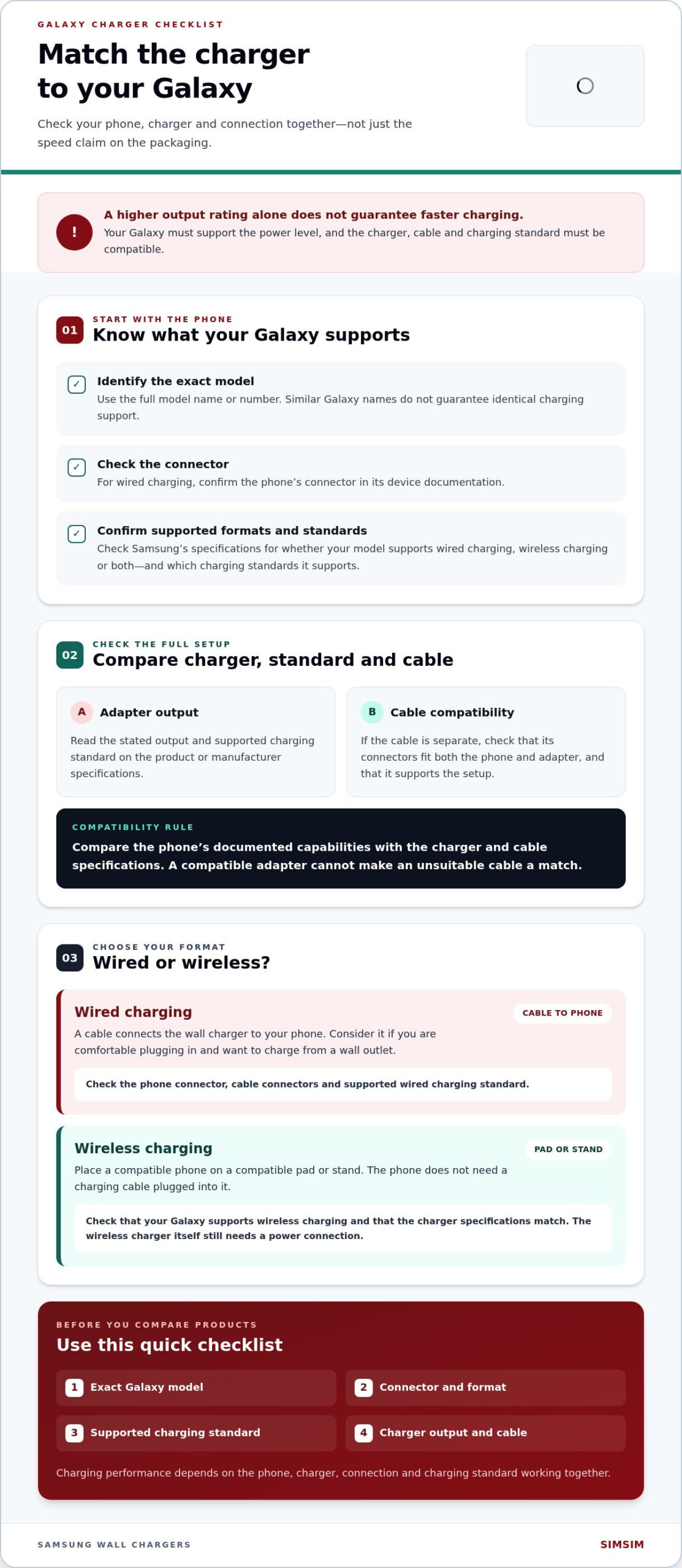
“Fast charging” doesn’t mean one fixed speed for every Galaxy. Charging performance depends on the phone, charger, connection and charging standard working together. A charger with a higher output rating won’t automatically make your phone charge faster. The phone must support the power level, and the connected equipment must support a compatible standard.
Start by distinguishing between the two main formats. Wired charging sends power through a cable connected to your phone. Wireless charging transfers power through a compatible pad or stand, without plugging a cable into the phone. Each format has its own compatibility requirements, so first check what your Galaxy model supports.
How fast charging depends on the Galaxy phone
Galaxy models can support different charging capabilities. Look up your exact model in Samsung’s manufacturer specifications and note its supported wired or wireless charging information. A charger’s output rating describes what it can supply under supported conditions, while the phone’s specifications describe what it can receive. The two need to be compatible for the phone to use the charger’s capabilities.
For example, two Galaxy phones connected to the same charger may charge at different rates if their supported charging capabilities differ. A cable or charging standard that doesn’t match the setup can also affect performance. Charging standards have distinct names and requirements. Quick Charge technology, for instance, is one proprietary fast-charging system. Don’t assume a familiar label means every charger and Galaxy model will work together at its full rated output.
Wired and wireless charging at a glance
With wired charging, a cable connects the wall charger to your phone. This is a straightforward option if you’re comfortable plugging in and want to charge from a wall outlet. Check your phone’s connector and supported wired charging standard, then compare them with the specifications of the charger and cable.
Wireless charging means placing a compatible phone on a compatible charging pad or stand. The phone doesn’t need a charging cable plugged into it, though the wireless charger itself still needs a power connection. Check that your Galaxy supports wireless charging and that the charger’s specifications match. Convenience depends on compatibility, not simply on a product being described as fast.
If you’re comparing a samsung fast charger melbourne option, apply the same checks to the exact product. SIMSIM sells Samsung wall chargers at its store at 80 Flinders St, Melbourne VIC 3000. Compare the product details with your phone’s specifications rather than assuming a particular speed or feature applies to every charger.
Once you know your phone’s supported format and charging standard, you have a clear starting point. Next, compare those details with the charger itself instead of relying on a headline rating alone.
Which Samsung charger details should you check before buying?
Start with your phone, not the charger’s headline rating. Gather the details below before comparing products. This helps you check for a suitable match without assuming every Galaxy model supports the same connection or charging method.
- Identify your exact Galaxy model. Use the full model name or model number, not just the Galaxy series name. Similar names don’t guarantee identical charging support.
- Check the phone’s connector. For wired charging, confirm the connector in your device documentation. Make sure the cable fits both the phone and the power adapter.
- Confirm supported charging formats. Check whether your model supports wired charging, wireless charging or both, and note the standards Samsung documents for it.
- Compare the charger’s output and standard. Read the product packaging or manufacturer specifications, then compare the output and charging standard with your phone’s documented capabilities.
- Consider the cable separately. If the cable is separate from the adapter, check that it has the right connectors and supports the charging setup you intend to use.
Start with your exact Galaxy model and charging port
Find the full model name in your phone’s settings, on its original packaging or in its device information. Then consult Samsung’s specifications for that exact model to confirm its connector and charging support. A broad label such as “Galaxy S” or “Galaxy A” isn’t precise enough, because features can differ between models in the same range.
Check charger output and the supported charging standard
Product packaging and manufacturer information show a charger’s output and supported charging standard. Compare those details with your phone’s specifications instead of treating a higher output as an automatic upgrade. If the power adapter and cable are sold separately, assess both. A compatible adapter won’t make an unsuitable cable a match.
Compatibility depends on the phone and charger specifications together. As you compare products, focus on the exact model, connector, supported standard and stated output. These checks give you a practical basis for comparing wired chargers and compatible wireless setups.
For a samsung fast charger melbourne purchase, take your Galaxy model details with you when exploring Samsung wall chargers at SIMSIM’s store, 80 Flinders St, Melbourne VIC 3000. If your phone’s charging behaviour has changed or its port seems faulty, you can book a Samsung phone charging assessment. For general device information, visit the SIMSIM YouTube channel.
Wired or wireless Samsung fast charger: which suits your routine?
The best format depends on your charging habits and what your Galaxy supports. A wired wall charger connects to the phone by cable. A wireless charger lets you place a compatible phone on a pad or stand. Neither format is automatically the better choice for every person or device.
| Format | Typical setup | Compatibility checks |
|---|---|---|
| Wired wall charging | Wall power adapter, charging cable and phone connected directly | Phone connector, cable connectors, charger output and supported wired standard |
| Wireless charging | Wireless charging pad or stand connected to power, with the phone placed on it | Phone supports wireless charging, and the charger’s specifications suit the phone |
When a wired wall charger makes more sense
A wall charger is a straightforward choice for a regular charging spot at home or work. Plug the adapter into a wall outlet, connect the cable and charge your phone. It may also suit you if you already have a cable that fits both your Galaxy and the adapter, provided the cable and adapter match the phone’s documented charging support.
Before choosing this setup, check the connector at each end of the cable and compare the adapter’s specifications with your phone’s. Don’t assume a cable fits because it looks similar, or that any wall adapter will use the phone’s full supported capability. For a fixed desk or bedside spot, a cable and adapter may be all you need.
When wireless charging fits better
Wireless charging can be convenient if you prefer placing your phone on a pad or stand instead of plugging in a cable each time. It means you don’t need to connect a charging cable to the phone, but the pad still needs power. Check your Galaxy’s wireless charging support and the charger’s exact specifications before choosing this setup. Wireless doesn’t mean universally compatible or necessarily faster.
Keep product-specific claims in context. A Samsung wireless charger page may describe features of that particular product, but those details don’t automatically apply to every charger. SIMSIM sells Samsung wall chargers, so don’t assume a specific wireless model, feature or performance rating without seeing it in that product’s information.
Car chargers and power banks are alternatives when you need to charge away from a wall outlet. Consider them after deciding how you’ll charge most often. For a samsung fast charger melbourne option, visit SIMSIM’s store at 80 Flinders St, Melbourne VIC 3000. If the phone itself isn’t charging as expected, you can book a Samsung phone charging assessment. Find more from SIMSIM on the YouTube channel.
How to avoid a mismatched Samsung fast charger
A charger labelled “fast” isn’t automatically compatible with every Galaxy phone. Before buying, compare your phone’s full model name with the charger’s specifications. Look for three common mismatch risks: a connector that doesn’t fit, a charging standard the phone doesn’t support, or features assumed from a label or image rather than confirmed in the product details.
Common compatibility assumptions to avoid
Galaxy phones don’t all have identical charging features. A charger’s maximum output also doesn’t guarantee that your phone will charge at that rate, and wireless support isn’t a substitute for wired support. Compare the device documentation and charger details side by side. If a product description doesn’t answer a compatibility question, don’t fill in the gaps with assumptions.
Illustration only: Imagine a Galaxy model that uses one connector and supports a particular wired standard, while a charger has a different connector or lists another standard. The “fast” label alone wouldn’t resolve that mismatch. This example is hypothetical, not a specification for any Samsung phone or SIMSIM product.
- Wrong connector: The cable may not fit the phone or adapter.
- Unsupported standard: The charger and phone may not share a supported charging method.
- Assumed features: A model’s advertised output or wireless capability may not apply to another product or Galaxy phone.
What to do if a Galaxy phone charges poorly
If charging seems inconsistent, start with a few simple checks. Inspect the cable and power adapter, make sure the connector is seated properly, and review the phone’s charging settings. Compare your setup with the specifications for your exact Galaxy model. If possible, try a compatible cable or adapter to help determine whether the issue follows an accessory or remains with the phone.
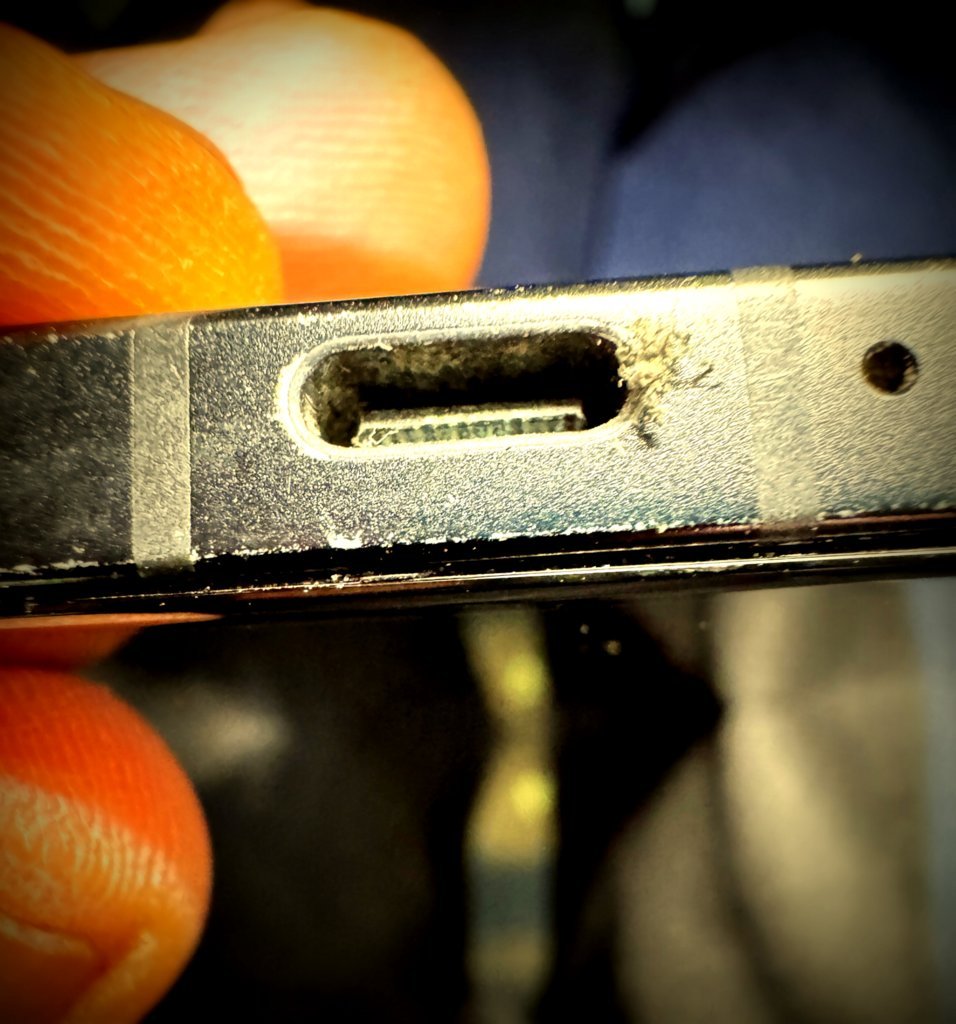
If the charging port appears damaged, loose or obstructed, don’t force the cable into place. SIMSIM’s expert technicians provide Samsung phone charging port repairs at the Melbourne CBD store at 80 Flinders St, Melbourne VIC 3000. A charging problem can involve the phone itself, not just the charger, so an assessment can help identify the next step.
For a samsung fast charger melbourne purchase, use your exact phone model to guide the comparison and rely on the specifications for the individual charger. SIMSIM sells Samsung wall chargers, and product features vary. If your concern is a phone charging fault, book Samsung phone repair support. You can also find SIMSIM on YouTube.
Where to buy a Samsung fast charger in Melbourne
If you’re comparing chargers locally, SIMSIM sells Samsung wall chargers at its Melbourne CBD store. Have your Galaxy’s full model name handy and check its manufacturer specifications for the supported connector and charging format. This gives you a clear basis for comparing an individual charger instead of relying on a general “fast” label.
Features and pricing depend on the exact charger. Use that product’s information when comparing options, and don’t assume a particular output, charging standard or price applies to every Samsung wall charger. The specific product details show what it offers and how it may suit your phone.
Visit SIMSIM’s Melbourne CBD store
SIMSIM is located at 80 Flinders St, Melbourne VIC 3000. Bring your phone or note its complete model name, then compare that information with the charger’s specifications. Checking the model and supported charging details helps you avoid choosing by appearance or headline wording alone.
You can call SIMSIM on 0450 755 121 or 03 9650 1117 during 9 am to 6 pm. For charger-specific features, refer to the details of the exact product rather than assuming every charger has the same specifications. Pricing is transparent and available on request or via the schedule or quote system.
Make your next step simple
Before deciding, bring together two details: your exact Galaxy model and the specifications for the charger you’re considering. Compare the connector and supported charging format, then review the product’s stated features and price. This makes it easier to understand how the option relates to your device and daily routine.
If your question is about a charging problem rather than choosing an accessory, SIMSIM also provides Samsung phone charging port replacement. You can book with SIMSIM for repair support. For more from the team, visit the SIMSIM YouTube channel.
For a samsung fast charger melbourne option, SIMSIM offers a local place to explore Samsung wall chargers in the CBD. Start with your Galaxy model, compare the exact product details and choose the next step that suits you.
Make your next charging choice with confidence
A charger is a small purchase, but one that suits your Galaxy can make daily charging simpler. Keep your phone’s exact model details close and compare them with the specifications of the charger you’re considering. If you’re weighing up a samsung fast charger melbourne option, visit SIMSIM’s Melbourne CBD store to explore its Samsung wall chargers. SIMSIM also has 142 Google reviews, Trustindex-verified.
If you need help with a charging concern or want to plan your next step, book with SIMSIM. You can also visit the SIMSIM YouTube channel. Check the details, then choose the setup that fits your Galaxy and your day.
Frequently Asked Questions
Which Samsung fast charger is compatible with my Galaxy phone?
Choose a charger whose connector and charging specifications match your exact Galaxy model. Find the model name or number in your phone’s settings, then compare Samsung’s device information with the charger’s product details. If you’re replacing a lost adapter, don’t rely only on the Galaxy series name. Keep the model number handy so you can check compatibility for your particular phone.
Can I use a Samsung fast charger with any Galaxy model?
No. Don’t assume one Samsung charger has identical compatibility or performance across every Galaxy model. Phones can differ in their supported charging features, and a charger’s label alone doesn’t establish what a particular device can use. Check both sets of specifications before connecting them. If you’re buying for more than one Galaxy phone, compare each model separately.
Is a wired Samsung charger faster than a wireless charger?
Not in every case. The charging experience depends on the phone’s capabilities and the specific charger, so the format alone doesn’t show which setup will charge faster. Wired charging may suit you if you want to connect directly by cable. Wireless charging offers a place-and-charge setup for a compatible phone. Compare the supported charging details for both devices before deciding which option suits you.
How do I check what charging speed my Samsung phone supports?
Look up your exact Galaxy model in Samsung’s official product information or user documentation and find its charging specifications. Use the full model identifier, since one range can include devices with different capabilities. Then compare that information with the charger’s stated output and supported standard. Your phone settings can help you identify the model, while the manufacturer’s specifications show its charging capability.
Where can I buy a Samsung fast charger in Melbourne?
SIMSIM sells Samsung wall chargers at its store at 80 Flinders St, Melbourne VIC 3000. Before choosing, bring your Galaxy model name or note it on your phone, then compare it with the specifications for the exact charger. This gives you a practical way to review the product details in person. For more about SIMSIM’s repair work, visit the SIMSIM YouTube channel.
How much does a Samsung wall charger cost at SIMSIM?
The price depends on the exact Samsung wall charger. SIMSIM’s pricing is transparent and available on request or via the schedule or quote system. If you’re comparing options, have your Galaxy model ready too, so you can consider the product information and price together before deciding.
What should I do if my Samsung phone will not charge properly?
Start by checking that the cable and adapter are connected securely, then try a compatible cable and adapter if available. Review your phone’s charging settings and inspect the port without forcing anything into it. If the port seems damaged or the problem continues, SIMSIM provides Samsung phone charging port replacement in Melbourne CBD. You can book with SIMSIM for repair support.