

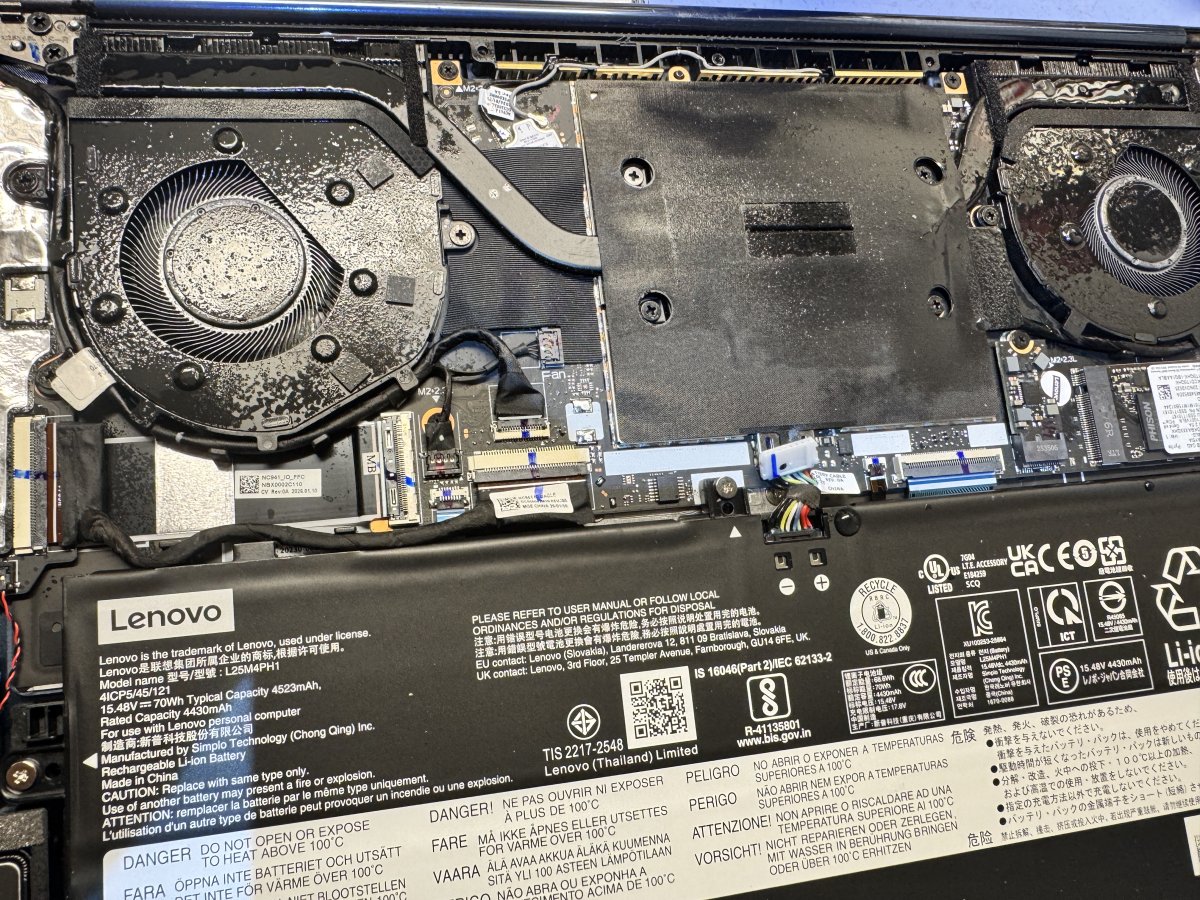
A battery replacement’s warranty and turnaround matter just as much as getting your Lenovo laptop working again. For battery replacement in Melbourne, the warranty depends on the terms attached to the replacement battery and repair, while the time needed can vary with the laptop model, part and work involved.
Before arranging a repair, it helps to know what the quote covers, what warranty terms apply and how long the work may take. SIMSIM Repairs provides transparent pricing, with quotes based on the device model, damage and repair scope. Review the quote and its warranty terms before proceeding.
This guide explains what to look for in replacement battery warranty terms, how upfront quotes help you make an informed decision, and what can affect repair time across Melbourne and Geelong. You’ll also find practical guidance on choosing professional Lenovo laptop battery service, with straightforward expectations and no guesswork.
Key Takeaways
- Learn what to look for in a replacement battery’s warranty terms, and understand that according to the Australian Competition and Consumer Commission, faulty goods may entitle you to a repair, replacement or full refund.
- See how an upfront quote can clarify the work involved and the factors that shape the cost before you decide to proceed.
- Understand why Lenovo laptop battery replacement time can vary with the model, compatible part and repair work involved.
- Find out what details help make booking battery service across Melbourne and Geelong more straightforward.
- Explore how to choose professional battery replacement support and what to expect from the process.
Mobile battery replacement across greater Melbourne and Geelong
“Mobile” describes where a technician works, not the hours they operate. A 24/7 mobile car battery replacement service would be available around the clock, but the phrase alone doesn’t establish operating hours or coverage. While our primary focus is Melbourne, service logistics in surrounding regional pockets mean the exact location and access arrangements matter when organising a visit.
Car batteries, Lenovo laptop batteries and phone or MacBook batteries are different components with different replacement processes. A vehicle battery supports the car’s electrical system, while a device battery powers a portable computer or phone. SIMSIM Repairs works on phones, tablets and computers in Melbourne, including MacBook battery replacement, rather than car batteries or Lenovo laptop battery replacement.
For a vehicle, age and symptoms offer useful clues. A battery more than 3 years old that shows signs of trouble should be tested. Slow starting, a flat battery, or electrical accessories losing power are examples of problems to describe. Leaving headlights, interior lights or the stereo on while parked can also flatten a car battery.
A mobile battery replacement service brings the work to the vehicle’s location, rather than requiring the car to travel to a service site. The technician needs the vehicle’s location and enough access to reach it. A driveway, roadside stopping place or parking structure can present different access conditions. Those details help determine whether the replacement can be completed at the vehicle.
Vehicle battery replacement may involve requirements such as registering a new battery with the car’s Battery Management System. That work is distinct from replacing a battery in a phone or MacBook. When arranging a device repair, give the exact model and describe the symptoms so the assessment can identify the work involved.
- Share the vehicle’s location, make and model when arranging service across our Melbourne coverage zones.
- Describe symptoms, such as slow starting or a flat battery.
- Mention whether lights or the stereo were left on before the issue.
- Allow for registration where the vehicle’s Battery Management System requires it.
Charging may be an alternative to replacement when the battery is flat. A compatible home charger can take 2 to 24 hours to charge a car battery, depending on the charger. That duration concerns charging, not a mobile replacement appointment. If the battery is repeatedly troublesome, testing helps distinguish a discharged battery from one that needs replacement.
For faulty goods, unsafe goods, goods that don’t work, or goods very different from their description or sample, Australian consumer guarantees may provide a right to a repair, replacement or refund. These guarantees are separate from the written warranty terms for a replacement battery.
Do the batteries come with a warranty?
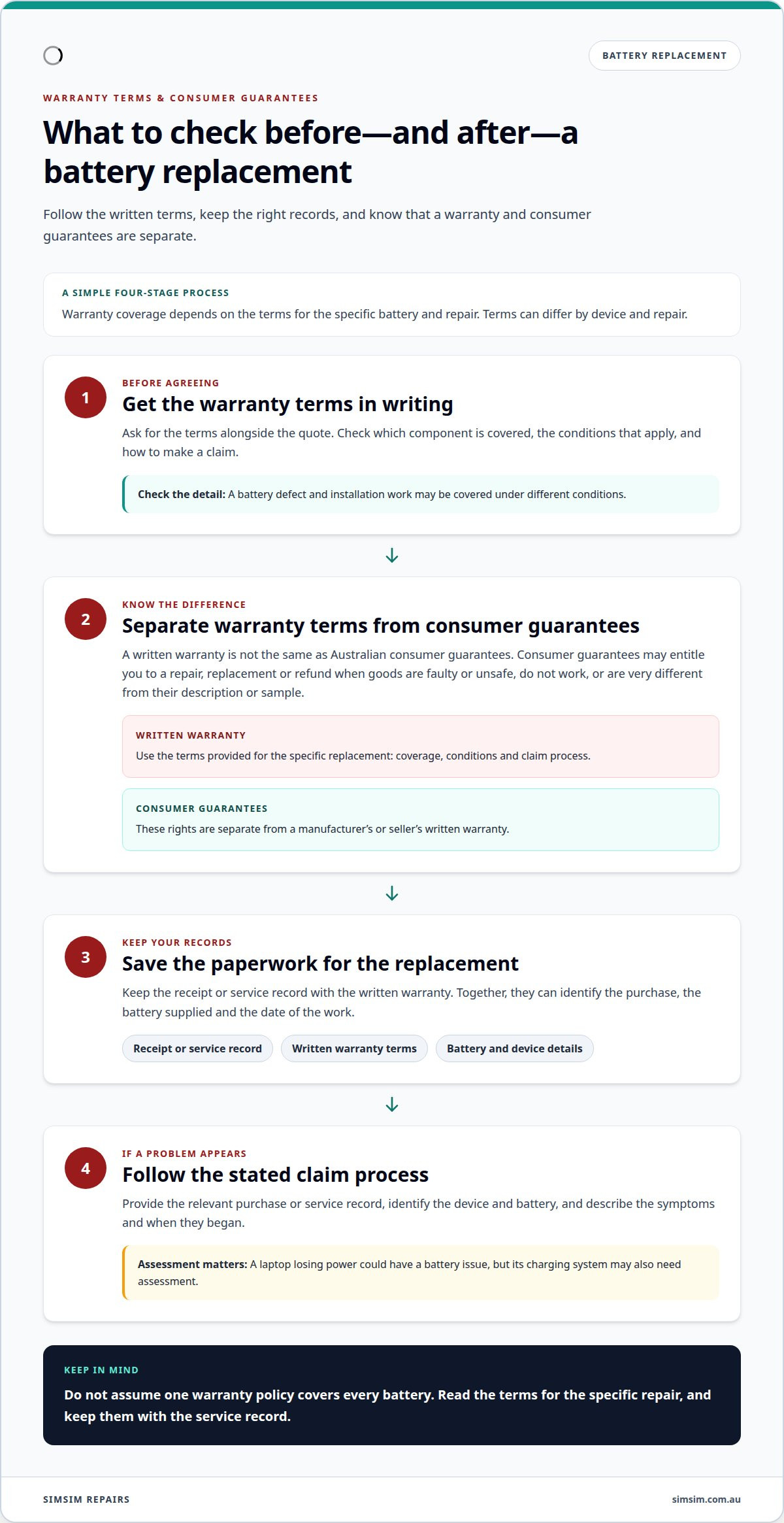
A replacement battery’s warranty depends on the terms provided for that specific repair. The terms should explain the coverage, conditions and available remedy. Warranty periods and conditions can differ by device and repair, so read the terms that apply to your replacement rather than assuming one policy covers every battery.
A brand name alone does not explain what a warranty covers. Read the written terms for the specific repair: they should identify the component covered, any conditions and how to make a claim. For example, a battery defect and installation work may be covered under different conditions. Ask for the warranty terms to be set out with the quote.
Warranty coverage is distinct from consumer guarantees. Australian consumer guarantees may entitle you to a repair, replacement or refund for faulty or unsafe goods, goods that don’t work, or goods very different from their description or sample. Those rights are separate from a manufacturer’s or seller’s written warranty.
Keep the paperwork for the replacement. A receipt or service record can identify the purchase, the battery supplied and the date of the work. If a problem appears later, those details help connect the fault to the relevant transaction. For a Melbourne metro replacement, retain any warranty document with the record, rather than relying on a verbal summary.
Technicians may need to distinguish a battery fault from another problem. For example, a Lenovo laptop that loses power could have a battery issue, but the charging system may also need assessment. A jump start applies to a vehicle with a flat car battery, not to a laptop. Identifying the device and describing the symptoms helps direct the assessment appropriately.
- Keep the receipt and written warranty terms together.
- Identify the exact device and battery covered.
- Note the symptoms and when they began.
- Separate a car battery jump start from laptop battery service.
If a replacement battery develops a fault, use the warranty’s stated process and provide the relevant purchase or service record. For faulty goods, the Australian Competition and Consumer Commission’s consumer guarantee information also applies independently of warranty wording. To arrange a device repair, make a booking online.
An Australian Competition and Consumer Commission report described a small-business respondent who said dealers would not help with radio-reset codes after a battery replacement interrupted power. This account concerned assistance with a reset code, not whether the battery was faulty or a warranty claim had been accepted. When describing a problem, distinguish the replacement from any separate device or system issue.
This account should not be taken as a general promise about dealer support or as a warranty term. If a similar issue arises, describe the battery replacement and the radio-reset problem separately when contacting the relevant service provider, and keep any response with the replacement paperwork.
Battery replacement prices and upfront quotes
An upfront quote helps you understand the proposed work and cost before deciding whether to proceed. The price depends on the device model, compatible battery, parts and labour involved. A quote for one model does not apply automatically to another. For battery replacement in Melbourne, SIMSIM Repairs provides quotes based on the specific device and repair scope.
Price depends on the case and is given after a quote request. The main factors are the laptop model, battery compatibility, part availability and labour involved. A clear quote should identify the proposed replacement and explain what the quoted amount covers. If the assessment changes the scope, the revised work and cost should be set out before proceeding. That gives you a chance to understand the revised proposal before authorising the work.
Car, SUV, AGM and truck battery prices belong to vehicle battery replacement, not laptop repairs. They aren’t useful comparisons for a Lenovo battery. Vehicle quotes can vary with the vehicle’s requirements, battery type, fitting and any related electrical work. An SUV needing an AGM battery and a truck requiring a different specification are separate cases, not interchangeable price examples. For battery replacement in Melbourne, compare quotes for the same device and work.
The same care applies to a mobile car battery quote. A flat battery may need more than fitting a replacement; the starting problem can have another cause. The quote should distinguish battery supply and fitting from any additional assessment or work. That makes it easier to understand what is included without treating a vehicle estimate as a laptop price. For a Lenovo, the model and battery compatibility are central to the estimate.
A “battery price guarantee” and a “price match guarantee” are not the same as an upfront quote. Each phrase refers to specific price conditions, and the wording determines what products or work qualify. Neither phrase tells you the cost of a particular device battery repair, so review the quote for the exact model and work.
Before approving a quote, look for these practical details:
- The device model and replacement battery being quoted.
- Whether fitting is included in the stated amount.
- Any additional work included in the scope.
- How a change to the work would affect the quote.
These details make quotes easier to compare on scope, rather than on a headline amount alone. For example, a quote that includes fitting may differ from one that only lists a battery. Matching the model, part and included work gives you a clearer basis for deciding. To arrange an assessment for a device repair, book an appointment.
Battery replacement time
There is no single repair time for every device battery replacement. The model, part availability and repair required affect the turnaround. SIMSIM Repairs handles MacBook battery replacement in Melbourne; the assessment identifies the model and work needed before the repair proceeds.
Part availability can shape the schedule. A compatible battery must match the laptop model and fit its internal design. If the required part needs to be sourced, the repair timeline includes that wait. Once the part is ready, the technician can complete the replacement and test the laptop’s charging and power functions. These stages are separate, so a quoted appointment time and total turnaround aren’t necessarily the same.
Testing helps distinguish a battery issue from another power fault. A device that shuts down when unplugged may have a battery problem, while failure to charge may also involve the charging system. Symptoms and test results help determine the repair required rather than treating every power issue as a simple battery replacement.
“Mobile battery replacement” and roadside assistance usually refer to vehicle batteries, not Lenovo laptops. A roadside call for a flat car battery may involve checking whether the vehicle starts after a jump start or needs a replacement. Headlights left on can explain a flat battery, but they don’t explain a laptop that won’t charge. Keep the device and service type clear when arranging assistance.
- Provide the Lenovo model so the battery can be identified.
- Describe whether the laptop charges, starts and stays powered.
- Allow time for assessment, compatible-part sourcing and testing.
- Ask how any change in the work affects the expected completion time.
A compatible home charger can take 2 to 24 hours to charge a car battery, depending on the charger. That figure is for charging a vehicle battery, not replacing a Lenovo laptop battery. Charging and replacement are different processes, and a laptop’s turnaround depends on its model and repair requirements.
“Affordable” shouldn’t mean skipping the checks that establish the cause of a Lenovo power problem. A useful time estimate explains whether assessment, part sourcing, fitting or final testing affects the schedule. If you’re arranging a device assessment, you can book an appointment online.
Booking and contact options
A useful repair request starts with the device details. Include the model name or number and describe the battery concern, such as fast charge loss, unexpected shutdowns or a device that works only while connected to its charger. These details help distinguish a battery issue from another power fault.
Use the online booking form to arrange an assessment. Include a concise description, such as “Lenovo laptop drains quickly when unplugged.” If the problem began after a drop, liquid exposure or charging change, mention that too. Specific observations are more useful than a broad note like “battery broken.” Keep the description focused on symptoms and how the laptop behaves.
Before submitting a booking, gather the model information and note any relevant accessories. A charger can help explain whether the laptop charges normally, so mention unusual charging behaviour in the booking details. Don’t assume the battery is the only possible cause. A laptop that won’t power on, for example, may need a broader assessment than one that runs normally while plugged in.
- Enter the Lenovo model or model number.
- Describe when the power problem occurs.
- Note whether the laptop charges while connected.
- Include changes such as a recent impact or charging issue.
For an in-person visit, the store address is 80 Flinders St, Melbourne VIC 3000. Use the address to plan your trip to the Melbourne CBD. If you’re travelling with a laptop, keep it protected and bring its charger when relevant. The charger can provide useful context about the reported problem, but the technician’s assessment determines what needs attention.
The booking link is the direct digital option for arranging a visit. It avoids relying on an unlisted phone number or assuming that a walk-in appointment is available. Use the form to describe the Lenovo issue clearly, then follow the booking details shown during that process. For example, distinguish “battery drains quickly” from “laptop won’t charge.”
If you are unsure how to describe the symptoms, focus on what you observe rather than trying to diagnose the cause. Note whether the device starts, how it behaves off the charger and whether the charging indicator changes. These details provide a useful starting point for assessment without requiring you to open the device or attempt a repair.
Ready to arrange the next step? Book an appointment online and include your Lenovo model and the symptoms you’ve noticed.
SIMSIM Repairs
SIMSIM Repairs helps with device repair needs, including battery concerns that call for professional assessment. The guidance above can help you understand what affects a replacement quote, warranty terms and repair timing. For related computer battery service, SIMSIM offers MacBook Battery Replacement. It also handles other device repairs, such as iPhone Screen Replacement and iPad Charging Port Repair.
If your MacBook loses charge or shuts down unexpectedly, share its model and symptoms with SIMSIM Repairs when arranging a repair. Clear details help identify the issue and work required. SIMSIM Repairs also provides iPhone screen replacement and iPad charging port repair in Melbourne CBD.
For help with a device repair, contact SIMSIM Repairs.
Choose the next step for your device
The right next step depends on the device needing attention. For battery replacement in Melbourne, make sure the request matches the device and repair required. SIMSIM Repairs handles MacBook battery replacement; provide the exact model and describe the symptoms to get started.
SIMSIM Repairs handles a range of device repairs in Melbourne CBD, including MacBook Battery Replacement, iPhone Screen Replacement and iPad Charging Port Repair. Contact the team with your device model and a description of the issue to discuss the repair.
For a quote about a device repair, contact SIMSIM Repairs. With the right details in hand, you can take your next step with confidence.
Frequently Asked Questions
Are there Melbourne battery replacement services available after hours or on weekends?
SIMSIM Repairs lists phone contact availability from 9 am to 6 pm; this is the stated contact window, not a promise of after-hours or weekend appointments. For Lenovo laptop battery help, submit a booking request online with the model and symptoms. The booking form is the practical next step for sharing your repair request and viewing the available appointment options.