

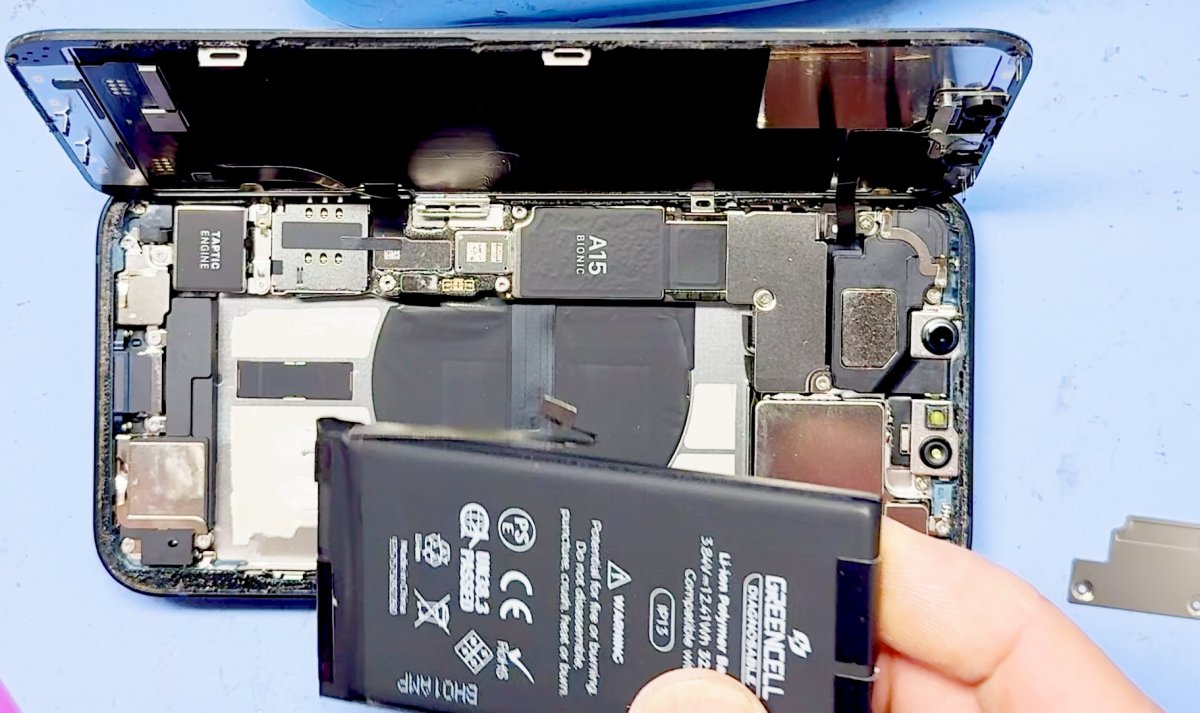
A professional iPhone battery replacement in Melbourne CBD often takes 30-60 minutes, while a do-it-yourself repair can take from 30 minutes to a couple of hours. You can replace an iPhone battery yourself, but Apple recommends having its built-in battery serviced by Apple or an authorised service provider.
If your iPhone 13 needs attention, choosing a repair route is about more than the time it takes. Battery health, the model being serviced and what happens to water resistance after the phone is opened all matter.
Here’s what to consider before arranging an iPhone battery replacement, how long professional service may take and which iPhone models are supported. We’ll also cover battery health and water resistance after replacement, so you can make an informed choice for your phone.
Key Takeaways
- Understand when professional battery service is the safer choice, and how warranty coverage may affect your options.
- Get a clearer idea of how repair time differs between a DIY attempt and professional service.
- Find out which iPhone models are supported before planning a replacement.
- Learn what a battery health reading can tell you, and what to expect about water resistance after repair.
- When you’re ready, book with SIMSIM, or explore repair information on SIMSIM’s YouTube channel.
Should I have a professional replace my iPhone battery?
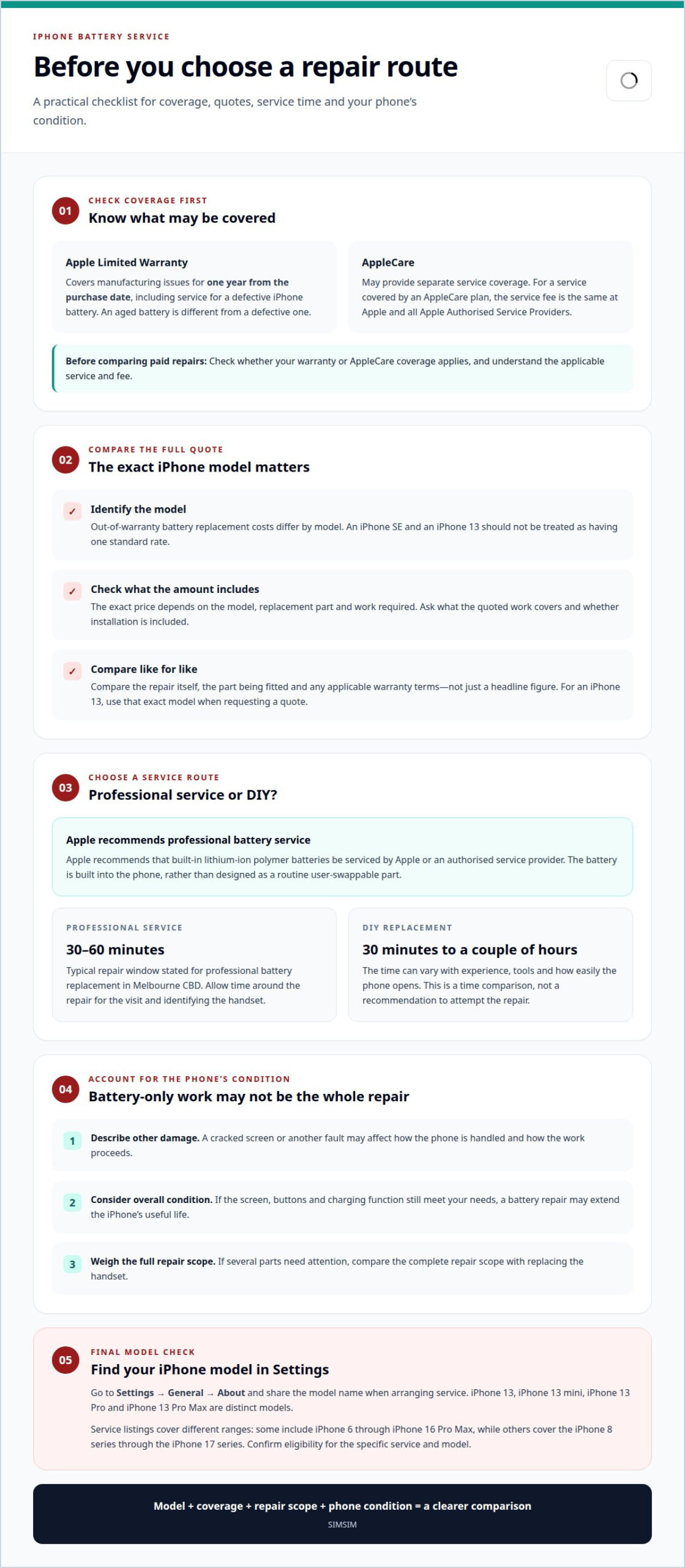
Before arranging an iPhone battery replacement, check your warranty status. Apple’s Limited Warranty covers manufacturing issues for one year from the purchase date, including service for a defective iPhone battery. If your phone is still within that period, check whether the fault and warranty terms apply before choosing a paid repair. A battery that has aged is different from one that is defective.
Check your coverage before arranging an out-of-warranty repair. Apple’s one-year coverage is for manufacturing issues, while AppleCare may provide separate service coverage. For a service covered by an AppleCare plan, the service fee is the same at Apple and all Apple Authorised Service Providers. Compare covered service options rather than assuming one provider offers a discount.
Once coverage has ended, the iPhone model becomes a central cost factor. Australian out-of-warranty battery replacement costs differ by model, so an iPhone SE and an iPhone 13 shouldn’t be treated as having one standard rate. The exact repair price depends on the model, the replacement part and the work required. A price depends on the case and is given after a quote request; the model, battery part and repair condition affect it.
Compare the complete out-of-warranty service, not just a headline figure. Apple’s price and a professional repair quote can differ, but the useful comparison includes the repair itself, the part being fitted and any applicable warranty terms. Ask what the quoted work covers and whether the amount includes installation. For an iPhone 13, use its exact model when requesting a quote, since costs for other iPhone generations may not apply.
Professional service is a practical option if you want a technician to handle the battery work. Apple recommends that built-in lithium-ion polymer batteries be serviced by Apple or an authorised service provider. The battery is built into the phone, rather than designed as a routine user-swappable part. Professional repair also gives you a clear service route if a battery fault appears after installation.
For a straightforward decision, identify your iPhone model, establish whether warranty or AppleCare coverage applies, then compare the written out-of-warranty quote with your covered options. Australia’s model-based pricing makes the exact device important. If an iPhone 13 is outside coverage, request a quote using that model rather than relying on another generation’s price. If it is covered, first understand the applicable warranty service and fee.
Repair duration
For a professional battery repair in Melbourne CBD, allow 30-60 minutes. That window gives you a practical starting point for planning an appointment, rather than assuming the phone will be ready immediately. The visit also involves identifying the handset and understanding the fault, so allow time around the repair itself.
A DIY replacement can take 30 minutes to a couple of hours. That span reflects differences in experience, tools and how easily the phone opens. It’s a time comparison, not a recommendation to attempt the repair. Apple recommends built-in lithium-ion polymer batteries be serviced by Apple or an authorised service provider. For a professional appointment, plan around the stated service window rather than a DIY estimate.
Your iPhone’s condition matters, too. Battery-only work differs from a repair involving a damaged screen or another fault. If the screen is cracked, the technician may need to account for its condition while handling the phone. The model helps determine the repair approach, while the phone’s physical state may affect how the work proceeds. Describe the issue accurately when arranging service.
Choosing Apple or an independent repair service involves more than comparing turnaround time. Apple and Apple Authorised Service Providers follow Apple’s service route, while independent providers are a separate option. Consider whether warranty or AppleCare coverage applies, what the repair includes and how the service handles your model. The right option may depend on whether your repair is covered.
In Melbourne CBD, convenience depends on your appointment plans and travel time as well as the repair itself. The 30-60-minute service window helps you decide whether to wait nearby or arrange another part of your day. For a useful comparison between providers, focus on the same iPhone model, repair scope and stated time. Those details matter more than a timing estimate from another city.
Repair or replace the phone? Consider the device’s overall condition, not battery life alone. If the screen, buttons and charging function still meet your needs, a battery repair may extend the useful life of the iPhone. If several parts need attention, compare the full repair scope with replacing the handset. An iPhone 13 with one battery concern presents a different decision from a phone with multiple faults.
Before your appointment, identify the iPhone model and describe any other damage. That helps the service plan for the right device and issue. Keep the 30-60-minute repair window in mind, and leave room for the visit itself. Book a repair appointment when you’re ready to plan your Melbourne CBD visit.
Supported iPhone models
Model coverage and replacement pricing depend on your exact iPhone, not just its age. Find the model name in Settings under General, then About, and share it when arranging service.
Eligible iPhone Models
Battery service listings cover different model ranges. Some include iPhone 6 through iPhone 16 Pro Max, while other listings cover the iPhone 8 series through the iPhone 17 series. These ranges show why eligibility needs to be understood in relation to the specific service, rather than assumed from a general claim about iPhones.
For an iPhone 13, give the full model name when arranging a repair. The iPhone 13, iPhone 13 mini, iPhone 13 Pro and iPhone 13 Pro Max are distinct models. That distinction helps match the device to the correct replacement battery and repair process. If you’re unsure which one you have, the model name in Settings is more useful than the phone’s colour or storage capacity.
Model-Specific Replacement Prices
Out-of-warranty battery pricing in Australia varies by iPhone model. For example, listed prices differ between older iPhone SE generations and the iPhone 11 to iPhone 14 group. These are market examples, not a price for every service. The exact model, the replacement part and the repair required determine the quote, so an iPhone 13 price shouldn’t be assumed from an iPhone SE listing.
Apple’s out-of-warranty rate also depends on the model. Comparing Apple with an independent repair service means comparing the same iPhone version and equivalent work. Look at what the quote covers, including the replacement part and installation. A price for an iPhone 13 can’t reliably be compared with a quote for an iPhone 13 Pro Max.
Model-specific repair guides can help explain why the process differs between generations. Battery access, internal layout and the way a device is assembled influence the repair approach. A guide for an iPhone 16 Pro, for instance, describes a different model from an iPhone 13. Use information for your own iPhone model, not a guide chosen only because the devices look similar.
Storage capacity is separate from model eligibility. The space used for photos and apps doesn’t identify the battery part; the model name does. Before service, back up important information and arrange access to your device if the repairer needs to test it. Keep your case and accessories separate so the phone is ready for assessment.
These details make preparation straightforward: identify the iPhone model, share it when arranging service, and use that same model when comparing replacement options. For an iPhone 13, specifying the exact version helps keep the quote and repair discussion focused on the right device.
Battery health, performance and water resistance questions
Battery health helps explain whether a drop in everyday runtime points to battery wear. For iPhone 13, consider the displayed capacity alongside performance, warning messages and the phone’s repair history.
DIY work or an unauthorised repair can damage your phone if the battery is handled incorrectly. A non-genuine part may also trigger an iOS alert and disable some battery health features.
How a technician checks iPhone battery health
Battery Health information is available in Settings on devices running iOS 11.3 or newer. A technician can review the displayed maximum capacity and any service message, then explain what those indicators mean for the device. The reading describes capacity compared with when the battery was new; it doesn’t, on its own, describe every cause of short runtime.
Battery Replacement Thresholds
Apple says iPhone lithium-ion batteries are designed to retain 80% of original capacity after 500 complete recharges. iPhone 14 models and earlier are designed for 80% after 500 complete charge cycles under ideal conditions. iPhone 15 models are designed for 80% after 1,000 complete charge cycles under ideal conditions. These are design benchmarks, not a promise of identical results for every phone.
A maximum capacity below 80% is a sign that replacement may be appropriate. Apple suggests replacement when maximum capacity reaches 80%. Read that threshold alongside your iPhone 13’s performance and service messages. Battery replacement cost is only one consideration; the phone’s condition and how long you plan to keep it matter too.
Battery Health Warnings
Read the full message in Battery Health instead of relying on a percentage alone. A service recommendation and a non-genuine part alert mean different things. After third-party battery work, iOS may display a non-genuine part alert, and some battery health features may be disabled. Pay attention to the message, as it can affect the information shown on screen.
Consider how your phone performs in everyday use. Unexpected shutdowns, shorter runtime or frequent charging can help explain why a capacity reading matters. A replacement may address battery-related symptoms, but it won’t fix a separate screen, charging or software issue. Consider all the signs rather than treating one percentage as a complete diagnosis.
Take care with water resistance after a phone has been opened for repair. Don’t assume its original resistance is unchanged after battery service or treat it as protected from liquid exposure. The outcome depends on the repair and the phone’s condition. If water resistance matters to you, include it in the repair discussion before work begins.
For an iPhone 13, a useful assessment connects the Battery Health reading, any warning and your real-world experience. That gives you a clearer basis for deciding whether the battery is the likely cause, and what to expect after service is completed.
Mobile iPhone battery replacement service
For a Melbourne CBD iPhone battery repair, the service time is typically 30-60 minutes. That window gives you a practical starting point for planning an appointment, rather than assuming the phone will be ready immediately. The visit also involves identifying the handset and understanding the fault, so allow time around the repair itself.
“Mobile” here describes the iPhone being repaired, not a technician travelling to your location. A mobile phone battery service takes place through a repair appointment. For an iPhone 13, provide the model and explain what you’ve noticed, such as frequent charging or sudden shutdowns. Those details help frame the repair around your actual concern.
Before booking, note whether the problem is limited to battery life. Slow charging may point to a charging fault, while a cracked screen needs separate repair work. Describe both symptoms if they occur together. Battery replacement addresses the battery, not every fault that can affect an iPhone.
At the appointment, have the device accessible and share any relevant warning shown in Settings. Battery Health can display maximum capacity and service information; a reading around 80% can help explain reduced battery life. It’s one useful indicator, not a complete account of the phone’s condition. The repair discussion can then focus on the device and the symptoms you’ve described.
After the repair, check everyday functions, including charging and the battery information in Settings. Consider the replacement in context: if the same problem continues, another issue may be involved. Keep the repair documentation with your device records for a clear reference to the work completed and any follow-up.
Planning around Melbourne CBD is also about reducing disruption. The stated 30-60-minute service window can help you decide whether to wait nearby or arrange another part of your day. Keep essential travel or work plans flexible enough to allow for the appointment and handover. The repair duration describes the service window, not time spent travelling to and from the store.
For a smoother visit, note your iPhone model, the battery symptoms and any on-screen warning before arranging service. This helps keep the appointment focused, especially if your iPhone 13 also has screen damage or charging concerns. Share what you’ve observed, rather than assuming every power problem comes from battery wear.
If your iPhone 13 is losing charge quickly, book a battery repair appointment for your Melbourne CBD visit.
SIMSIM Repairs
If battery concerns coincide with other phone damage, SIMSIM Repairs can help with the next step. A cracked display, for example, may need attention separate from the battery, and SIMSIM offers iPhone Screen Replacement. Share the symptoms you’ve noticed to keep the repair discussion focused on your device and what you need it to do.
SIMSIM Repairs also handles selected repairs for other devices, including MacBook Battery Replacement, iPad Charging Port Repair and Samsung Galaxy Back Glass Repair. These services address different faults, so the right option depends on your device and its problem.
If you’re weighing up what to do about your iPhone, contact SIMSIM to arrange the next step.
Choose the next step for your iPhone
Your phone supports the routines that keep a day moving, from messages and travel plans to work and familiar photos. If battery trouble is disrupting those routines, consider what you need from your device. A professional iPhone battery replacement can help keep the iPhone you know in daily use.
SIMSIM Repairs can also help when another device needs attention, with services including iPhone Screen Replacement, MacBook Battery Replacement and iPad Charging Port Repair. Each addresses a different repair need, so describe your device and its issue clearly when arranging service.
There’s no need to make the decision feel bigger than it is. Start with the problem affecting your device, then choose a repair path that fits how you use it. If you’re ready to discuss your iPhone, contact SIMSIM Repairs and book an appointment. A clear next step can make getting back to your everyday routine feel simpler.
Frequently Asked Questions
How much will it cost?
The price depends on your iPhone model, the part used and the repair required. For an accurate quote, provide the exact model, such as iPhone 13, and describe any other damage. The quote should set out the repair scope and applicable warranty terms. That makes it easier to understand what the service covers before deciding, without relying on a price for a different model or repair.
What battery do you fit?
Your quote should identify the replacement part and repair details. SIMSIM Repairs uses high-quality genuine parts, and the quote should specify the battery and warranty terms for your device. If your iPhone displays a parts message after service, read it carefully: iOS may show a non-genuine part alert after third-party battery work, and some battery health features may be unavailable.
How long does it take?
For an iPhone battery repair in Melbourne CBD, allow around 30-60 minutes for the service. The time can depend on the model and the work needed once the device is assessed. Tell the repairer about other faults, such as a damaged screen or charging issue, when arranging your appointment. That helps distinguish a battery-only repair from work involving additional components.
Is there a service guarantee?
The quote should state the repair warranty terms. SIMSIM Repairs specifies warranty details in the quote, so review them before approving the work. Check what the stated coverage applies to, including the replacement part and labour, and keep the quote or repair record. It provides a clear reference if you need to discuss the service later.
How much does iPhone battery replacement cost in Australia?
There isn’t one price that applies to every iPhone battery repair across Australia. The model, replacement part and repair scope affect the quote. An iPhone 13 should be priced as that exact model, rather than compared with a different generation. Ask for the quote to identify the device and work included, so you can understand the proposed service without relying on unrelated national averages.
How long does an iPhone battery replacement take in Australia?
Professional service times vary by repairer, location and device. In Melbourne CBD, the battery repair service window is 30-60 minutes; the full visit also includes arranging the handover and collecting your phone. For a repair elsewhere in Australia, timing depends on the local service and the specific device. Describe any additional damage when booking, since it can change the work involved.
What is the difference between Apple and third-party iPhone battery replacement?
Apple and Apple Authorised Service Providers use Apple’s service route; independent repairers operate separately. Coverage matters: Apple’s Limited Warranty covers manufacturing issues for one year from purchase, including service for a defective iPhone battery. For an independent repair, compare the quoted part, repair scope and warranty terms. Third-party battery work may also result in an iOS non-genuine part alert.
How can I check iPhone battery health and whether it needs replacement?
On an iPhone running iOS 11.3 or newer, open Settings, then Battery and Battery Health to view maximum capacity and service information. Apple suggests considering replacement when maximum capacity reaches 80%. Treat that reading as one useful indicator alongside shorter runtime, frequent charging or performance issues. A warning message can provide additional context, so note its wording when discussing the device’s symptoms.