

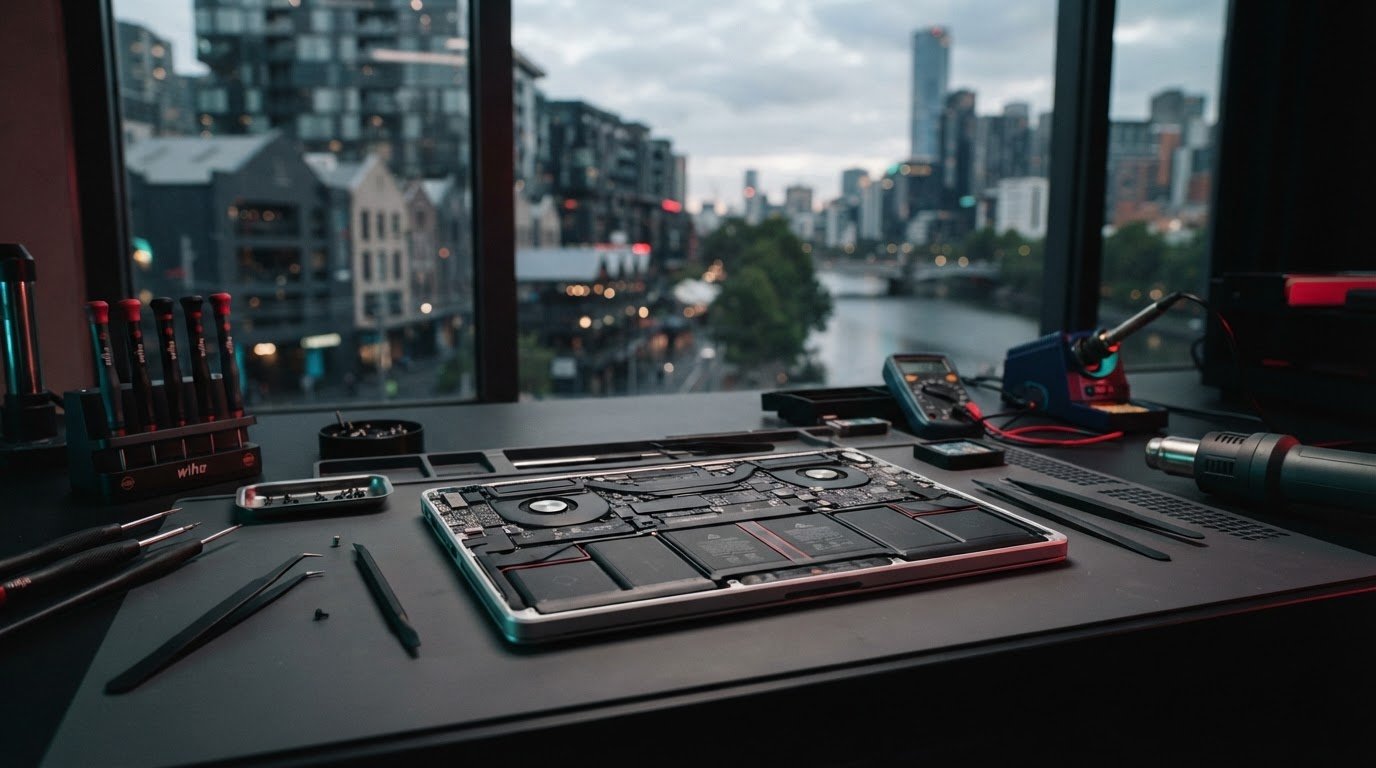
A MacBook that drains quickly doesn’t always need a new battery, but repeated shutdowns or a “Service Recommended” warning are worth checking. If you’re considering macbook battery replacement melbourne, start with an assessment for your exact model rather than guessing from one symptom.
It’s frustrating when your computer won’t hold charge, especially if you rely on it for work or study. Battery ageing may be part of the problem, but your MacBook model and the device’s condition also matter. A bulging case or lifting trackpad is a more urgent warning sign. Don’t ignore visible changes.
This guide covers common battery warning signs, practical checks and how to compare repair options. It also explains what to ask before booking and how to prepare your MacBook and data for service. SIMSIM Repairs offers MacBook battery replacement at its store at 80 Flinders St, Melbourne VIC 3000. Confirm your model’s compatibility and the current assessment and repair details before arranging a visit.
Key Takeaways
- Reduced unplugged runtime, unexpected shutdowns and battery-health alerts are clues to investigate, not a diagnosis on their own.
- Identify your MacBook model before discussing macbook battery replacement melbourne. Service suitability can depend on the exact model.
- Assessment, battery replacement and further diagnosis are possible next steps. Ask what each involves before agreeing to a repair.
- Before handing over your MacBook, confirm model compatibility, proposed parts, repair scope and how you’ll receive updates.
- Have your model details and a clear description of the symptoms ready when you book with SIMSIM; you can also visit the SIMSIM YouTube channel.
Does Your MacBook Need a Battery Replacement? Signs to Check First
If your MacBook no longer lasts through your usual day, it’s understandable to wonder whether the battery is failing. Shorter runtime, unexpected shutdowns and a battery-health alert can all be reasons to investigate, but none confirms the cause by itself. For macbook battery replacement melbourne, note the pattern you’re seeing and identify your exact MacBook model. If the problem keeps happening, arrange an assessment.
MacBooks use lithium-ion batteries, which gradually change with use and age. You can check battery health in macOS settings, but treat the result as a useful clue rather than a repair verdict. Record the warning or reading and when you noticed the change, so you can share those details during an assessment.
Which MacBook battery symptoms should prompt an assessment?
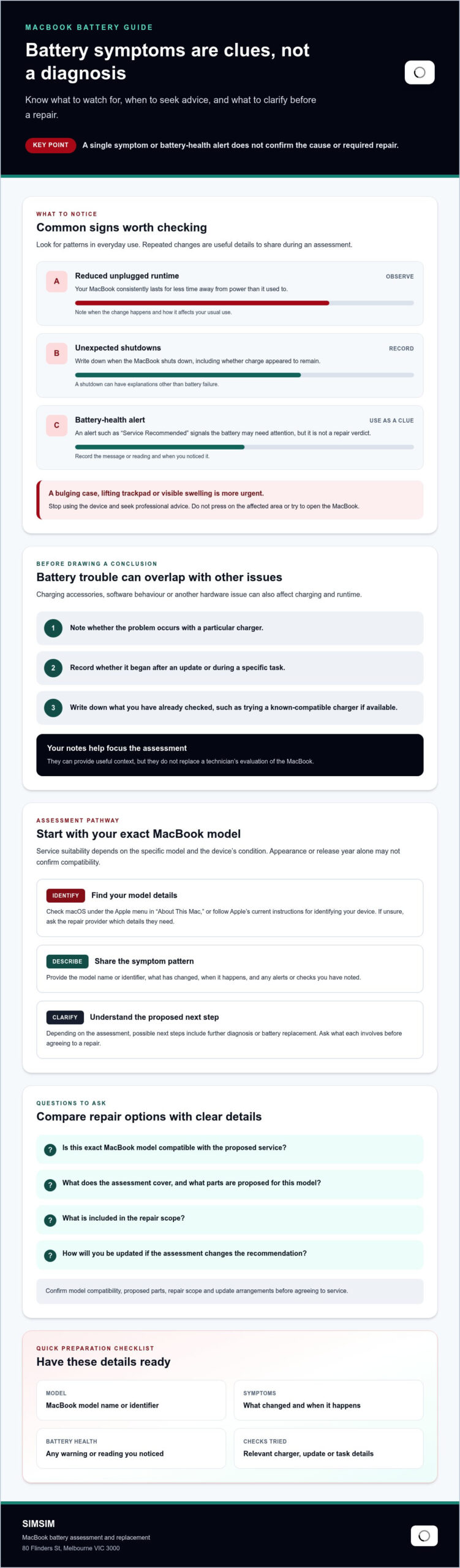
Notice whether your MacBook consistently runs for less time unplugged, shuts down while charge remains, or displays a battery-health alert such as “Service Recommended.” One unusual reading or a single shutdown may have another explanation. A repeatable change in everyday use is more useful context to share with a technician.
A battery-health warning signals that the battery may need attention; it cannot, by itself, confirm the cause or the repair your MacBook needs. If the case looks bulged, the trackpad lifts or the device otherwise appears swollen, stop using it and seek professional advice. Don’t press on the affected area or try to open the device.
Can battery problems be confused with other faults?
These observations can help focus an assessment, but they aren’t a substitute for one. A technician may need to check the MacBook before recommending a next step. SIMSIM offers MacBook battery replacement; confirm your model’s suitability and current service details before booking. Have your model and symptom notes ready when you contact SIMSIM about an assessment. You can also visit the SIMSIM YouTube channel.
What Happens During a MacBook Battery Assessment and Replacement?
A useful assessment starts with details, not assumptions. The repair path can depend on your MacBook’s exact model, the symptoms you’ve noticed and what a technician finds when evaluating the device. Sharing relevant information upfront helps the provider check whether the requested service may be suitable and explain what happens next.
Confirm repair suitability for the exact MacBook model. Don’t infer it from the device’s appearance or age alone.
How do you identify your MacBook model before booking?
Check the model information in macOS, such as under the Apple menu in “About This Mac,” or follow Apple’s current instructions for identifying your device. Depending on the model, you may also be able to find identifying information on the MacBook itself. If you’re unsure which details to provide, ask the repair provider what they need.
When requesting service, share the model name or identifier alongside a brief description of the issue. Appearance or release year alone may not be enough to confirm whether a MacBook can be serviced. For macbook battery replacement melbourne, check model compatibility before making plans to visit a provider.
What should you ask about assessment and repair?
- Which model details do you need to confirm service suitability?
- What will the assessment check, and what options might follow?
- What parts are proposed, and will you explain the scope before proceeding?
- How will you contact me with assessment findings or repair updates?
What should you ask about data and repair handling?
Before handing over your MacBook, ask whether the provider recommends any preparation or a backup. Don’t assume your data will be unaffected or that no backup is needed. Clarify how the device will be handled during assessment and repair, and ask what to do if you can’t access or back up your files.
SIMSIM provides MacBook battery replacement from its store at 80 Flinders St, Melbourne VIC 3000. You can contact SIMSIM about your MacBook model and battery symptoms to confirm service suitability and current details before arranging a visit. For more information about the business, see the SIMSIM YouTube channel.
MacBook Battery Repair or Another Option: How to Decide
A battery replacement is one possible outcome, not the automatic answer to every power problem. An assessment can help clarify whether the battery appears to be the concern, whether replacement may be suitable, or whether more investigation is needed first. For macbook battery replacement melbourne, base your next step on the available findings and your needs rather than symptoms alone.
Which next step might fit your situation?
Use these paths as conversation starters, not as a diagnosis. Ask the technician which option fits their findings and what each would involve before deciding.
| Possible path | When it may be worth discussing | What to clarify |
|---|---|---|
| Assessment | The symptoms are recurring, but the cause isn’t clear. | What the assessment covers and what information or findings will be shared. |
| Battery replacement | The assessment indicates the battery may be responsible and your exact model is suitable. | Which parts and repair scope are proposed, and whether you approve them before work proceeds. |
| Further diagnosis | Charging or power problems persist, or the initial findings don’t point clearly to the battery. | What else may need checking and whether you’ll be consulted about the next step. |
When is a battery replacement worth discussing?
If reduced unplugged runtime or unexpected shutdowns keep happening, an assessment is a sensible next conversation. Think about when the disruption occurs: during travel, while working away from a power point, or only during occasional use. That helps explain the practical impact without assuming replacement is necessary. Ask what the assessment suggests for your model and what outcome can reasonably be expected, rather than counting on a specific improvement.
When might the issue need a different diagnosis?
Persistent power or charging trouble may call for broader investigation, particularly if it began after damage, a change in charging accessories or unusual device behaviour. In some cases, power failure stems from deeper motherboard circuitry rather than the battery itself—an issue that specialized laptop repair providers like İSS Bilişim often address through board-level troubleshooting and spare parts replacement. Share what changed and when the issue appears. The technician can use that history alongside the assessment to discuss an appropriate recommendation. A symptom list alone can’t establish the final diagnosis.
SIMSIM offers MacBook battery replacement from its store at 80 Flinders St, Melbourne VIC 3000. Confirm your MacBook’s suitability and current service details before arranging a visit. You can contact SIMSIM about your MacBook battery issue, or learn more about the business on the SIMSIM YouTube channel.
How to Choose a MacBook Battery Repair Provider in Melbourne
Choosing a repair provider is easier when you can get clear answers before handing over your MacBook. Look for a service that checks compatibility against your exact model, explains the assessment and outlines the proposed work before you decide. A clear conversation helps you understand what’s known, what still needs checking and what the next step could be. Even if you are outside Australia, reputable electronics specialists like Just Fix UAE follow these same principles to assess MacBooks and other devices before recommending repairs.
What should you confirm before choosing a repair service?
Ask direct questions and note whether the answers are specific to your MacBook, rather than broad promises that apply to every device. Before booking or leaving your computer, clarify:
- Can you assess my exact MacBook model, and what details do you need to confirm it?
- What does the assessment include, and how will you explain the recommended next step?
- What does the proposed service cover, including the parts being considered?
- How will you let me know if the findings change the recommendation or service scope?
- Should I prepare or back up my MacBook before bringing it in?
What is useful to know about SIMSIM Repairs in Melbourne CBD?
MacBook battery replacement is among SIMSIM’s listed repair services. Its store is at 80 Flinders St, Melbourne VIC 3000, in Melbourne CBD. Service suitability can depend on the exact MacBook model, so confirm compatibility and current assessment and repair details before arranging a visit.
SIMSIM describes its technicians as expert and its replacement parts as high quality. For more about its Apple services, see the Apple device repair information. You can also visit the SIMSIM YouTube channel.
If you’re comparing options for macbook battery replacement melbourne, use the questions above to guide your conversation and check that the proposed service fits your device. Contact SIMSIM to ask about your MacBook battery service, and share your model details so suitability can be confirmed.
Book a MacBook Battery Assessment with SIMSIM in Melbourne
A sensible next step is straightforward: note the battery behaviour you’ve noticed, identify your MacBook model, then ask whether it’s suitable for service. This gives SIMSIM useful context without assuming the battery is definitely at fault or that replacement is the only option. For macbook battery replacement melbourne, confirming model compatibility and current service details before you visit can help you plan.
What information should you prepare before booking?
Keep the details concise and specific. You don’t need to diagnose the problem yourself. Share what you’ve observed and when it happens, so the team can understand your concern and tell you what information is needed next.
- MacBook details: the model name or identifier, if you can find it.
- Battery behaviour: for example, reduced time unplugged, unexpected shutdowns or a battery-health alert.
- Charging or power changes: note whether the issue occurs with a particular charger, began after a change or appears under certain conditions.
- Questions: ask whether your exact model is compatible and confirm the current assessment and service details.
If you’re unsure how to identify your model, say so when you get in touch and ask which details will help. A clear description is useful, but only an assessment can establish what may be causing the issue and whether a battery replacement is appropriate.
How can you take the next step in Melbourne?
SIMSIM provides MacBook battery replacement at its store at 80 Flinders St, Melbourne VIC 3000. Share your model information and a short account of the symptoms when making an enquiry. Confirm service suitability and current details directly with SIMSIM. Assessment findings will guide any discussion about what to do next, so don’t assume a diagnosis or turnaround before speaking with the team.
To ask about your MacBook, book or enquire with SIMSIM and include your model details and the battery behaviour you’ve noted. If you’d like to explore the business’s videos separately, visit the SIMSIM YouTube channel. It’s an optional resource, not a substitute for confirming your device’s suitability and service details directly.
Take the Next Step with Confidence
Battery warnings, reduced runtime and unexpected shutdowns can point to a problem, but symptoms alone don’t confirm that a replacement is needed. Note what’s happening, identify your MacBook model and ask a repair provider to confirm whether it’s suitable for service. Before agreeing to work, get clear details about the assessment, proposed repair and how you’ll be kept informed.
For macbook battery replacement melbourne, SIMSIM provides MacBook battery replacement at its Melbourne CBD store at 80 Flinders St, Melbourne VIC 3000. Confirm your model’s suitability and current service details directly with the team before arranging a visit.
Book a MacBook battery assessment with SIMSIM and share your model details and a brief description of the issue. For an optional look at the business’s video content, visit the SIMSIM YouTube channel. A few clear details can help you take a more informed next step.
Frequently Asked Questions
How do I know if my MacBook battery needs replacing?
Shorter runtime, unexpected shutdowns and a battery-health alert can be signs that your MacBook needs an assessment, but none confirms that the battery must be replaced. Look for changes that keep happening and note when they occur. Check battery health in macOS settings if available, then share what you find with a technician. If the case or trackpad appears raised, stop using the device and seek professional advice.
Can a MacBook battery be replaced in Melbourne?
Yes, MacBook battery replacement is available in Melbourne, but service suitability depends on the exact model and assessment. SIMSIM Repairs lists MacBook battery replacement among its services at its Melbourne CBD store. If you’re seeking macbook battery replacement melbourne, share your model details and ask SIMSIM to confirm compatibility and current service information before arranging a visit.
How long does MacBook battery replacement take?
There isn’t one confirmed timeframe for every MacBook battery replacement. The process can depend on the model, assessment findings and service details, so ask the provider for an estimate specific to your device before booking. Also check when you’ll receive an update if the assessment changes the recommendation. SIMSIM’s current repair timeframe isn’t specified here, so confirm it directly rather than relying on a general estimate.
Will I lose my data during MacBook battery replacement?
Don’t assume your data will be unaffected during service. Before handing over your MacBook, ask the provider whether they recommend backing up your files or taking any other preparation steps. If you can, make a backup before the appointment and confirm how the device will be handled during assessment and repair. A technician can explain the process, but no outcome should be assumed in advance.
Is it safe to keep using a MacBook with a swollen battery?
No. If your MacBook looks swollen, the case bulges or the trackpad appears to lift, stop using the device and seek professional advice promptly. Don’t press on the affected area, attempt to open the MacBook or continue charging it. A swollen battery can put pressure on other parts of the computer, so treat visible swelling as a safety concern rather than an ordinary battery-health warning.
What should I ask before booking a MacBook battery replacement?
Ask whether the provider can assess your exact MacBook model, what the assessment covers and what repair they recommend based on their findings. Clarify which parts are proposed, what the service includes and how you’ll be updated if the recommendation changes. It’s also sensible to ask whether you should back up or prepare your device. Confirm the service scope and any relevant details before agreeing to work.
Where is SIMSIM Repairs in Melbourne?
SIMSIM Repairs is at 80 Flinders St, Melbourne VIC 3000, in Melbourne CBD. MacBook battery replacement is among its listed services, but confirm that your exact model can be serviced and ask about current details before visiting. You can contact SIMSIM about booking an assessment. To explore the business’s videos, visit the SIMSIM YouTube channel.