

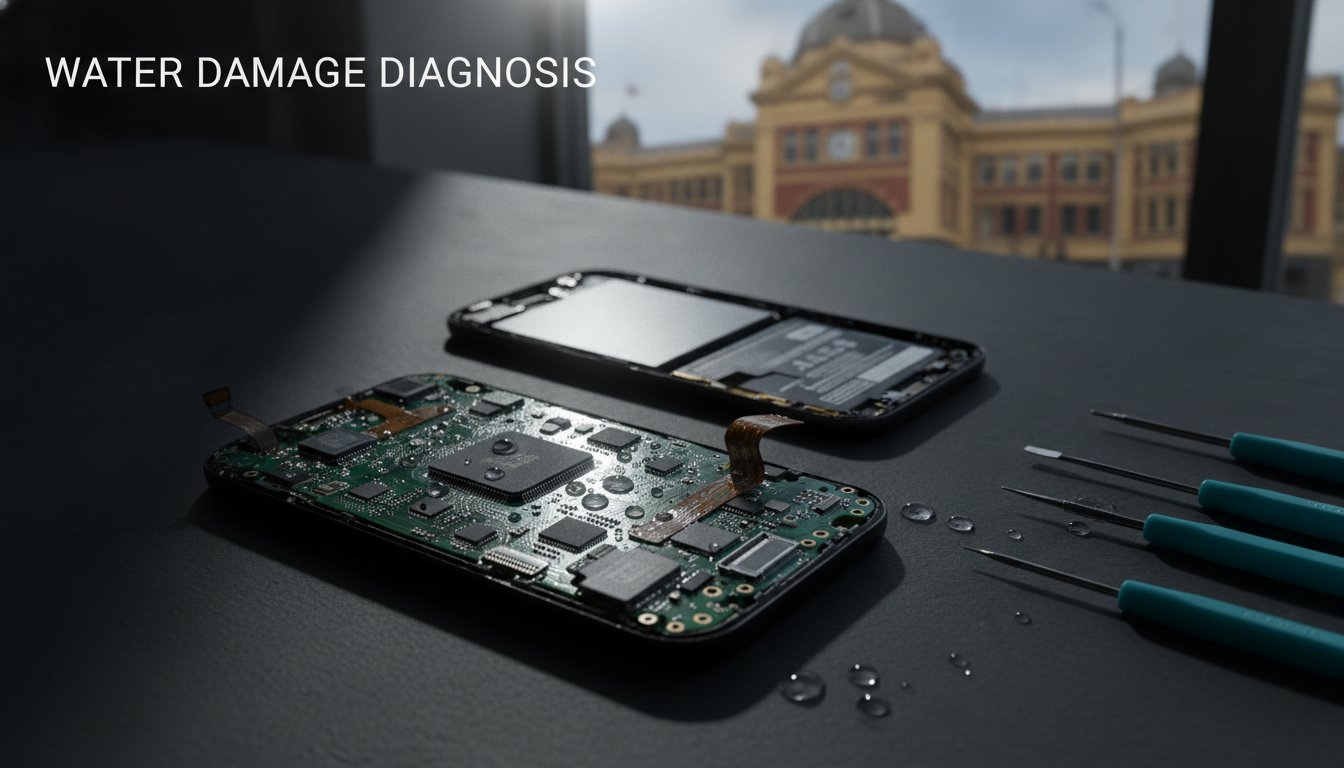
The heart-stopping splash happens in a fraction of a second. Whether it’s a slip into a sink or a tumble into a puddle on a rainy afternoon, that sudden silence from your device feels like a heavy loss. You’re likely wondering what to do after dropping phone in water to save the years of photos and memories stored inside. It’s a moment of pure anxiety. We’ve seen it many times at our SIMSIM store, and we know that the fear of losing your digital life is real. It’s overwhelming. It’s stressful. It’s urgent.
You might feel tempted to reach for a bag of rice, but we’re here to guide you through a better way. This 2026 emergency guide promises to give you clear, expert steps to minimize liquid damage and secure your data. We’ll explore the truth about modern IP68 ratings and why common DIY hacks often do more harm than good. From immediate power-down procedures to knowing when to visit us at 80 Flinders St in the Melbourne CBD for a professional diagnostic, we’ll ensure you have the best chance at a full recovery. Let’s start the rescue together.
Key Takeaways
- Act within the first sixty seconds by retrieving your device and powering it down immediately to halt the flow of electricity.
- Discover why the common rice myth and hair dryers are actually detrimental to your phone’s delicate internal components.
- Understand the essential steps of what to do after dropping phone in water to prevent corrosive salt or sugar from causing permanent damage.
- Identify the warning signs of liquid ingress, such as a red Liquid Contact Indicator or screen flickering, before they lead to total failure.
- Learn how professional ultrasonic cleaning at our SIMSIM store in the Melbourne CBD can safely remove internal corrosion and save your data.
The First 60 Seconds: Immediate Steps to Save a Wet Phone
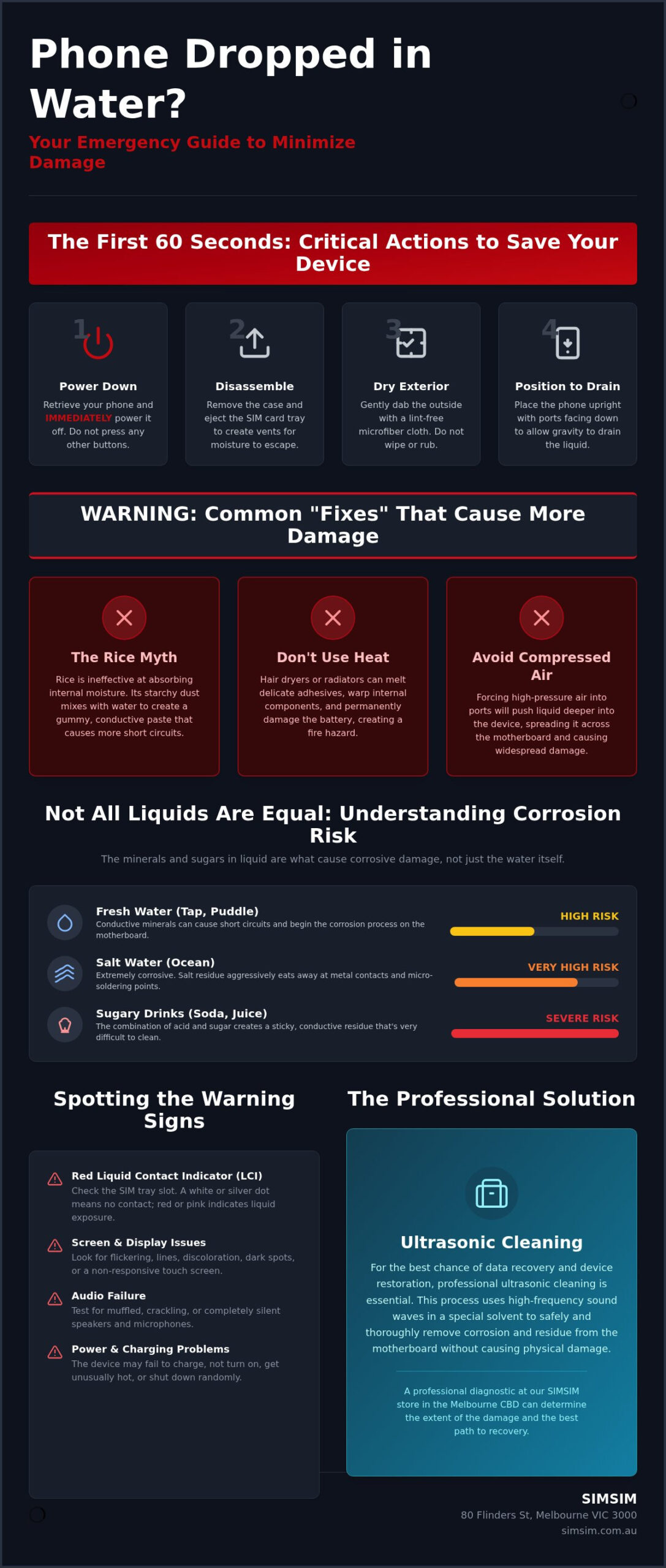
Your very first instinct must be speed. Retrieve your device. Power it down. Every second it remains submerged or active, liquid finds new paths through the delicate architecture of the motherboard. Knowing exactly what to do after dropping phone in water during these first sixty seconds is the difference between a simple cleaning and a total loss of your precious data.
Once the device is out of the water, resist the urge to check your notifications or test the camera. Instead, strip the phone of its defenses. Remove the protective case, peel off any external battery packs, and immediately eject the SIM card tray. This creates a vital vent for moisture to escape. While many reach for a pantry staple, The Rice Myth is a dangerous distraction that wastes precious time while corrosion begins its slow work. We want to help you act with precision and care.
Why Powering Down is Non-Negotiable
Water itself isn’t the primary killer; it is the electricity flowing through the water that causes the damage. When liquid enters the frame, it creates conductive bridges where they don’t belong. If the phone remains on, these bridges carry current to sensitive components that cannot handle the voltage. A short circuit occurs when liquid creates an accidental connection between two electrical points, causing a surge that destroys sensitive microchips. Just checking the screen for a second can fry the motherboard permanently. We’ve seen many devices that could have been saved if they had simply stayed off until they reached our store.
Drying the Exterior Safely
Once the power is cut, focus on the surface. Use a lint-free microfiber cloth to gently dab the exterior. Avoid wiping, as this can push stray droplets into the seams of the display or the speaker grilles. Gravity is your most reliable tool in this moment. Position the phone so the charging port and speaker holes face downward, allowing liquid to pool and exit rather than seeping deeper into the battery housing. If you’re holding an iPhone, you can explore our specific Apple device repair options to see how we handle these delicate situations. We prioritize the soul of your device, ensuring every step we take is focused on a successful recovery in our Melbourne CBD store.
The Rice Myth and Other Common Mistakes to Avoid
Panic often leads straight to the pantry. When the urgent search for what to do after dropping phone in water begins, the internet provides a library of well-intentioned but disastrous advice. We’ve welcomed many worried owners into our store carrying devices submerged in bowls of jasmine or basmati rice. This ritual feels productive, yet it’s one of the most common mistakes that can turn a recoverable device into a permanent paperweight. We want to help you avoid these pitfalls so your device has the best chance at a long life.
Why Rice Does More Harm Than Good
Rice is a remarkably poor desiccant for modern electronics. While it might draw a few droplets from the very surface, it lacks the power to pull moisture from the tightly sealed internal chambers where the real danger lies. Even worse, rice is inherently dusty. Fine particles of starch and grain debris migrate into your charging ports, microphone holes, and speaker grilles. When this fine dust meets the liquid already inside, it creates a gummy, conductive residue. This paste is incredibly difficult to remove and often causes more electrical shorts than the water alone. Technicians widely recognize the ‘Rice Trap’ as a major hurdle to successful restoration.
The Danger of Compressed Air and Heat
The desire to use a hair dryer or compressed air is another reflex that often backfires. Intense heat is a silent killer for smartphone hardware. It can easily melt the delicate adhesives and rubber gaskets that provide water resistance, leaving your phone even more vulnerable. Excessive heat also threatens the stability of the lithium-ion battery, which can lead to dangerous swelling. Similarly, high-pressure air doesn’t dry the phone; it acts as a piston, forcing liquid deeper into the display layers or behind the camera lens. Knowing what to do after dropping phone in water means resisting these quick fixes that compromise the integrity of the hardware.
Shaking the device is equally risky. This movement spreads the liquid across the logic board like a wave, reaching components that might have stayed dry. The final, most critical error is attempting to charge the device. Adding current to a wet circuit causes immediate electrochemical corrosion that can eat through copper tracks in minutes. You can see the reality of this damage for yourself on our SIMSIM YouTube channel. If your device has been exposed to liquid, the safest path is to schedule a professional diagnostic at our 80 Flinders St store in the Melbourne CBD immediately. We are here to provide the expert care your technology deserves.
Not All Water is Equal: Understanding Corrosion Risks
The clear liquid in your glass might look innocent, but for the internal circuits of a smartphone, it’s a matter of complex chemistry. When you’re frantically researching what to do after dropping phone in water, the specific type of liquid is your most important variable. Not all spills are the same. A splash of fresh rain is a world away from the harsh, salty waves of the bay or the chemically treated depths of a backyard pool. Fresh water is a relatively poor conductor, but the minerals, salts, and sugars found in other liquids act as high-speed highways for electrical destruction.
The Saltwater Emergency
Saltwater is the ultimate enemy of mobile hardware. It is aggressive. Corrosive. Relentless. Within minutes, salt begins to eat through the gold and copper contacts that form the delicate nervous system of your device. This isn’t a situation where you can wait and see if things improve. Saltwater requires an immediate professional flush with high-grade isopropyl alcohol to stop the oxidation before it becomes permanent. If you’ve had a seaside accident, our Professional iPhone 16 Pro repair services at SIMSIM can help stabilize the hardware before the salt takes hold. We act with urgency to protect the life of your technology.
Corrosion: The Slow Killer of Electronics
Many people feel a sense of relief when their phone turns back on after a few hours of drying. This is often a false sense of security. Corrosion is a slow, creeping process. As the water evaporates, it leaves behind trace mineral deposits that continue to grow, much like a microscopic moss. Technicians often call this "green gunk," a visible sign of oxidation that slowly severs the connections on your motherboard. A phone might work perfectly today, only to die in two weeks when a vital track finally fails. It’s vital to understand that your device is likely water-resistant, not waterproof; the former is a temporary barrier, while the latter is a promise that rarely exists in consumer electronics.
Sticky spills like soda, juice, or coffee add another layer of complexity. Even if the liquid dries, the sugar residue remains behind. This residue is hygroscopic, meaning it constantly pulls moisture from the air, keeping the corrosion process active long after the initial spill. At our SIMSIM store, we use specialized tools to remove these stubborn residues from deep within the device. We treat every repair with the same care we would give a cherished family story, ensuring no trace of the accident remains at our 80 Flinders St location in the Melbourne CBD. We are here to ensure the "hidden" damage doesn’t become a permanent end for your device.
How to Tell if Your Phone Has Permanent Water Damage
The wait after a liquid accident is filled with a quiet, heavy anticipation. You’ve followed the initial advice on what to do after dropping phone in water, but now you need to know if the soul of your device is still intact. Modern smartphones are resilient, yet they are not invincible. Liquid often leaves subtle signatures that tell a story of where it traveled and what it touched. Recognizing these signs early allows us to intervene before the damage becomes a permanent farewell to your photos and messages. We understand the value of what’s stored inside; it’s more than just a phone, it’s a digital legacy.
The LCI Location Guide
Every device carries a small, silent witness called a Liquid Contact Indicator (LCI). For most modern iPhones and major Android models, this tiny sticker is tucked away inside the SIM card slot. You’ll need a bright light to see it clearly. Under normal conditions, the LCI is white or silver. If it has turned pink or a deep, vibrant red, it confirms that liquid has reached the internal housing. This color change is a definitive marker for manufacturers; it often voids standard warranties instantly. If you see this red glow, it is time to consider our iPhone Screen Repair Melbourne Pillar for expert guidance on restoring your display and internal health.
Beyond the LCI, your phone’s behavior will often betray its condition. Screen flickering, unresponsive touch, or ghost touching are clear signals of moisture interfering with the digitizer. Audio often suffers too. You might notice muffled speakers or a microphone that sounds like it’s underwater. Perhaps the most frustrating sign is a battery that drains with alarming speed or a charging port that refuses to recognize your cable. These are not mere glitches. They are warnings. They are urgent. They are critical. These are the sights and sounds of active electrical struggles within the frame.
Display and Camera Ghosting
Moisture is particularly fond of the layers within your screen and camera lenses. When liquid enters the backlight assembly, it creates permanent, bruised spots or dark patches that no amount of drying can fix. Similarly, if you see a persistent fog or condensation inside your camera lens, the internal seals have been breached. These issues usually require a full component replacement to restore the clarity you expect from your device. At our SIMSIM store, we use high-quality parts to ensure your phone returns to its former glory. If you notice any of these symptoms, we invite you to book a professional water damage diagnostic at our 80 Flinders St store in the Melbourne CBD today. Let our expert technicians handle the delicate work of bringing your device back to life.
Professional Water Damage Restoration at SIMSIM Melbourne CBD
The SIMSIM Restoration Process
Professional restoration is a delicate craft that goes far beyond surface cleaning. While DIY methods often trap moisture inside, our technicians perform a complete disassembly to reach the heart of the hardware. The cornerstone of our service is ultrasonic cleaning. This process uses high-frequency sound waves to create millions of microscopic bubbles in a bath of high-grade isopropyl alcohol. These bubbles reach under microchips and into the tightest crevices to blast away corrosion, minerals, and sticky residues that a cloth could never touch. Disassembly. Cleaning. Testing. This triad of care ensures that every track on your motherboard is stabilized before power is ever reintroduced.
We are deeply committed to quality. If a component like a battery or a charging port has been compromised by liquid, we only use high-quality replacement parts to restore the integrity of your device. For those whose phones have suffered severe trauma, our data recovery services prioritize the retrieval of your irreplaceable photos and documents. We believe in the power of sharing stories, and we don’t want yours to be lost to a splash. You can see our technicians in action and learn more about our philosophy on the SIMSIM YouTube channel, where we share the secrets of our manual craftsmanship.
Visit Our Melbourne CBD Store
Time is the most critical ingredient in a successful repair. The longer liquid sits on a circuit board, the deeper the corrosion eats into the copper. Our store is conveniently located at 80 Flinders St, Melbourne VIC 3000, making it an easy stop for professionals working in the Melbourne CBD. We offer a rapid diagnostic process designed to give you answers quickly. Don’t let uncertainty turn into a permanent loss. Whether you are dealing with a fresh spill or a device that has been acting strangely for days, we are ready to help. We invite you to book your diagnostic appointment now and let us welcome you into our community of restored devices. We are your hosts in the Melbourne CBD, dedicated to the simple joy of a phone that works perfectly once again.
Restoring Your Connection to What Matters
The sudden splash doesn’t have to be the final chapter for your device. You now have a clear, expert path for what to do after dropping phone in water, from that vital first power-down to avoiding the harmful dust of the rice myth. Remember that liquid damage is a patient enemy. It is silent. It is creeping. It is persistent. While the surface might dry, internal corrosion requires professional intervention to ensure your photos and data remain safe for years to come. We are here to guide you through the recovery with warmth and precision.
At our SIMSIM store, our expert technicians use specialized ultrasonic cleaning technology and high-quality replacement parts to breathe life back into your technology. We treat every device that enters 80 Flinders St with the same devotion we give to our own family stories. Don’t wait for the corrosion to take hold. We invite you to Book a Professional Water Damage Diagnostic at SIMSIM Melbourne CBD today. Let us welcome you into our soulful atmosphere and provide the modern solutions your device needs. Your digital legacy is in good hands.
Frequently Asked Questions
Is my phone still under warranty if it gets water damaged?
Can I use a hair dryer on a low setting to dry my phone?
You should never use a hair dryer on your smartphone. Even a low heat setting can warp the delicate rubber gaskets and melt the internal adhesives that provide water resistance. This heat also puts your lithium-ion battery at risk of swelling or permanent failure. It’s much safer to let the device air dry naturally in a well-ventilated area while you prepare to visit us in the Melbourne CBD.
How long should I wait before trying to turn my phone back on?
We recommend waiting at least 48 hours for the device to dry, but the safest choice is to wait for a professional diagnostic. Turning the phone on too early can cause a short circuit that destroys the motherboard instantly. Speed is essential for recovery, yet patience is what saves your hardware. We provide rapid assessments for CBD professionals to give you the answers you need without the long wait.
Will putting my phone in rice overnight save it?
Putting your phone in rice is a common myth that often causes more harm than good. Rice is an inefficient desiccant that cannot pull moisture from the deep internal chambers of a modern device. Instead, it introduces fine starch and grain dust into your charging ports and speaker grilles. This dust creates a sticky paste that accelerates corrosion on the circuit board, making a successful repair much more difficult.
What should I do if I dropped my phone in the ocean?
Power the device off immediately and bring it to our store at 80 Flinders St as fast as possible. Saltwater is incredibly aggressive. It begins to corrode copper tracks and gold contacts within minutes of exposure. Knowing exactly what to do after dropping phone in water involves acting with urgency; a professional isopropyl alcohol flush is the only way to stop the salt from eating your phone’s heart.
Can SIMSIM recover data from a phone that won’t turn on due to water?
Yes, our expert technicians specialize in Data Recovery Services for devices silenced by liquid. We understand that your phone holds your history, your photos, and your life. We use advanced ultrasonic cleaning technology to remove corrosion from the logic board, allowing us to temporarily stabilize the hardware. This delicate process gives us the best chance to safely extract your precious memories and documents before the damage becomes permanent.
Is it worth repairing a water-damaged phone or should I just buy a new one?
A professional diagnostic is the only way to determine if a repair is a wise investment. In many cases, a thorough cleaning and a few high-quality replacement parts are much more affordable than the cost of a brand-new flagship. We provide honest, transparent assessments at our SIMSIM store in the Melbourne CBD. We help you weigh the cost of repair against the value of your data and the device’s remaining life.
Does a water-resistant rating (IP68) mean my phone is safe in the pool?
An IP68 rating is a measure of resistance in fresh water, not a guarantee of invincibility in a pool. Chemicals like chlorine and bromine are abrasive. They can degrade the rubber seals over time, leading to unexpected leaks. If you’re looking for what to do after dropping phone in water that contains chemicals, the answer is to seek a professional cleaning immediately. We ensure those harsh chemicals are fully removed from your device’s interior.