

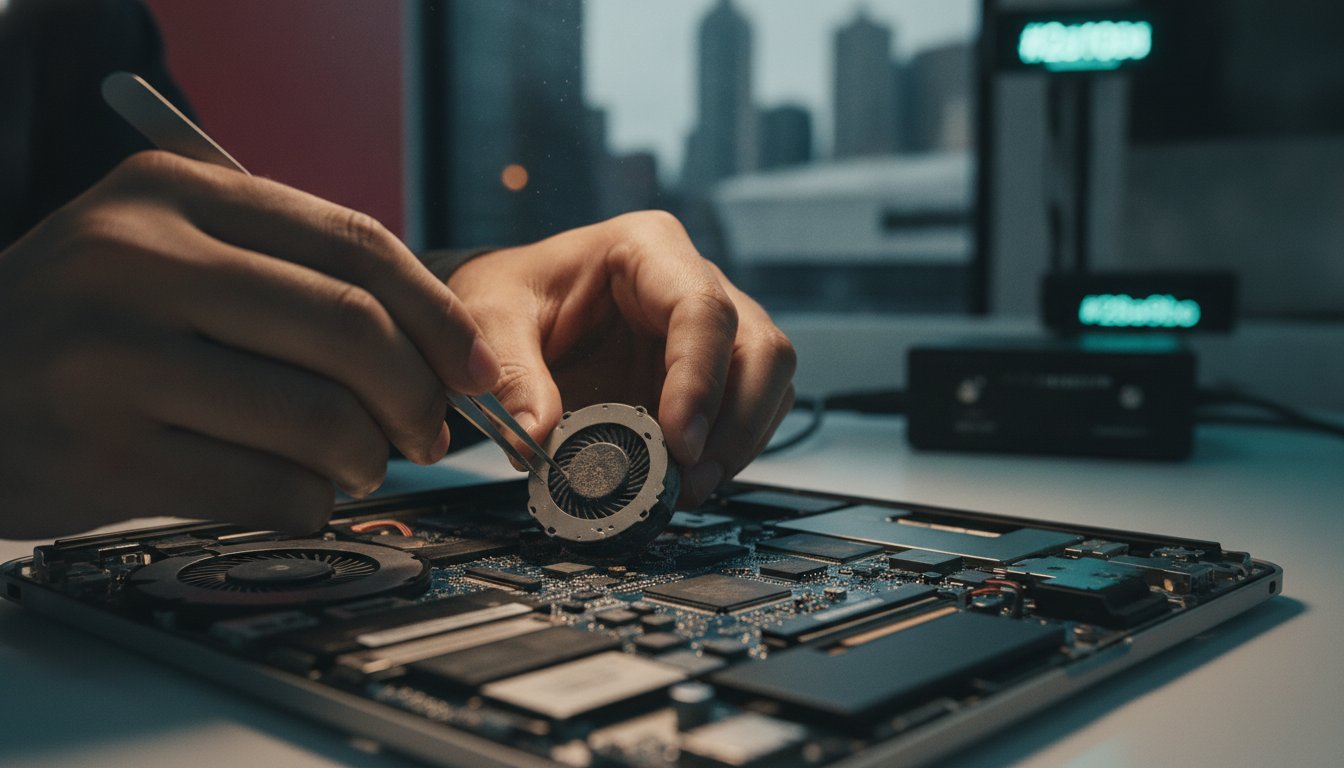
At SIMSIM, we treat every device that enters our store with the same devotion we would show a family heirloom. Our expert technicians understand the intricate soul of your hardware, especially as many 2016 to 2018 models are now classified as vintage or obsolete by the manufacturer. We promise to restore the cool, quiet grace of your laptop with professional fan replacement services right here in the heart of the Melbourne CBD. This guide previews how our same-day service at 80 Flinders St, Melbourne VIC 3000 protects your logic board and why our independent approach offers a more personal, affordable path to a silent machine.
Key Takeaways
- Learn to identify the early warning signs of cooling failure, from unsettling grinding noises to the dangerous heat of a fan that’s gone silent.
- Understand how the vibrant Melbourne CBD environment and mechanical wear can stifle your device, requiring a gentle, expert touch to restore its breath.
- Discover why professional macbook fan replacement melbourne at our 80 Flinders St store is the safest way to avoid the heartbreak of a damaged logic board.
- Master the essential emergency steps to take when your laptop begins to throttle, ensuring you protect your data and hardware from the effects of overheating.
- Explore our dedicated repair process at SIMSIM, where we combine premium parts with a meticulous cleaning to return your MacBook to its original, quiet glory.
Recognizing the Signs Your MacBook Fan Needs Replacing
Your MacBook is more than just a tool; it’s a faithful companion that carries your work, your memories, and your creative spark. When it starts to groan under the weight of heat, the experience becomes jarring. A healthy fan provides essential active cooling, but when that rhythm breaks, the symptoms are unmistakable. You might hear a grinding buzz, a sharp click, or a rhythmic thrumming that vibrates through the aluminum chassis. These sounds aren’t just distractions. They are a cry for help from a mechanical part that is reaching its end. We often see professionals in our store who have lived with these noises for weeks, hoping they might simply vanish. They rarely do.
If your device feels hot enough to sear your skin but you hear no whirring, the fan has likely suffered a total failure. This leads to severe system throttling, where your Mac slows to a crawl to prevent its own destruction. You’ll see the cursor lag, apps hang, and the dreaded "Kernel Task" process consuming all your CPU power. If you find yourself in this situation, a professional macbook fan replacement melbourne at our 80 Flinders St store is the only way to restore peace. To understand our commitment to quality and see our technicians in action, you can always visit our YouTube channel for a closer look at our process.
The Difference Between Dust and Mechanical Failure
Not every noisy fan requires a full replacement, but most do. A dull whirring or a constant "jet engine" sound often indicates a heavy accumulation of Melbourne CBD dust. This can sometimes be resolved with a deep, professional cleaning. However, if you hear clicking or grinding, the internal bearing is physically damaged. These components are sealed units; they cannot be oiled or patched. At SIMSIM, we perform a thorough diagnostic to ensure we aren’t just treating a symptom, but providing a lasting cure for your hardware. If the fan is physically compromised, we recommend you book an appointment immediately to avoid further complications.
Why You Should Not Ignore a Noisy Fan
Heat is the silent enemy of longevity. Ignoring a failing fan is a gamble with your logic board. Excessive internal temperatures can cause solder joints to crack or delicate capacitors to fail. Beyond the core, heat is a primary cause of battery degradation, causing cells to swell and lose capacity. In some models, extreme internal heat has even been linked to display cable issues, where the screen begins to fail due to thermal stress. Protecting your investment starts with a quiet, efficient cooling system. If you want to explore our broader range of Apple hardware services, our team in the CBD is always ready to guide you with warmth and expertise.
Why MacBook Fans Fail: From CBD Dust to Wear and Tear
The Melbourne CBD is a vibrant, bustling heart of creativity, but for a portable device, it’s a challenging landscape. Fine particulate matter from city traffic and constant construction finds its way into the smallest crevices of your MacBook. Over time, this urban debris settles into the cooling fins, forcing the fan to work harder and spin faster. It’s a gradual accumulation. One day, your device is silent; the next, it’s struggling to breathe. We see this often at our store, where the invisible cost of city life manifests as a clogged and weary cooling system.
Most MacBook fans use fluid dynamic bearings designed for longevity, yet they aren’t immortal. Under heavy workloads like 4K video editing or complex 3D rendering, these fans reach their maximum RPM for hours on end. This sustained stress accelerates the wear on the mechanical components. Even a minor drop, perhaps one that leaves no mark on the outer shell, can slightly misalign the fan housing. This creates a tiny wobble that eventually grows into a loud, persistent rattle. If you suspect your cooling system is struggling under the weight of city life, you can book a diagnostic at our store to catch the issue before it escalates.
Melbourne Environmental Impacts on Cooling
City offices often harbor unique pollutants, from printer toner dust to fine carpet fibers. When you use your MacBook on your lap or a soft surface, the intake vents act like a vacuum, pulling these materials directly into the heatsink. To reduce the accumulation of these particles in your home or office, many people rely on Best Carpet Steam Cleaning Melbourne to keep their environment pristine. The fluctuating Melbourne temperatures also play a role. Moving from a chilly morning commute into a heated office creates subtle expansion and contraction in the bearing lubricants, which can lead to premature drying and failure. Our technicians at 80 Flinders St, Melbourne VIC 3000 are experts at identifying these environmental stressors during a macbook fan replacement melbourne.
The Limitations of Software Fixes
Many users attempt an SMC reset when they hear a strange noise, hoping a software tweak will solve the problem. While this might recalibrate the fan’s speed sensors, it cannot repair a physically worn bearing or a chipped blade. Third-party apps that force higher fan speeds are particularly risky. They often mask the underlying heat issue by overworking a fan that is already on the verge of failing. If your hardware is rattling, it’s a physical problem that requires a physical solution. We often share insights into these hardware journeys on our YouTube channel, where you can see the difference a professional environment makes for Apple repairs. Signs that your thermal paste has also dried out, such as high temperatures despite a spinning fan, indicate it’s time for a professional refresh.
Comparing Your Repair Options in Melbourne
When your MacBook begins to falter, the choice of where to seek help feels heavy. You want a solution that respects your time, your budget, and the delicate soul of your device. In Melbourne, you essentially face three paths: the official route, the solitary DIY attempt, or the trusted hands of an independent specialist. Each path offers a different rhythm, but only one truly balances speed with soulful care.
The official Apple service carries a sense of security, yet it often comes with a sting. For many CBD professionals, a 3-5 day wait is an eternity. They frequently prioritize full module replacements over component-level care, which can lead to significantly higher costs for out-of-warranty devices. If your Mac is a few years old, they might even classify it as vintage and refuse service altogether. This leaves you with a loud, hot machine and very few answers from the source.
The Risks of DIY MacBook Repair
It’s tempting to watch a video and think you can handle the repair yourself. The reality inside that aluminum shell is a labyrinth of microscopic complexity. Pentalobe screws require specific, high-quality tools; one slip can strip a thread and turn a simple fix into a nightmare. Static electricity is the silent killer here. A single spark from your fingertip can fry a logic board worth hundreds of dollars. Sourcing a fan that matches original factory specs is another hurdle. Many cheap parts found online lack the balance and bearing quality of the originals, leading to a return of that dreaded rattle within weeks. We believe your device deserves better than a gamble.
Why CBD Professionals Choose SIMSIM
We designed our store at 80 Flinders St, Melbourne VIC 3000 to be a sanctuary for your technology. We believe in transparency, speed, and a level of care that feels personal. When you choose us for your macbook fan replacement melbourne, you aren’t just a ticket number. You’re a neighbor. We offer rapid turnarounds that the official channels simply cannot match, often returning your quiet, cool device on the same day. It’s about restoring your productivity without the sterile, long-wait experience of a mall-based service center.
We use high-quality parts that we trust enough to put in our own machines. Your rights under Australian Consumer Law remain a powerful shield, and choosing an independent specialist like SIMSIM doesn’t diminish those protections for your hardware. If you’re curious about how we handle these delicate procedures, our YouTube channel offers a window into our world. When you’re ready to breathe life back into your Mac, you can book your visit with us and experience the difference of a service rooted in genuine hospitality for all your Apple repairs.

Emergency Steps: What to Do When Your MacBook Overheats
When your MacBook transforms from a sleek, silent tool into a source of radiating heat, the instinct to panic is natural. We believe in staying calm and acting with intention to protect your digital life. If the chassis feels too hot to touch, the first and most vital step is an immediate shutdown. Don’t wait for a system crash. Closing the lid isn’t enough; a full power-off stops the electrical current that is generating that dangerous thermal energy. Quiet. Cool. Protected.
Place your device on a hard, flat surface like a wooden desk or a stone countertop. Avoid beds, couches, or cushions at all costs. These soft materials act as insulators, trapping heat and suffocating the intake vents. Resist the urge to use compressed air from a can. While it might seem helpful, a sudden blast can force the fan to spin at speeds it wasn’t designed to handle, potentially snapping a blade or ruining the bearing entirely. If you’ve already noticed a rattle, a blast of air will only make the need for a macbook fan replacement melbourne more urgent. It’s a delicate balance that requires a professional touch.
Short-Term Cooling Solutions
If you must use the device for a final few minutes to save a project, external cooling pads can provide a temporary reprieve. Open your Activity Monitor and look for processes using a high percentage of your CPU power. Close them immediately. If the heat persists despite these efforts, it’s a sign that the internal cooling system is physically compromised. Continuing to use an overheating Mac is a gamble with its logic board. We often see the results of this delay in our store, and it’s a heartbreak we want to help you avoid.
Preparing for Your Store Visit
Before you walk through our doors at 80 Flinders St, Melbourne VIC 3000, take a moment to look at the bottom of your case. You’ll find a model number starting with the letter A followed by four digits. Knowing this helps us ensure we have the exact high-quality part ready for your specific machine. If the device is stable enough, perform a final backup to iCloud or an external drive to keep your memories and work safe. We value your time and your productivity. We recommend you book your repair online to ensure the fastest possible turnaround in our Melbourne CBD store. You can also see how we handle these delicate Apple repairs by visiting our YouTube channel for a behind-the-scenes look at our craftsmanship and care.
Professional MacBook Fan Replacement at SIMSIM Melbourne
At SIMSIM, we view every repair as a restorative act. It’s a commitment to the person behind the screen. When you bring your device to us for a macbook fan replacement melbourne, you aren’t just getting a new component. You’re receiving a comprehensive rejuvenation of your hardware’s cooling architecture. We believe that a silent machine is essential for the deep focus your work deserves. Our technicians approach every device with a sense of pride and professional devotion. We understand that your MacBook is a vital part of your daily rhythm.
We include a meticulous internal cleaning with every service we perform. We carefully remove the layers of urban debris that have settled within your chassis over the years. We use high-quality replacement parts that mirror the original factory specifications for balance and airflow. To ensure your Mac runs even cooler than before, we re-apply premium thermal paste. This small but vital step bridges the thermal gap between your processor and the heatsink. It’s a detail that many others overlook. We consider it foundational. Finally, we perform rigorous stress testing to guarantee your machine remains silent and efficient under the heaviest workloads.
Our Expert Repair Process
Our process begins with a gentle, safe disassembly. We treat the delicate internal ribbon cables with the reverence they require. After removing the faulty cooling unit, we inspect the entire airflow pathway for any hidden obstructions. If there’s a blockage in the heatsink fins, we clear it completely. Once the new fan is installed, we put the system through its paces. We monitor internal temperatures and RPMs to guarantee a perfect result. We don’t just fix the noise; we restore the cooling potential of your device. It’s a thorough, soul-satisfying transformation for your hardware.
Visit Our Melbourne CBD Store Today
You can find us in the heart of the city, ready to welcome you. Our store is located at 80 Flinders St, Melbourne VIC 3000. It’s a space designed for clarity, hospitality, and professional care. We’ve built a team that understands the intricate history and the technical future of Apple hardware. We invite you to Learn more about our Apple repair expertise or see our craft in action on our YouTube channel. We prioritize the soul of the product over pretension. When you’re ready to restore the quiet grace of your laptop, Book your MacBook fan replacement now. We look forward to being your hosts in the CBD.
Restore the Quiet Power of Your MacBook Today
At SIMSIM, we believe your MacBook’s silence is more than just a convenience; it’s the foundation of your creative focus. We’ve explored how a struggling fan leads to thermal throttling and the risk of permanent logic board damage. By choosing a professional macbook fan replacement melbourne at our store, you’re choosing to extend the life of your device with high-quality parts that match original factory specs. Our expert technicians at 80 Flinders St understand the intricate balance required to keep your hardware running cool and efficient.
We invite you to see our dedication to craftsmanship firsthand by visiting our YouTube channel. Whether your fan is rattling or has gone completely silent, we are here to provide a rapid, soulful alternative to the long waits of official service centers. It’s time to breathe new life into your machine and return to the work you love without the distraction of heat or noise. Your device deserves the care of a team that respects its history and its future.
Book Your MacBook Repair at 80 Flinders St and let us restore the quiet performance your technology was designed to deliver. We look forward to welcoming you into our CBD space soon.
Frequently Asked Questions
How much does it cost to replace a MacBook fan in Melbourne?
The cost for a fan service in the CBD depends on your specific model and whether the unit requires a deep professional cleaning or a full mechanical replacement. Older models and those with heavy dust accumulation from the city environment have different requirements than the latest versions. We provide a transparent diagnostic at our store to ensure you receive the most effective solution for your hardware.
How long does a MacBook fan replacement take at SIMSIM?
We prioritize same-day service for most cooling system repairs at our 80 Flinders St store. We understand that your productivity is tied to your device, so we maintain a stock of high-quality parts to ensure a rapid turnaround. You can drop your device off in the morning and often have it back, quiet and cool, before your afternoon meetings.
Can I still use my MacBook if the fan is making noise?
Using a MacBook with a rattling or grinding fan is a significant risk to your logic board. The noise is a physical warning that the cooling system is failing to move heat away from sensitive internal chips. If the fan stops entirely, the resulting heat can cause permanent damage to your processor or battery. It is always safer to seek a macbook fan replacement melbourne before a minor noise becomes a major failure.
Will a new fan make my MacBook faster?
A new fan restores your Mac’s speed by preventing thermal throttling. When your cooling system is compromised, the macOS software intentionally slows down the CPU to prevent it from overheating. By restoring efficient airflow, your processor can once again run at its full potential without being held back by excessive heat.
Do you provide a warranty on MacBook fan repairs?
We stand behind our work with a comprehensive warranty on all hardware services. Our expert technicians at 80 Flinders St use only high-quality parts that meet or exceed original specifications. This commitment to quality ensures your device remains a reliable companion for years to come. You can even watch our meticulous repair process on our YouTube channel to see our standards in action.
Is it worth replacing the fan on an older MacBook Pro?
Replacing the fan is a very affordable way to extend the life of a vintage MacBook Pro. Many models from 2016 to 2018 are still powerful enough for modern professional work but suffer from worn-out mechanical parts. A fresh fan is a small investment that protects the soul of an older machine and keeps it out of the landfill.
This principle of proactive maintenance applies to all complex machinery; for instance, owners who prioritize longevity often seek out specialized Subaru repair Aurora CO to keep their vehicles in peak condition, much like our fan services do for your Mac.
Can I just clean the fan instead of replacing it?
A professional cleaning is effective if the only issue is a buildup of Melbourne CBD dust and fibers. However, if you hear clicking or grinding, the internal bearing has physically failed. In these instances, no amount of cleaning will restore the fan’s balance. Our technicians perform a detailed inspection to determine if a cleaning or a full macbook fan replacement melbourne is necessary for your device’s health.
Does SIMSIM use genuine Apple parts for fan replacements?
We use premium, high-quality replacement parts that match the original factory specs for airflow and noise levels. Our goal is to restore the silent, premium experience you expect from your Apple hardware. Every part we use is tested by our technicians at our 80 Flinders St store to ensure it meets our rigorous standards for durability and performance.