

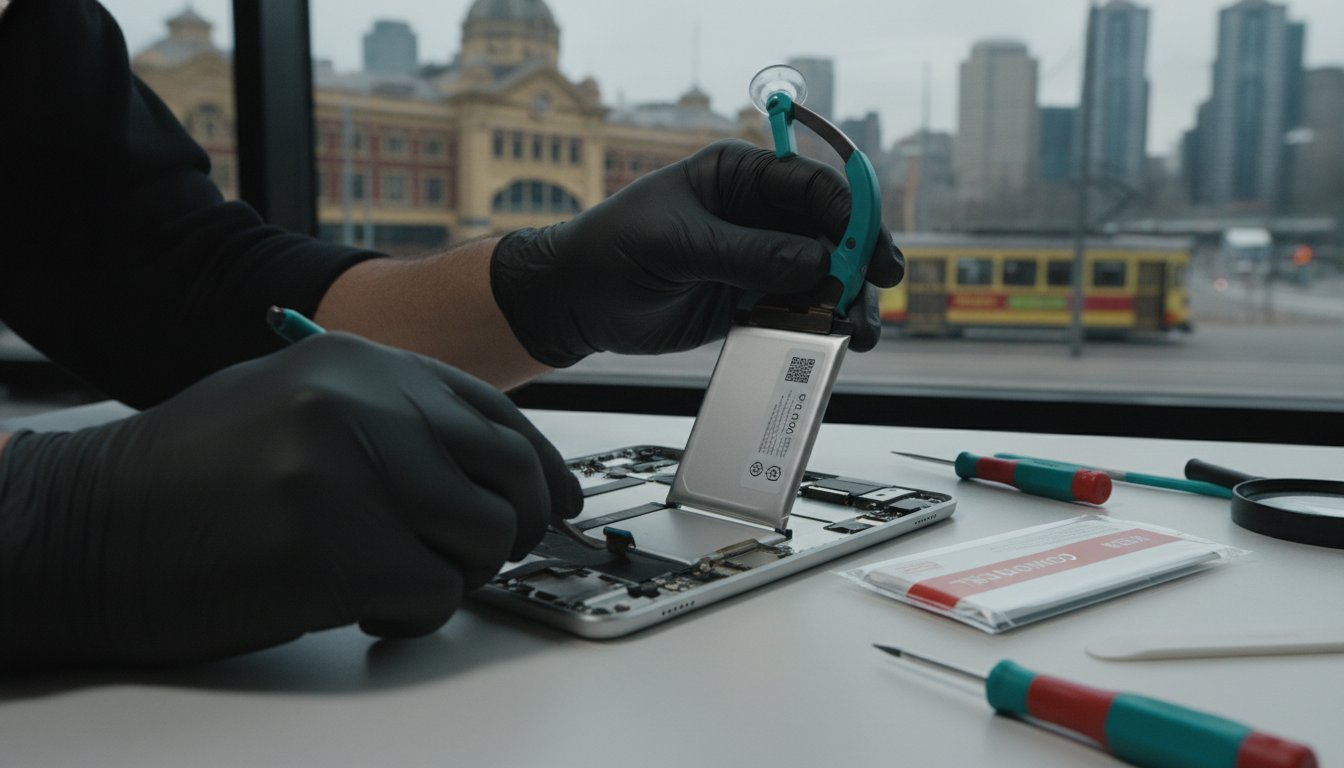
The iPad. It’s your morning newspaper on the train into Flinders Street Station, your portable cinema on a quiet evening, and your most reliable colleague in back-to-back CBD meetings. It’s a seamless slice of technology that weaves itself into the fabric of your Melbourne life. But when its battery begins to falter, that seamlessness frays, and the frustration is palpable. The constant search for a power outlet, the anxiety of a rapidly dropping percentage, the lag that disrupts your flow—it’s enough to make you consider giving up on a device you once loved. A professional battery replacement isn’t just a repair; it’s a revival. It’s an opportunity to restore your device to its former glory, giving it a new lease on life and allowing it to serve you faithfully for years to come.
At SIMSIM, located in the heart of Melbourne at 80 Flinders St, we specialise in breathing new life into tired devices. This guide is your definitive resource for understanding everything about iPad battery replacement in Melbourne.
Table of Contents
Choosing Your Path: Apple Official vs. SIMSIM Professional CBD Repair
Preparing for Your Visit: Essential Steps Before You Reach Our Flinders St Store
Experience the SIMSIM Difference: Expert iPad Battery Service in the Heart of Melbourne
Recognizing the Signs: Does Your iPad Need a New Battery?
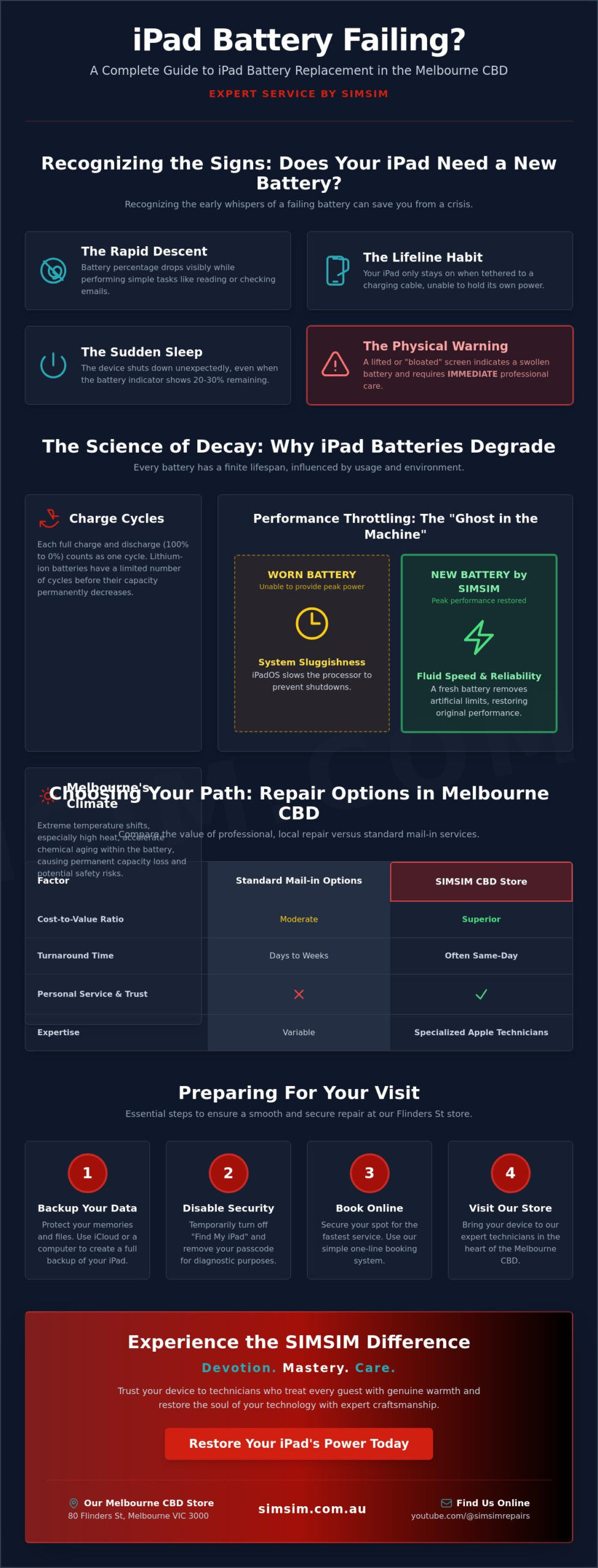
An aging iPad battery rarely fails overnight. Instead, it sends subtle (and sometimes not-so-subtle) signals that its health is declining. Ignoring these signs can lead to performance issues and potential hardware damage. Here are the key indicators that it’s time to consider a replacement:
Rapid percentage drops: You’re simply reading an article or browsing a website, yet the battery percentage plummets from 100% to 60% in what feels like minutes. This is a classic sign that the battery can no longer hold a stable charge.
The device only functions when tethered: Your iPad has essentially become a miniature desktop, unable to operate unless it’s permanently connected to a charging cable. This defeats the purpose of a portable device and points to a battery that has lost its capacity.
Unexpected shutdowns: The battery indicator confidently displays 20% or even 30% charge, but the device suddenly powers down without warning. This happens when the battery can no longer provide the stable voltage the iPad’s processor requires.
Physical signs of concern: Look closely at your device. Is the screen lifting slightly at the edges? Does the chassis appear to be bulging or “bloating” from within? This is a serious symptom of a swollen lithium-ion battery, which needs immediate professional attention to prevent further damage.
Software vs. Hardware: Is it just a glitch?
Before concluding that your battery is the culprit, it’s wise to rule out software issues. Sometimes, a misbehaving app can cause excessive drain, mimicking the symptoms of a failing battery. Here’s how to tell the difference:
Check your battery usage: In your iPadOS settings, navigate to "Battery." Here, you can see a detailed breakdown of which apps are consuming the most power. If you find a single app is responsible for a disproportionate amount of drain, try updating or reinstalling it.
Understand the difference: A software-driven drain is often erratic and tied to the use of a specific app. Physical lithium-ion degradation, however, is a consistent decline in the battery’s ability to hold a charge, regardless of what you’re doing. The capacity is fundamentally diminished.
Why a factory reset rarely helps: While a factory reset can resolve deep-seated software conflicts, it cannot magically restore lost chemical capacity in a battery. If your battery is physically worn out, no amount of software tweaking will fix the underlying hardware problem.
The "Ghost in the Machine": Performance Throttling
Does your once-snappy iPad now feel sluggish and unresponsive? Do apps take longer to launch, and does the keyboard lag while you type? This isn’t just your imagination; it’s a protective feature directly linked to your battery’s health.
How iPadOS protects your device: As a battery ages, its ability to deliver peak power diminishes. To prevent your iPad from unexpectedly shutting down during a demanding task (like gaming or video editing), iPadOS intelligently slows down, or "throttles," the processor. This ensures stability at the cost of speed.
The feeling of "lag": This performance management is why your iPad feels "laggy" even when you have plenty of free storage. The processor is being deliberately held back because the battery can no longer keep up with its power demands.
Peak performance capability is the measure of the battery’s ability to deliver the maximum power required by the iPad’s components at any given moment.
A new battery doesn’t just restore your iPad’s uptime; it unleashes its original performance, making it feel fast and responsive once more.
The Science of Decay: Why iPad Batteries Lose Their Soul
Every rechargeable battery is a consumable component with a finite lifespan. The lithium-ion battery in your iPad is a marvel of chemical engineering, but from the moment it’s first used, a slow and irreversible process of aging begins. Understanding this process helps demystify why a device that once lasted all day now struggles to make it past lunch.
Understanding charge cycles: A charge cycle is counted every time you use 100% of your battery’s capacity—but not necessarily in one go. For example, using 60% one day, recharging, and then using 40% the next day counts as one full cycle. Each cycle slightly reduces the battery’s maximum capacity.
The impact of Melbourne’s climate: Lithium-ion batteries are sensitive to temperature. The variable Melbourne climate, from chilly winter mornings to scorching summer afternoons, can stress the battery. Exposing your iPad to extreme heat (like leaving it in a car on a 35°C day) is particularly damaging and accelerates this chemical aging.
The enemies of longevity: Fast-charging and high-heat environments are two of the biggest factors that accelerate battery decay. While convenient, constantly using a high-wattage charger generates more heat, which degrades the battery’s internal chemistry over time.
Capacity vs. Charge Level: Your battery’s charge level (the percentage you see) is different from its capacity. A brand-new battery might have a 5,000 mAh capacity. After a year, its maximum capacity might drop to 4,200 mAh. When your iPad shows 100% charged, it’s 100% of that new, lower 4,200 mAh capacity—not the original 5,000.
The 80% Threshold: The Universal Standard
Across the electronics industry, there is a widely accepted tipping point for when a battery is considered consumed and ready for replacement. This isn’t an arbitrary number; it’s based on the point at which the user experience is significantly compromised.
The industry tipping point: A battery is generally designed to retain up to 80% of its original capacity after a specific number of charge cycles (typically 500-1000 for iPads). Once it drops below this 80% threshold, you’ll notice significant decreases in daily runtime and are more likely to experience performance throttling.
Finding your exact numbers: While iPadOS doesn’t show a "Battery Health" percentage like iOS does for iPhones, third-party applications on a Mac or PC (like coconutBattery or iMazing) can read your iPad’s diagnostic data to reveal its exact maximum capacity and cycle count.
The emotional frustration: Beyond the technical numbers, there’s the human element. It’s the frustration of a device that "forgets" how to hold its energy, a tool that no longer feels reliable. This is the true sign that it’s time for a revival.
Melbourne Usage Patterns: Work, Study, and Commute
How you use your iPad in and around Melbourne has a direct impact on its battery’s lifespan. The daily grind of a modern Melburnian puts unique stresses on a device’s power source.
The daily commute: Using your iPad on the train to Flinders St with the screen brightness turned up to compete with the morning sun is a significant power draw. Over hundreds of commutes, this high-brightness usage contributes to faster battery degradation.
The CBD workday drain: Even when you’re not actively using it, your iPad is working. "Vampire drain" from background app refresh, Wi-Fi scanning, and push notifications slowly sips power while it sits in your backpack, meaning you start your evening with less charge than you expect.
Broader device health: A healthy battery is just one part of a well-maintained device. For more tips on keeping all your Apple products in top condition, explore our general Apple repair category.
Choosing Your Path: Apple Official vs. SIMSIM Professional CBD Repair
When your iPad battery needs replacing, you have two primary choices in Melbourne: going through the official Apple service channel or partnering with a trusted independent repair store like SIMSIM. While both paths lead to a new battery, the journey, cost, and convenience are vastly different.
Evaluating the cost-to-value ratio: For many iPad models, especially those a few years old, the cost of an official Apple battery replacement can be a significant fraction of the device’s current value. An independent repair at SIMSIM is often the smarter financial choice, delivering the same result for a more reasonable investment.
The "Time Tax": Time is a valuable currency for any busy Melburnian. Apple’s service often requires booking an appointment days or weeks in advance, followed by a multi-day mail-in or off-site repair process. At our CBD store, we offer a rapid turnaround, often getting you back to full power the very same day.
Quality of parts: A common concern with independent repair is the quality of the components. At SIMSIM, we put this fear to rest. We use only high-capacity, rigorously tested replacement batteries that meet or exceed original specifications, ensuring a reliable and long-lasting revival for your device.
Warranty and peace of mind: When you get your device repaired with us, you’re not just a number in a global system. Your repair is backed by a local Melbourne guarantee. If you have any issues, you can walk right back into our Flinders St store and speak to the technician who worked on your device.
The SIMSIM Standard of Care
We believe that a repair is more than just a technical procedure; it’s an act of trust. You’re handing over a device filled with memories, work, and connections. We honour that trust with a standard of care that sets us apart.
A commitment to quality: Our promise is simple: we use parts that restore your iPad to its original performance and longevity. We don’t compromise on quality, because we know you rely on your device every single day.
More than a serial number: We treat every iPad with the reverence of a family heirloom. To us, it’s not just another job ticket. It’s a vital tool in someone’s life, and we handle it with the respect and care it deserves.
The importance of diagnostics: Our work begins before we even open the device. We run thorough diagnostic tests before and after the battery is swapped to ensure that the new battery is performing perfectly and that there are no other underlying issues.
Repair vs. Replace: The 2026 Decision Matrix
The crucial question—is it worth investing in a repair, or should you buy a new iPad? The answer depends largely on your model and how you use it.
Guidance for older models: For beloved workhorses like the iPad Air 2 or iPad Mini 4, a battery replacement is an incredibly cost-effective way to extend their life for several more years of reading, browsing, and video streaming. If the device still does everything you need it to, a new battery is a brilliant investment.
Why newer models are worth repairing: With newer, more expensive models like the iPad Pro or recent iPad Airs, a repair is almost always the better choice. The cost of a battery replacement is a small fraction of the price of a new device, making it the most logical and sustainable option.
For multi-device owners: The principles of battery health and smart repair choices apply across the Apple ecosystem. If you’re also managing a phone with a fading battery, our iPhone battery replacement guide offers similarly detailed advice.
Preparing for Your Visit: Essential Steps Before You Reach Our Flinders St Store
To ensure your iPad battery replacement is as smooth and efficient as possible, a few simple preparatory steps can make all the difference. Following this checklist will safeguard your data and help our technicians get to work right away.
Perform a full backup: While a battery replacement is a hardware repair that shouldn’t affect your data, it’s always best practice to be prepared. Perform a full backup of your iPad to either iCloud or a computer using iTunes/Finder. This ensures your digital memories, documents, and settings are completely safe.
Disable "Find My iPad": For our technicians to run essential post-repair diagnostics and confirm the new battery is functioning correctly, the "Find My" feature must be temporarily disabled. You can easily re-enable it as soon as you collect your revived device.
Check your model number: For the most accurate quote and to ensure we have the correct part ready for you, please check your specific model number. You can find it in small print on the back of your iPad (it starts with the letter ‘A’, e.g., A2378).
Plan your visit: Our store is conveniently located at 80 Flinders St, making it an easy stop for anyone working or commuting through the Melbourne CBD. Plan your trip to drop off your device, and we’ll get to work on its revival.
Data Security and Privacy
We understand that your iPad holds sensitive and personal information. Your privacy is our highest priority, and our processes are designed to protect it at every stage.
No passcode required: For a straightforward battery swap, we do not need your passcode. Our diagnostic tools can verify the repair’s success without accessing your personal data, ensuring your information remains yours alone.
The SIMSIM promise: Our commitment to you is that your data will remain untouched and secure throughout the entire repair process. Our professional technicians operate under a strict code of ethics, and your privacy is paramount.
As mentioned, backing up your data is a "best practice" for any hardware fix, providing a crucial safety net and complete peace of mind even for a routine procedure.
Finding Us in the CBD
Convenience is key for a fast, effective repair. Our central location is designed to fit seamlessly into your busy schedule.
Our location: You can find us at 80 Flinders St, Melbourne VIC 3000, just a short walk from major transport hubs, including Flinders Street Station. We are perfectly positioned for you to drop off your device on your way to work or during your lunch break.
Your initial intake: When you arrive, expect a warm welcome and a quick 5-minute intake process at our counter. We’ll confirm the issue, check your model, provide a final quote, and give you an estimated turnaround time.
More than just batteries: If your iPad has other issues, like a cracked screen or a faulty charging port, we can help with that too. Learn more about our comprehensive services on our main iPad Repair Melbourne page.
Experience the SIMSIM Difference: Expert iPad Battery Service in the Heart of Melbourne
Choosing where to get your iPad repaired is about more than just parts and prices; it’s about trust, expertise, and a commitment to service. At SIMSIM, we’ve built our reputation on a foundation of mastery and genuine care, offering an experience that transforms a stressful problem into a satisfying solution.
A legacy of mastery: Our technicians are not just employees; they are craftspeople with years of devotion to the art of micro-electronics. They bring a depth of experience to the repair bench that ensures every repair is performed with precision and skill.
The warmth of our welcome: We believe a repair store should feel welcoming, not clinical. From the moment you walk in, we treat you like a guest in our home, listening to your concerns and providing clear, honest advice.
Rapid service for the modern Melburnian: We understand that you can’t be without your device for long. Our entire process is optimized for efficiency, getting you back to full power without the long waits associated with other service providers.
A commitment to sustainability: Every battery we replace is one less device ending up in a landfill. By choosing repair over replacement, you are making a conscious choice for a greener Melbourne, and we are proud to be your partner in that effort.
Beyond the Battery: A Holistic Health Check
A failing battery can sometimes be a symptom of a larger issue. That’s why our service doesn’t stop at the swap. We take a holistic approach to ensure your device’s long-term health.
Inspecting the whole system: During the repair, we also inspect critical related components, like the charging port and internal circuitry, to ensure the new battery will be able to charge efficiently and safely.
Protection for the future: To help you keep your newly revived device safe, we offer a curated range of high-quality accessories in-store, including protective cases and screen protectors.
The soul of device repair: Our mission is to be more than just a repair store. We aim to be the true heart of device care in the CBD, a place where Melbourne’s residents know they can find honest expertise and dedicated service.
Book Your Revival Today
Ready to restore your iPad to its peak performance? The journey back to a full day’s charge is simple and straightforward.
See our craft in action: We are proud of our work and transparent about our process. You can witness the skill and precision of our technicians on our YouTube channel.
Seamless online booking: Skip the queue and secure your spot by using our simple online booking system. It’s the fastest way to schedule your repair and ensure a seamless experience when you visit our store.
Final Call to Action: Don’t let a failing battery dictate your day. Book your iPad battery replacement at SIMSIM now and rediscover the freedom of a device that just works.