

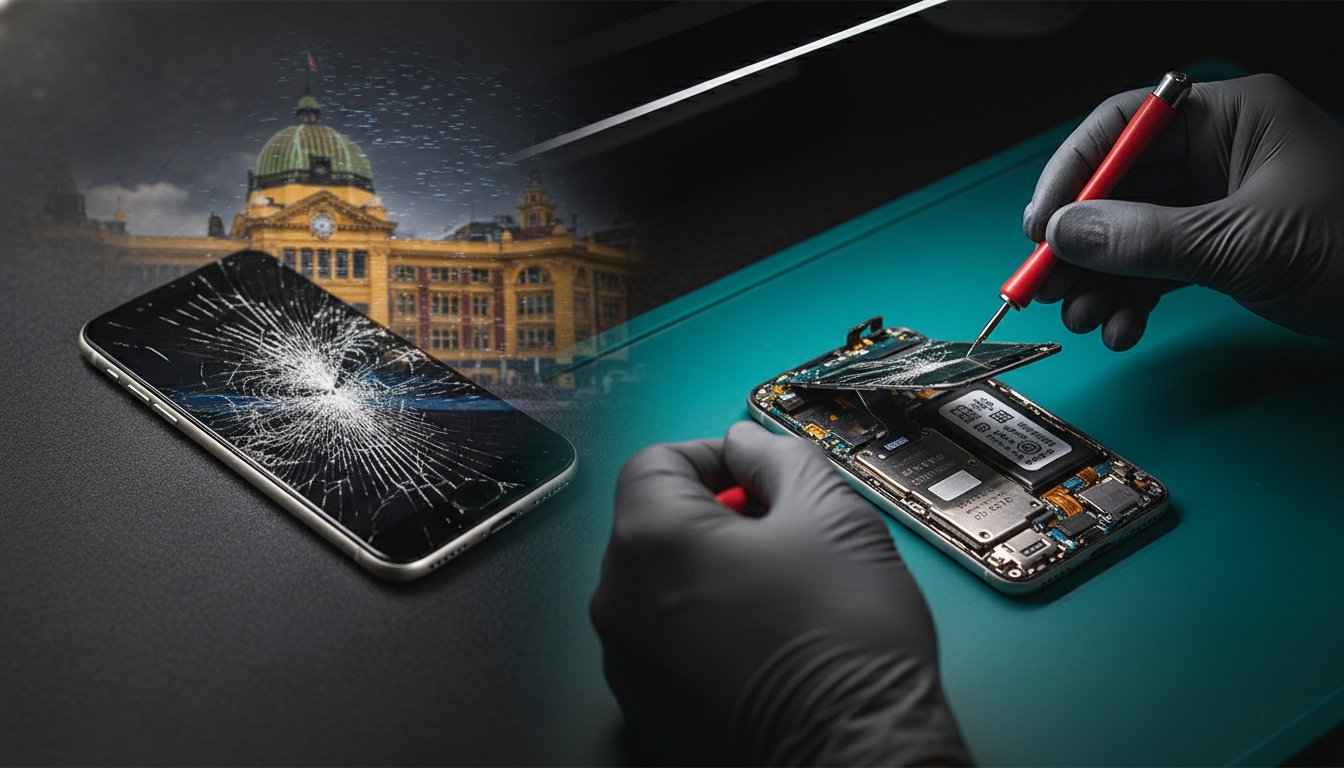
A cracked screen is more than just a cosmetic flaw; it’s a disruption to your work, your social life, and your connection to the world. For a busy Melbourne professional or student, the questions come thick and fast: Is it safe to use? Will I lose my data? How much will this cost, and how long will I be without my device?
This guide cuts through the anxiety. We’ll walk you through the immediate, vital steps to take after cracking your screen and explain how to find a fast, reliable, and professional repair service right here in the Melbourne CBD. A cracked screen is a safety hazard, and getting it professionally triaged is the most important next step.
Table of Contents
Immediate Steps: What to Do After Your Screen Cracks
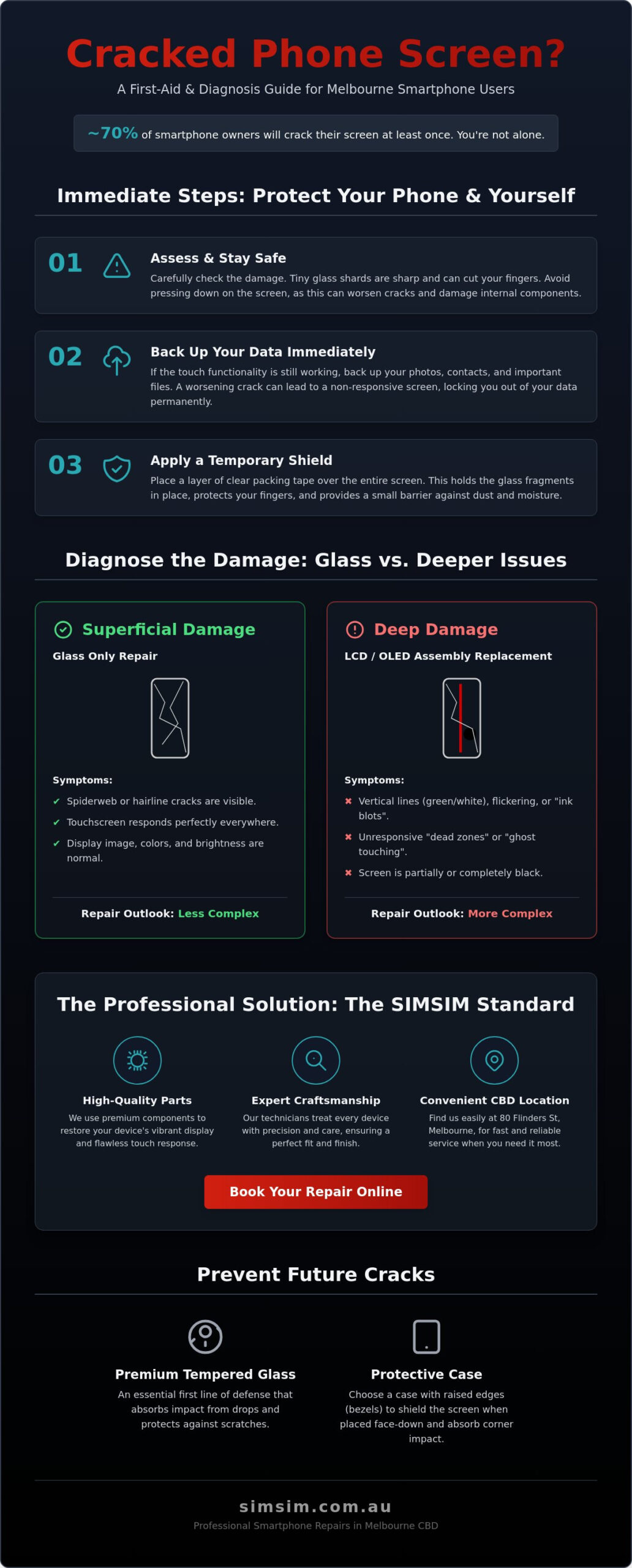
When you’re faced with a spiderweb of broken glass, your first instinct might be to carry on as usual. However, even a hairline fracture can compromise your device’s integrity and your personal safety. Here’s your immediate action plan.
Never ignore it: A small crack can quickly spread, compromising the screen’s structural integrity and exposing the sensitive electronics underneath to dust and moisture.
Safety first: Broken glass is sharp. A cracked screen can easily shed tiny, almost invisible shards that can splinter your fingers during normal use.
Immediate data backup: The touch functionality of your screen could fail at any moment. Back up your photos, contacts, and important files to the cloud or a computer while you still can.
Temporary vs. professional fixes: While a screen protector or tape can offer a short-term barrier, these are not solutions. For Melbourne commuters who rely on their device, a professional repair is essential for long-term reliability.
Assessing the Initial Damage
Before you rush to a repair store, take a moment to understand the extent of the problem. Your observations can help a technician diagnose the issue faster. Carefully check if your touch sensors are still fully functional across the entire screen. Tap and swipe on every corner and in the middle to identify any ‘dead zones’ that signal internal digitiser damage. A key risk to remember is that any crack, no matter how small, breaks the factory seal and makes your device vulnerable to moisture ingress, which can lead to far more expensive damage. (chemically strengthened glass)
Protecting Your Device and Yourself
To prevent further damage and keep your fingers safe, you can apply a layer of clear packing tape over the entire screen. This will help hold the broken glass in place and provide a smoother surface for temporary use. Avoid putting a cracked phone in your pocket, as pressure and movement can worsen the cracks and the glass shards can damage the fabric and your skin. When you’re ready, power down the device and prepare it for a visit to our Flinders St store for a professional assessment.
Diagnosing the Damage: Glass vs. LCD and OLED
Not all cracked screens are the same. A modern smartphone display is a complex sandwich of layers, typically including the outer glass, a touch-sensitive digitiser, and the display panel (LCD or OLED) that produces the image. Understanding which layers are damaged is key to understanding the repair you need.
Glass-only crack: If the image underneath is perfect and the touch response is flawless, you may only have a cracked outer glass.
Complete display failure: If you see black spots, coloured lines, or the screen won’t light up at all, the internal display panel is broken.
OLED screen damage: Newer iPhones and premium Androids use delicate OLED screens. Repairing these requires specialised techniques to maintain their vibrant colour and deep blacks.
Ghost Touching’: This is when your phone acts on its own, opening apps or typing without input. It’s a classic sign that the digitiser layer has been damaged in the drop.
Visual Symptoms of Internal Damage
Look closely at your screen. Do you see thin, vertical coloured lines or black "ink blots" that seem to spread? These are clear indicators that the underlying LCD or OLED panel is broken, which will influence your final repair bill. A flickering screen can also point to a damaged display or a loose internal connection caused by the impact. For specific models like the latest iPhones, these symptoms require expert attention. You can learn more about our professional iPhone 16 Pro screen repairs for more detailed information. (right to repair)
Why Professional Diagnosis Matters
Attempting to diagnose the issue yourself without proper tools can be risky. What looks like a simple screen issue could be masking hidden internal damage to the battery or motherboard from the impact. Our technicians use specialised equipment to safely open your device and perform a comprehensive diagnostic, ensuring we identify and fix the root cause of the problem, not just the surface-level symptom.
Comparing Screen Repair Options in Melbourne CBD
When you need a fix in Melbourne, you have three main paths: the original manufacturer (like an Apple Store), an independent expert like SIMSIM, or a risky DIY kit. For professionals and students in the CBD, the choice often comes down to speed, cost, and trust.
Apple Store vs. Independent Expert: Official channels often mean longer wait times and higher prices, while a trusted independent can offer express service and more competitive rates.
The ‘Apple Tax’: With official repairs, you’re often paying a premium for branding. An independent specialist can source parts of equal or superior quality without the hefty price tag.
The CBD Advantage: Melbourne locals prefer express services because being without a phone for days is not an option. Our location at 80 Flinders St is designed for quick, same-day turnarounds.
The ‘Genuine’ Parts Myth: Apple does not sell ‘genuine’ parts to third-party repairers. However, reputable stores like SIMSIM use premium, top-specification parts that meet or exceed original standards.
Apple Authorised vs. Independent Specialists
The most significant difference is turnaround time. An official service appointment can often lead to a 3-5 day wait for your device to be returned. At SIMSIM, most screen repairs are completed the same day, often within an hour. Furthermore, our warranty covers our parts and labour, giving you peace of mind that if anything goes wrong with the new screen, we’ll sort it out. For a broader look at our services, see our Apple device repair overview. (environmental impact of e-waste)
The True Cost of DIY Screen Kits
Those ‘cheap’ screen repair kits you see online may seem tempting, but they come with huge risks. They often contain low-quality tools that can scratch your device and inferior screens that offer poor colour and touch response. More importantly, modern phones have delicate sensors for features like FaceID and TrueTone that are paired to the logic board. Improperly transferring these during a DIY repair can permanently disable these essential functions. For a clearer picture of repair costs and value, explore our 2026 Professional Buying Guide.
How to Prevent a Cracked Screen in the Future
Once your screen is repaired, the goal is to never go through this again. The best repair is the one you don’t need, and a few smart choices can dramatically reduce your risk of future damage.
Tempered Glass vs. Plastic: Tempered glass protectors provide superior impact absorption, acting as a sacrificial layer that shatters to save the screen underneath. Plastic films only protect against scratches.
A Protective Case is Non-Negotiable: For Melbourne’s active lifestyle, a good case isn’t an accessory; it’s a necessity. Look for cases with shock-absorbing corners and durable materials.
Look for the ‘Lip’: The single most important design feature on a phone case is a ‘raised lip’ or bezel that extends past the screen. This ensures that if the phone falls flat, the case hits the ground first, not the glass.
Liquid Glass Coatings: These are a newer option that involves applying a nano-coating to the screen. While they offer good scratch resistance, they provide minimal protection against drops compared to tempered glass.
Top-Rated Protection Gear for 2026
When choosing a screen protector, consider if you need a privacy filter, which darkens the screen for anyone viewing from an angle—perfect for using public transport in the CBD. At SIMSIM, we recommend rugged, dual-layer cases for professionals who need maximum protection without excessive bulk. And the key to a perfect screen protector application is a clean screen; use an alcohol wipe and microfiber cloth to remove all dust and oil before you begin.
Habits to Avoid Screen Damage
Your habits play a huge role in your device’s safety. Storing a large smartphone in your back pocket creates stress on the frame and screen, especially when you sit down. A leading cause of cracked screens is simply leaving the phone on the edge of a desk or table where it can be easily knocked off. We’ve seen countless devices in our store damaged by these simple, avoidable habits.
Professional Screen Replacement at SIMSIM Melbourne
At SIMSIM, we understand that your device is your lifeline. We’ve built our reputation on providing Melbourne’s CBD with a screen repair service that is fast, reliable, and transparent. We treat every device with the care it deserves, getting you back to your day with minimal disruption.
High-Quality Parts: We are committed to using only the best available replacement parts, ensuring your new screen looks and performs as it should.
The SIMSIM Guarantee: Our location at 80 Flinders St is the CBD’s top choice because we stand behind our work with a comprehensive warranty on parts and labour.
Expert Technicians: Our team consists of skilled professionals who have the experience to handle complex repairs with precision and care.
Express Booking: You can book your repair online in minutes, securing a spot that fits your schedule and ensures the fastest possible turnaround.
The SIMSIM Difference in the CBD
Conveniently located at 80 Flinders St, Melbourne VIC 3000, our store is easy to find for anyone working or living in the city. We operate with a transparent pricing model, meaning the quote you receive is the price you pay—no hidden diagnostic fees or surprise charges. Our service is built on trust and expertise, making us a cornerstone for device care in Melbourne. Learn more about our approach to expert iPhone screen replacement in the Melbourne CBD.
Ready to Fix Your Screen?
Don’t let a cracked screen slow you down. Get the professional, express service you deserve and restore your device to perfect condition. For most popular models, our express service can have your screen replaced in about 1 hour.
Book online now: Schedule Your Appointment
Need a quick quote? Call or text us on 0450 755 121.
Frequently Asked Questions (FAQ)
Is it safe to use a phone with a cracked screen?
No, it is not recommended. You risk cutting your fingers on glass shards, and the phone is vulnerable to dust and moisture, which can cause more severe internal damage. It can also emit higher levels of radiation and strain your eyes.
How much does it cost to fix a cracked screen in Melbourne?
The cost varies depending on the phone model and the extent of the damage (glass-only vs. full display). At SIMSIM, we offer competitive and transparent pricing. You can get a quick quote by calling us or visiting our store at 80 Flinders St.
Will I lose my data if I get my screen replaced at SIMSIM?
A standard screen replacement does not affect your data. However, we always strongly recommend performing a full backup of your device before any repair as a best practice for data safety.
How long does a professional screen repair take at your Melbourne store?
Most iPhone and other popular model screen repairs are completed within one hour, allowing you to drop off your device and pick it up on your lunch break.
Can a cracked screen get worse over time if left unrepaired?
Yes, absolutely. Daily pressure from your fingers, bumps in your pocket, and temperature changes can cause a small crack to spread across the entire screen, potentially leading to touch failure or display damage.
Does SIMSIM use original parts for iPhone screen replacements?
Apple does not sell original parts to any third-party repair store. We use the highest quality aftermarket parts available, which are rigorously tested to match the performance, colour, and durability of the original screen.
What is the difference between a glass crack and an LCD break?
A glass crack is damage to only the top protective layer; the display underneath still works perfectly. An LCD (or OLED) break is damage to the actual display panel, resulting in black spots, coloured lines, or a non-functional screen.
Do you offer a warranty on your screen repairs at 80 Flinders St?
Yes, we do. All of our screen repairs at our Melbourne CBD store come with a warranty that covers both the replacement part and our workmanship, giving you complete peace of mind.