

What if the key privacy question isn’t simply whether a technician could see your photos, but whether the repair needs access to your phone at all? It’s natural to wonder how to trust a repair shop with my photos when a device holds family memories, private moments and images you can’t replace.
That concern makes sense. A hardware repair may focus on one component, but whether your phone needs to be unlocked depends on the work and checks involved. You shouldn’t have to guess what happens next or share more access than the task requires.
This guide explains what a phone repair may involve, how to reduce avoidable exposure before service, and what to expect when arranging a repair in Melbourne. You’ll find practical steps to prepare your device, understand why a technician might need to interact with it, and protect your photos without assuming every repair follows the same process. SIMSIM Repairs is an independent repair specialist in Melbourne CBD, providing services such as iPhone screen replacement. With a clearer picture of the repair and a few sensible precautions, you can take your next step with more confidence.
Key Takeaways
- To decide whether you can trust a repair shop with my photos, focus on clear expectations, necessary access and sensible preparation.
- Compare the repair task with the checks it may involve. Screen work, battery work and data recovery can have different relevance to stored photos.
- Back up important photos before service using a trusted method available to you, and distinguish preparation steps from repair requirements.
- Understand why a phone may need to be unlocked before sharing your passcode. Access needs can depend on the fault, model and post-repair checks.
- Learn what to expect from a repair visit with SIMSIM in Melbourne CBD, including iPhone screen replacement.
Can you trust a phone repair store with your photos? Start with access, not assumptions
Your phone may hold years of family moments, private conversations, work images and everyday snapshots. Some are backed up; others may exist nowhere else. So it’s understandable to ask, “Can I trust a repair shop with my photos?” A useful answer starts with the repair task and the access it may involve, rather than assumptions about what a technician will or won’t do.
Trust is built on clear expectations: understanding what work is planned, what interaction with the device may be needed, and how you can prepare. A technician may need to handle the phone, connect it to equipment or check whether a repaired feature works. That physical access is different from opening personal apps or browsing albums.
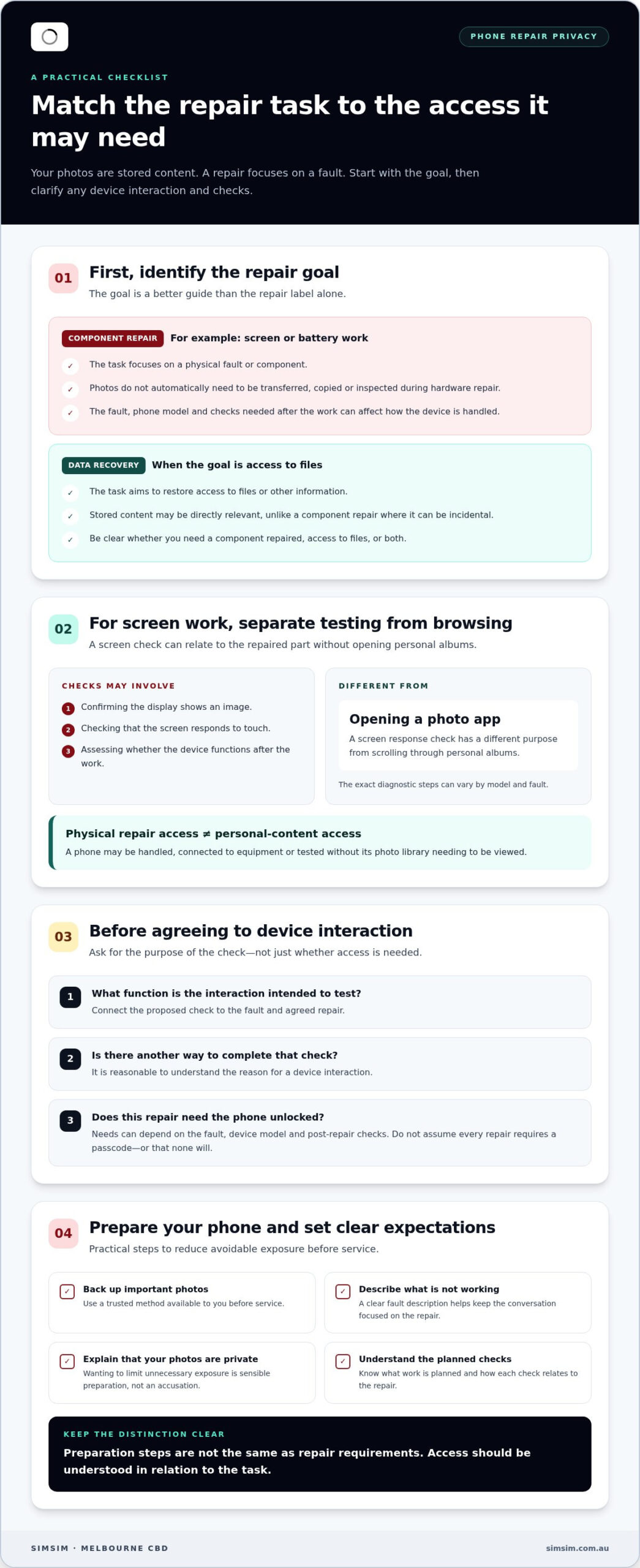
Physical repair access is not the same as personal-content access. A phone can be handled and tested without its photo library needing to be viewed. The specific steps depend on the fault, device model and checks involved, so it’s reasonable to understand the task before service begins.
Does a technician need to see your photos to repair a phone?
Not necessarily. For a screen issue, checks may involve confirming that the display shows an image and responds to touch. That is different from opening a photo app and scrolling through albums. The exact interaction can vary, so don’t assume every repair requires a passcode or that none will.
If a device interaction is proposed, ask what function it is intended to test and whether there’s another way to complete that check. The aim isn’t to challenge routine repair work; it’s to understand how the test relates to the fault. For general context on phone and data security, see this Mobile security overview.
Why privacy concerns are reasonable without assuming wrongdoing
Personal photos can be intimate, meaningful or connected to work. Their value isn’t measured only by whether they’re sensitive in a formal sense. A picture of a family milestone may be irreplaceable to you. Wanting to limit unnecessary exposure is a sensible part of preparing a device, not an accusation against the person repairing it.
Clear expectations help both sides. You can explain that your photos are private, understand which checks relate to the repair, and avoid sharing access that isn’t needed for the agreed task. A calm, practical conversation helps you make an informed decision while allowing the repair steps to depend on the phone and its fault.
What happens to your photos during a phone repair?
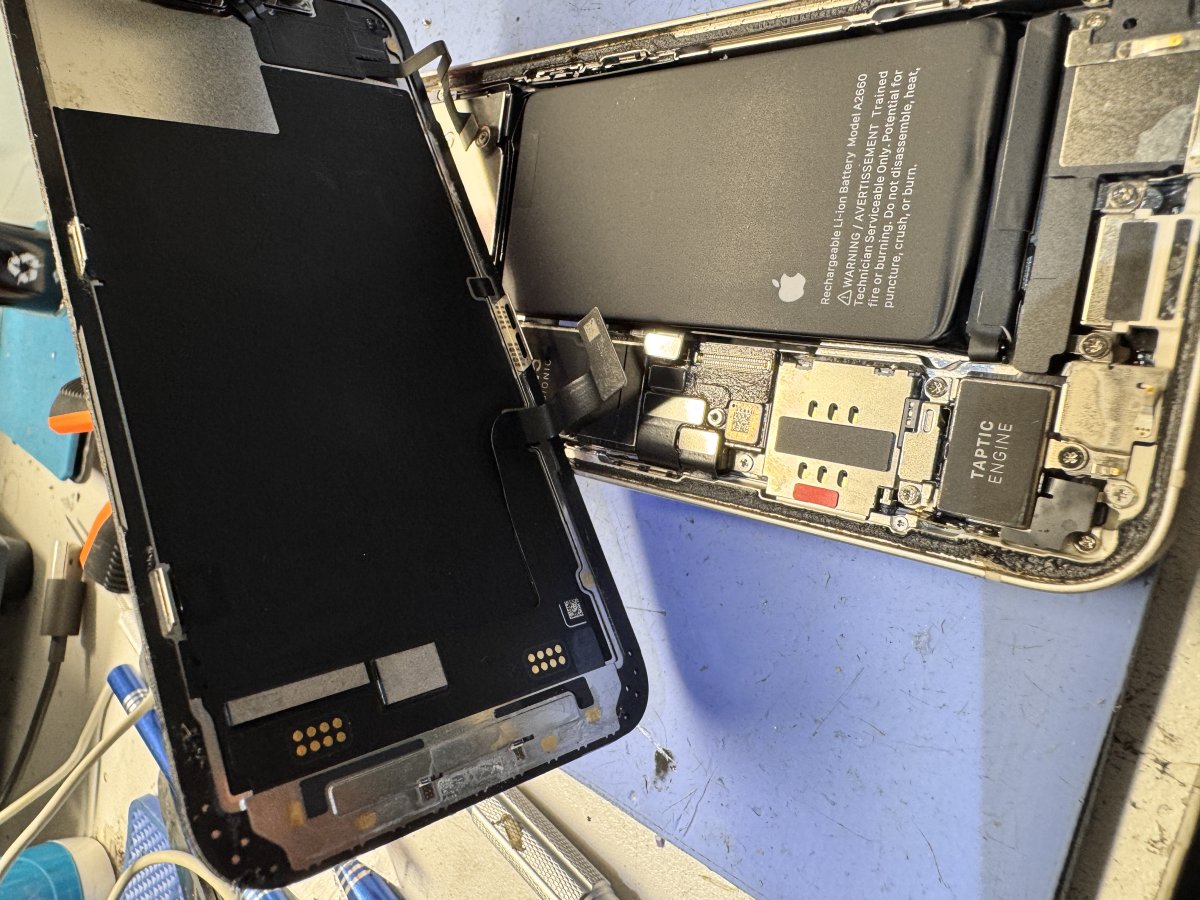
A hardware repair focuses on a physical component: diagnosing a fault, replacing or working on that part, then checking the device. Photos are stored content. They don’t automatically need to be transferred, copied or inspected just because a technician is repairing the phone. Put simply, data storage is part of the phone; the repair task is focused on the fault.
That distinction is useful, but it doesn’t mean every repair follows identical steps. The fault, phone model and checks needed after the work can all shape how the device is handled. A repair that affects the display may call for different checks from one involving charging or a camera. To understand a proposed interaction, connect it to the specific repair rather than assuming all hardware work involves the same access.
Screen replacement, diagnostics, and device testing
An iPhone screen replacement is a hardware-focused example. A technician may need to assess the display and check that the screen responds or that the phone operates as expected after the work. Those checks concern the repaired component and device function; they don’t automatically require browsing personal albums. Diagnostic steps can vary by model and fault. SIMSIM provides iPhone screen replacement.
Testing helps assess whether the device is functioning after service, but the checks should relate to the repair being performed. A screen response check, for instance, has a different purpose from opening a photo library. When arranging a repair, describe what isn’t working and ask how the planned checks relate to it. That gives you a clearer picture without assuming a specific passcode or access requirement.
When data recovery is different from hardware repair
Data recovery has a different focus from replacing a damaged component. Hardware repair addresses a physical fault; data recovery aims to restore access to files or other information. Stored content can therefore be directly relevant to the task, rather than incidental to a screen or battery repair. The steps and expectations may differ depending on the device and data problem. Keep the goal clear: are you seeking a component repair, access to files, or both?
If your concern is about how apps use information on a phone, CISA’s guidance on mobile app privacy offers broader context. App privacy is separate from hands-on repair work, but it’s useful background when considering what information your device contains and how you manage it.
For an iPhone hardware issue, you can book an iPhone repair with SIMSIM and describe the fault when arranging service. A clear repair goal helps keep the conversation focused on the work your device needs.
How to compare repair situations and understand privacy trade-offs
A repair label alone doesn’t tell you how relevant your personal data is to the task. The goal is a better guide: replacing a component is different from trying to recover files. Neither category is automatically risk-free or invasive, and the device, fault and checks involved can affect what interaction is needed.
| Situation | Main task | Likely relevance of stored photos |
|---|---|---|
| Screen repair | Address a damaged or faulty display and assess its operation | Photos are usually separate from the component being repaired, though device checks may vary. |
| Battery work | Replace or address a battery-related hardware issue | The task is focused on hardware; stored photos are not the repair goal. |
| Data recovery | Work towards restoring access to files or information | Data is central to the goal, but that doesn’t mean every file must be viewed or changed. |
Routine component replacement versus data recovery
For component work, the service goal is to address a physical fault. Data recovery is different because the aim involves access to information that may be unavailable. It’s more useful to ask what the task is meant to achieve than to rely on a broad label such as “phone repair.” Independent repair specialists such as Gary’s Tech Hub distinguish clearly between hardware fixes and data recovery to ensure clear boundaries around customer privacy. Data recovery doesn’t automatically mean every stored photo is exposed or altered; the steps depend on the problem and recovery work involved.
What clear service expectations look like
Clear expectations mean understanding the planned task and any device interaction that may be needed to carry it out or assess the result. Before agreeing to work, make sure you understand the repair goal and how any requested interaction relates to it.
Doing the work yourself can avoid handing your phone to a technician, but it brings different considerations. A repair may require tools and careful handling, and an unfamiliar or difficult procedure can risk damaging the device. A mistake could also affect access to data. Weigh that against the repair’s complexity and your experience, rather than treating DIY as automatically more private or safer.
If you’re comparing options, consider these practical questions:
- Is the goal to fix a component, restore a function, or recover files?
- What device interaction may be needed, and how does it relate to the task?
- Have you prepared important data before the phone is handled?
Those answers give you a clearer basis for deciding whether you can trust a repair shop with my photos, without assuming every repair has the same privacy trade-offs. For a phone repair with SIMSIM, you can book a repair appointment. You can also explore repair-related videos on the SIMSIM YouTube channel.
How to protect your photos before handing over a phone
A little preparation can make a repair handover feel more straightforward. If you’re wondering whether you can trust a repair shop with my photos, focus on steps you control: protect important files, reduce what’s visible, and understand what the repair requires. These are sensible preparation steps, not universal conditions for repair.
Back up photos and check account access
Start with a fresh backup of important photos using a method you trust and can access. Then check that the images you care about appear in the backup, rather than assuming the process completed successfully. A backup can reduce the impact of some problems, but it can’t guarantee recovery from every device, account or hardware issue. Before changing settings, make sure you know the credentials for the relevant account.
- Back up and verify. Save important photos using a trusted backup method available to you, then check that key images are accessible from the backup location.
- Review what appears on screen. Hide lock-screen notification previews or clear sensitive notifications where practical. This reduces personal information visible at a glance without changing the contents of your photo library.
- Record the fault and condition. Note what isn’t working, when you noticed it and any relevant details, such as whether the screen is intermittently responsive. Record the phone’s visible condition before handover so you have a clear reference.
- Consider removable storage. Remove a physical SIM or memory card only if your device has one and removing it is appropriate for your situation. Don’t force a tray or card out if you’re unsure how it works.
Prepare the device without creating extra risk
Passcode decisions depend on the repair and the checks involved, so don’t assume every job requires one or that none will. Understand what interaction is needed for the task before changing settings or sharing credentials. A factory reset isn’t a routine first preparation step: it can remove data, so preserve your photos and avoid resetting the phone unless there’s a specific, understood reason.
Preparation is separate from repair requirements. Backing up, reviewing notifications and noting the fault are practical ways to get ready. They don’t establish what a technician will need to do for a particular device. Keep the repair goal clear, and don’t make changes that could lock you out of your account or erase information you’re trying to protect.
With your notes and backup ready, you can describe the fault clearly and discuss the repair task. To arrange phone service with SIMSIM, book a repair appointment.
Getting your phone repaired with SIMSIM in Melbourne CBD
Understanding the repair task and preparing your phone can make handing it over feel more straightforward. For customers in Melbourne CBD, SIMSIM is an independent device repair specialist with a store at 80 Flinders St, Melbourne VIC 3000. SIMSIM’s technicians repair phones, tablets and computers, including iPhone screen replacement.
A local option for iPhone screen replacement
A damaged screen is a practical example of a hardware repair: the work centres on the display, while the checks involved depend on the device and fault. SIMSIM provides iPhone screen replacement alongside repairs for other devices. When arranging service, describe the problem as clearly as you can, such as a cracked display or an area that no longer responds. A precise description helps keep the conversation centred on the issue you need addressed.
It’s reasonable to want to understand how a repair relates to your phone’s data. The guidance in this article can help you think through the difference between a component repair and access to stored content. The steps for a particular fault depend on the device and work involved, so keep your repair goal clear and understand any proposed device interaction before proceeding.
SIMSIM also provides repairs for devices such as iPads and MacBooks. Whether the problem is with an iPhone or another device, a clear description of the fault gives the repair conversation a useful starting point. Your photos matter. It’s sensible to prepare carefully and make decisions based on the specific job, rather than assume every repair involves the same access.
Make your next step simple
If you’re still asking, “Can I trust a repair shop with my photos?”, focus on what you now know: the repair goal, the possible checks, and the preparation you’ve completed. These details can help you approach the handover with clearer expectations, without making assumptions about a technician’s procedures.
SIMSIM’s store is at 80 Flinders St, Melbourne VIC 3000. To arrange a repair, book an appointment with SIMSIM. You can also visit the SIMSIM YouTube channel.
Take your next repair step with confidence
Deciding whether you can trust a repair shop with my photos doesn’t have to mean choosing between protecting your privacy and getting a needed repair. You can make the decision with care: keep your repair goal clear, consider what access is relevant to that task, and choose what you’re comfortable sharing. Your photos matter, and so does feeling informed before you hand over a device.
Let this be the start of a straightforward repair conversation, not another reason to delay a phone that needs attention. SIMSIM’s professional technicians work on phones, tablets and computers, with iPhone screen replacement among the available repair services. A clear next step can help you move from concern to action at a pace that feels right.
Book a repair with SIMSIM and take the next step with confidence.
Frequently Asked Questions
Can a phone repair technician see my photos without my passcode?
It depends on the phone’s settings and the repair task, but a passcode isn’t the only factor that can affect what’s visible. Notifications or information already displayed on an unlocked screen may be seen during handling. A locked device generally limits access to its contents, but don’t treat that as a complete privacy guarantee. Before service, consider what appears on your lock screen and whether any device interaction is relevant to the repair.
Do I need to unlock my iPhone for a screen replacement?
Not every iPhone screen replacement has the same access requirements. The checks needed can depend on the model and fault, so there isn’t a universal answer about unlocking. If you’re asked to unlock your phone, you can ask what function the technician needs to check and whether that interaction is essential for the work. Avoid sharing your passcode casually, and don’t change account or security settings unless you understand the effect.
Can a phone repair erase my photos?
A repair doesn’t automatically erase your photos, but no device repair can guarantee that data will remain untouched in every circumstance. The repair goal and any troubleshooting steps matter. Back up important images before service, and avoid a factory reset unless there’s a specific reason you understand. If photos are especially valuable, check that your backup is accessible from another device before handing over your phone.
Should I back up my phone before getting the screen repaired?
Yes, back up important photos and other files before a screen repair if you can. A damaged display may make it difficult to use the phone later, so don’t wait until after the repair to check your backup. For example, open the backup from another device or browser and confirm that recent images appear. Keep in mind that a backup is a precaution, not a promise that every file can always be restored.
Is it safer to remove private photos before a phone repair?
You usually don’t need to delete private photos simply because a phone needs hardware work. Deleting files can create an extra problem if you later realise you needed them or the backup wasn’t complete. A safer first move is to back up important images and check what’s visible on the lock screen. If you choose to remove or move particular photos, make sure you understand where they’ll be stored and how to access them again.
What should I do if my phone contains sensitive work photos?
Follow your workplace’s rules for handling work images before changing, copying or moving them. Don’t transfer confidential files to a personal account or storage location unless that’s allowed. Make a note of the fault and identify whether the repair is hardware work or data recovery, since those tasks have different goals. If the device is managed by your employer, ask the appropriate workplace contact about approved preparation steps.
Can I get an iPhone screen repaired in Melbourne CBD?
Yes. SIMSIM provides iPhone screen replacement in Melbourne CBD, with its store at 80 Flinders St, Melbourne VIC 3000. Before arranging service, note the iPhone model and describe what’s happening, such as a cracked display, flickering image or touch that isn’t responding. That gives the repair conversation a clear starting point. You can book an iPhone screen repair with SIMSIM.
Does data recovery involve different access to a phone than screen repair?
Yes, the purpose is different. Screen repair focuses on a physical component, while data recovery aims to restore access to files or information. The steps depend on the device and the data problem, so data recovery shouldn’t be assumed to involve viewing or changing every photo. If your priority is a particular set of files, identify them and explain the goal clearly when arranging the service. Find more from SIMSIM on its YouTube channel.
To arrange a repair at SIMSIM’s Melbourne CBD store, book an appointment.