

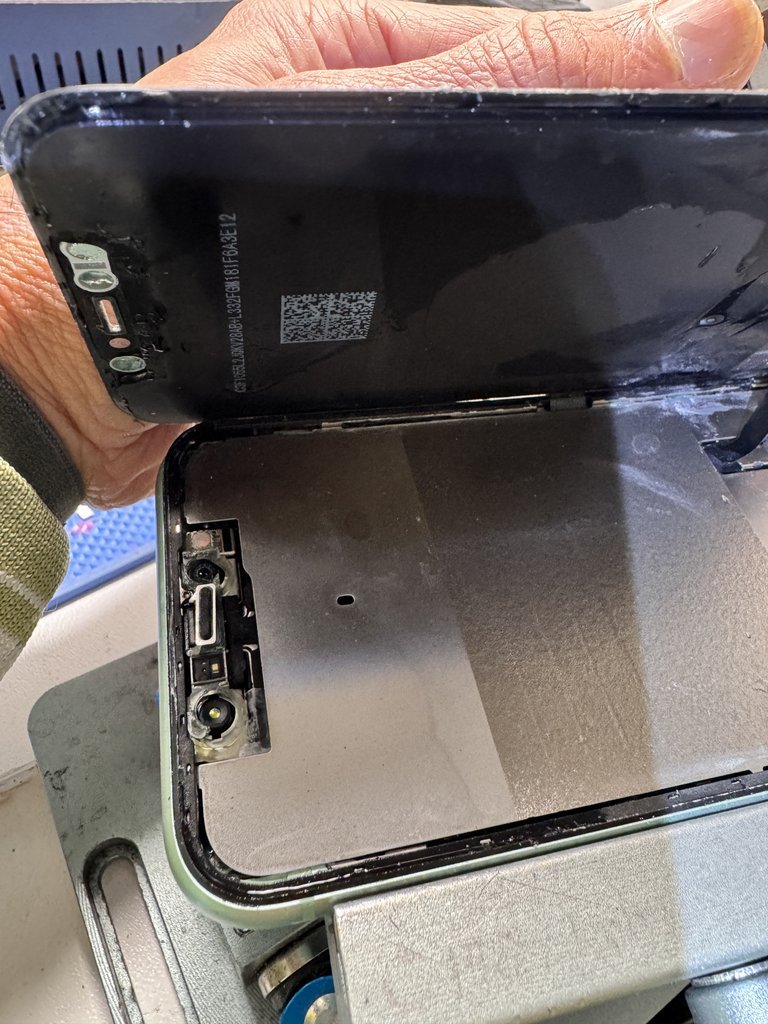
Need to fix my work phone today Melbourne? First separate a handset fault from a SIM, network or business phone system issue. Identifying what’s affected can help you choose the right next step and avoid spending time on the wrong diagnosis.
A cracked screen, failing battery, charging problem or damaged camera can make calls, messages and work apps harder to use. If your phone holds the keys to email, schedules and essential accounts, it’s sensible to think about access and data before arranging a repair.
This guide explains how to identify likely handset faults, protect work access and prepare your device for an assessment. SIMSIM Repairs fixes mobile phones and computers at its store at 80 Flinders St, Melbourne VIC 3000. Use the checks below to describe the issue and plan your visit to the Melbourne CBD store.
Key Takeaways
- When you need to fix my work phone today Melbourne, note the exact symptom first. It can help distinguish a handset fault from a phone-line or network issue.
- Check for visible damage and stop using the device if it seems unsafe. Use another trusted channel for urgent work communication, in line with your company’s policy.
- Match symptoms such as a cracked screen, weak battery or charging trouble to a likely repair category, but remember that symptoms don’t confirm the fault.
- Before visiting, record the phone model and damage details. Follow your employer’s rules for backups, work accounts, passcodes and managed devices.
- Find SIMSIM at 80 Flinders St, Melbourne VIC 3000, and book a repair. Explore the SIMSIM YouTube channel.
Need to Fix a Work Phone Today in Melbourne? First Identify the Problem
A damaged work phone can interrupt calls, messages and access to the tools you rely on. If you need to fix my work phone today Melbourne, first work out whether the problem affects one mobile handset or a wider service. A cracked screen, failing battery, charging fault, unresponsive button, camera problem or liquid exposure can all indicate that the device needs assessment.
This guide focuses on mobile handset faults. Office PBX or VoIP systems, desk extensions, NBN services and telephone-line faults are separate from repairs to a mobile device. Put simply: handset repair addresses the physical mobile device; phone-system repair addresses the lines and equipment connecting calls. Identifying which is affected can help you follow the right diagnostic path.
Is the fault in your mobile, SIM, network, or office phone system?
Start with the handset. Does it power on? Does the screen respond? If your work policies allow, try a different trusted network or SIM. If one mobile is affected while colleagues’ phones and desk extensions work normally, the issue may be with that device or its SIM. If several phones or extensions lose service together, a network or office-system fault may be more likely. Line, NBN, PBX and VoIP issues require a different diagnosis from mobile handset faults.
Which work-phone symptoms call for a repair assessment?
Cracks, dark patches or flickering can make a screen difficult to read. A phone that charges intermittently, drains unusually quickly or has controls that no longer respond also warrants attention. The phone might still ring while its display stays blank or touch input fails, making it difficult to answer calls or open work apps. These symptoms help describe the problem, but they don’t confirm its cause. An in-person assessment can determine what needs attention.
Note what happens and when. For example, record whether charging stops when the cable moves, a button sticks, the camera fails to open or the phone was exposed to liquid. Don’t keep testing a device that’s hot, visibly swollen or otherwise seems unsafe. SIMSIM provides iPhone screen repair. You can book a repair at SIMSIM or watch repair-related videos on the SIMSIM YouTube channel.
A mobile phone combines physical components and software, as outlined in this overview of mobile phone hardware and software. That’s why similar symptoms can have different causes. Note what the phone can still do, then arrange an in-person assessment instead of assuming the problem is the SIM, network or screen alone.
What to Do First When Your Work Phone Stops Working
A work phone that suddenly fails can make a routine day feel urgent. If you’re thinking, “need to fix my work phone today Melbourne,” pause and make the next steps deliberate. A brief check can help you describe the fault, protect work access and avoid making a damaged device worse.
Start with these checks:
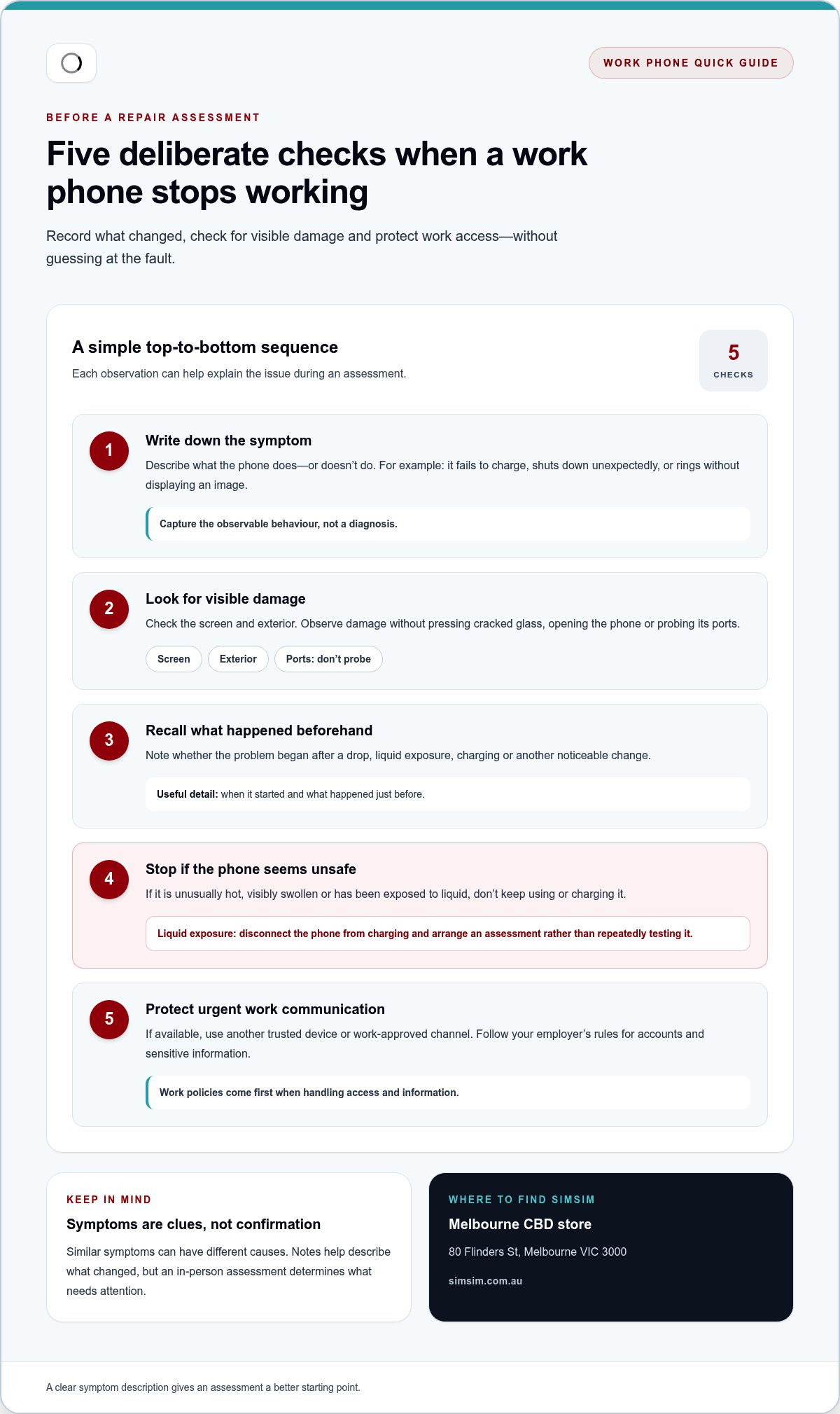
- Note the symptom. Write down what the phone does or doesn’t do, such as failing to charge, shutting down unexpectedly or ringing without displaying an image.
- Look for visible damage. Check the screen and exterior without pressing cracked glass, opening the phone or probing its ports.
- Consider what happened beforehand. Record whether the issue began after a drop, liquid exposure, charging or another noticeable change.
- Stop if the phone seems unsafe. If it’s unusually hot, visibly swollen or has been exposed to liquid, don’t keep using or charging it.
- Protect urgent communication. Use another trusted device or work-approved channel if available, and follow your employer’s rules for accounts and sensitive information.
Symptoms help a technician understand what changed and decide what to inspect, but they don’t prove the cause or guarantee a particular repair.
How can you tell whether the phone needs hardware attention?
A cracked display, charging that cuts in and out, unexpected shutdowns or unresponsive buttons are useful clues to record. Include when the problem began and what happened just before it. For instance, note whether the phone stopped charging after the cable moved or became unresponsive after a drop. These details give an in-person assessment a clearer starting point.
Different faults can produce similar symptoms. A phone that switches off may have more than one possible cause, and a blank display doesn’t reveal what has failed. Avoid diagnosing the problem from one symptom alone. An in-person assessment can identify the appropriate next step.
What should you avoid before the phone is assessed?
Don’t press down on broken glass or keep operating a device that feels unusually hot. If liquid has reached the phone, disconnect it from charging and arrange an assessment rather than repeatedly testing it. Restarting, leaving it to dry or changing a setting might not address hardware damage, so don’t rely on those steps as a fix.
For routine cleaning, follow the device manufacturer’s guidance. The FCC also offers general advice on maintaining phone hygiene. Cleaning guidance isn’t a remedy for liquid exposure, and you should avoid applying liquids to a damaged handset.
Once you’ve noted the symptoms and followed your workplace’s rules for urgent communication, you’ll be better prepared to explain the fault. If you’re ready to arrange an assessment, book a work-phone repair with SIMSIM.
Choosing a Work Phone Repair: Match the Fix to the Fault
If you need to fix my work phone today Melbourne, matching the symptom to a likely repair category is a useful starting point. It helps you explain what’s happening and understand what may be inspected, without deciding on a diagnosis before the device has been assessed.
A symptom can suggest a repair category, but it can’t confirm the cause or guarantee a particular repair or outcome. A screen that won’t respond, for example, may indicate a display problem, but the device needs an in-person assessment to determine what’s wrong.
| What you notice | Possible assessment | What to record |
|---|---|---|
| Cracked, flickering or unresponsive screen | Screen inspection and possible screen repair | Whether the image, touch input or both are affected |
| Short battery life or unexpected shutdowns | Battery assessment | When it began and whether the phone shuts down at particular times |
| Charging works intermittently or not at all | Charging port, cable or device diagnosis | Whether the connection changes when the cable is moved |
| Buttons, camera or other functions fail | Broader hardware troubleshooting | Which functions still work and whether the issue followed damage |
Screen, battery, or charging problem: what does the symptom suggest?
A cracked display or failed touch response may call for a screen-repair assessment. If the phone loses charge quickly or switches off unexpectedly, a technician may assess the battery. Charging trouble can involve the port, cable or another device fault, so don’t assume replacing one part will resolve it. SIMSIM carries out iPhone and Samsung screen and battery repairs, as well as Samsung charging port replacement.
For work devices, repair decisions also involve account and data protection. Follow your organisation’s device policies and consider the National Security Agency’s mobile device security best practices as general guidance. SIMSIM also shares repair information on its YouTube channel.
When is a mobile repair different from a business phone fault?
If one handset fails while other work phones and desk extensions operate normally, start by noting what’s happening with that device. If several phones or extensions lose service together, a shared network, line or office phone-system issue may be more likely. Those faults need a different diagnostic route from a mobile handset repair. For broader handset-repair context, see this Melbourne phone repair guide.
Describe the fault, identify the phone model if you know it, and note any recent drop or liquid exposure. This gives the technician a clearer starting point while leaving room for the assessment to identify the right repair. When you’re ready, book a work-phone repair with SIMSIM.
Prepare Your Work Phone Before Visiting a Melbourne Repair Store
A little preparation can make a repair assessment more useful and help protect access to work essentials. If you need to fix my work phone today Melbourne, focus on recording useful details and following your employer’s device rules rather than attempting troubleshooting that doesn’t feel safe.
Before leaving, run through this checklist:
- Identify the device. Note the make and model if you know it. If the phone still works, check its settings. Otherwise, look at a purchase record or device paperwork if available.
- Describe the symptom. Write down what happens, when it started and whether it’s constant or intermittent. For charging problems, note whether the phone responds at all or only when the cable is in a particular position.
- Record recent events. Note any drop, visible damage or liquid exposure, and roughly when it happened. Don’t recreate the fault to gather more evidence.
- List work functions affected. Mention calls, messages, email, work apps or two-factor access. This explains the practical impact without sharing confidential content.
- Bring an accessory only if it helps. If charging is the problem, bring the cable or charger involved if it’s safe to handle. Unrelated accessories aren’t necessary.
- Check your employer’s instructions. Follow its rules for backups, passcodes, work accounts and managed devices before changing settings or removing account access.
How can you protect work access and personal data?
If the phone is usable and your company policy allows it, make a backup and check that it completed. Don’t keep using or charging a device that seems unsafe just to save a copy. Follow your employer’s instructions for work accounts and managed-device controls. Don’t share account passwords or bypass security settings to make the phone easier to assess.
Repair requirements vary, so don’t assume your data will be preserved or that the assessment can happen without access to device functions. If you’re unsure what your workplace permits, follow its established IT process before changing the phone’s settings or accounts.
What details help explain the phone problem?
A concise description is more useful than a list of guesses. Note the model, visible damage, when the fault began and what happened beforehand. For charging issues, describe what happens when the phone is connected. For screen problems, say whether the display, touch response or both are affected. If the issue is a damaged iPhone display, a relevant screen-repair guide can help you plan your next steps.
Keep sensitive information private. You don’t need to write down passwords, send confidential messages or expose work data to explain the fault. With your notes ready, book a repair assessment with SIMSIM and bring the details that will help the team understand what the handset is doing.
Book a Work Phone Repair at SIMSIM’s Melbourne CBD Store
A damaged work mobile needs the right repair path, not a booking for the wrong kind of fault. SIMSIM is a Melbourne phone and computer repair store that handles mobile handset hardware issues affecting everyday work use. If desk extensions or several phones are affected together, the problem may instead involve a line, network or office phone system.
If you need to fix my work phone today Melbourne, SIMSIM’s technicians can assess the handset problem and identify an appropriate repair path. SIMSIM uses high-quality replacement parts. Share what the phone is doing and arrange a visit without assuming a particular repair or completion time.
What happens when you arrange a repair with SIMSIM?
When booking, describe the device, its symptoms and how the fault affects your workday. The model, a cracked screen, charging trouble or an unexpected shutdown can provide useful context. Explain the practical impact too, such as difficulty taking calls or accessing work apps. Don’t include confidential work information or account passwords.
At the store, a technician assesses the reported issue and determines a suitable repair path based on the device and its condition. A symptom can guide the assessment, but it can’t establish the exact cause in advance. If you have an iPhone 16 Pro, SIMSIM’s iPhone 16 Pro repair information may help you understand the device-specific repair context.
How to take the next step from Melbourne CBD
SIMSIM’s Melbourne CBD store is at 80 Flinders St, Melbourne VIC 3000. Bring the phone and any relevant notes about the fault. If charging is the issue, you can also bring the cable or charger involved, provided it’s safe to handle.
Once you’ve outlined the device and what’s gone wrong, book a repair appointment with SIMSIM. An appointment gives you a direct next step for an in-person assessment, but repair timing depends on the issue and isn’t promised here. For repair-related videos, visit the SIMSIM Repairs YouTube channel.
Gather the details and choose the path that fits the fault. A clear description gives the technician useful context, while the assessment determines what the handset needs. SIMSIM’s Melbourne CBD store is ready to welcome you at 80 Flinders St.
Get Your Workday Moving Again
A phone fault can make even simple work tasks harder. Choose a clear next step: decide which access you need most, follow your workplace’s device rules and arrange an assessment for the handset. If you need to fix my work phone today in Melbourne, a booking gets the repair process underway without assuming how long it will take.
SIMSIM’s technicians assess mobile devices and use high-quality replacement parts. The Melbourne CBD store is at 80 Flinders St, Melbourne VIC 3000. When booking, share the phone model and main symptom so the team has useful context for your visit.
Book a work phone repair appointment with SIMSIM and take the next step towards restoring access to your work essentials. For repair-related videos, visit the SIMSIM Repairs YouTube channel.
Frequently Asked Questions
Can I get my work phone fixed today in Melbourne?
You can book a repair with SIMSIM’s Melbourne CBD store, but same-day completion isn’t guaranteed. If you need to fix your work phone today in Melbourne, share the phone model and symptoms when booking so the team has useful context. For urgent work, use an employer-approved alternative device or communication channel. SIMSIM is at 80 Flinders St, Melbourne VIC 3000.
Is a work phone fault the same as a business phone line fault?
No. A cracked screen on one mobile points to a handset issue, while several desk phones losing dial tone together may suggest a shared line or office-system fault. NBN, PBX or VoIP trouble affecting multiple users needs a different diagnostic route. If your mobile has physical damage or a device fault, you can arrange an assessment through SIMSIM’s handset repair booking.
Should I back up my work phone before getting it repaired?
Back up the phone only if it’s working and your employer’s policy permits it. Company-managed devices may have specific security, account or backup requirements, so follow your organisation’s IT guidance rather than changing settings yourself. Don’t share account passwords or bypass security controls. If you’re concerned about access to files or work apps, describe that when arranging the repair. Data handling depends on the device and repair needs.
Can I keep using a phone with a cracked screen until the repair?
It depends on the screen’s condition and how the phone is behaving. A small crack differs from spreading damage or loose, exposed glass, but that doesn’t establish whether continued use is safe. Avoid touching broken glass, and stop using the device if it becomes unusually hot or starts behaving unpredictably. Arrange a professional assessment rather than guessing whether it’s safe.
What should I do if my work phone got wet and will not charge?
Disconnect the phone from power and don’t try to charge or repeatedly restart it. Liquid can affect internal components even if the outside looks mostly dry, so don’t assume that waiting will resolve the problem. Arrange a device assessment and explain when and how the phone got wet, along with what happened afterwards. Drying or cleaning may not restore its function, so don’t count on a particular outcome.
Can SIMSIM repair an iPhone screen that I use for work?
Yes. SIMSIM provides iPhone screen replacement and other mobile-device repairs. Note your iPhone model and describe what’s happening, such as visible cracks, display issues or unresponsive touch, when arranging an assessment. You can read the Melbourne iPhone screen repair guide for related information, then book an appointment. Repair timing and outcomes depend on assessment. For videos, visit the SIMSIM Repairs YouTube channel.