

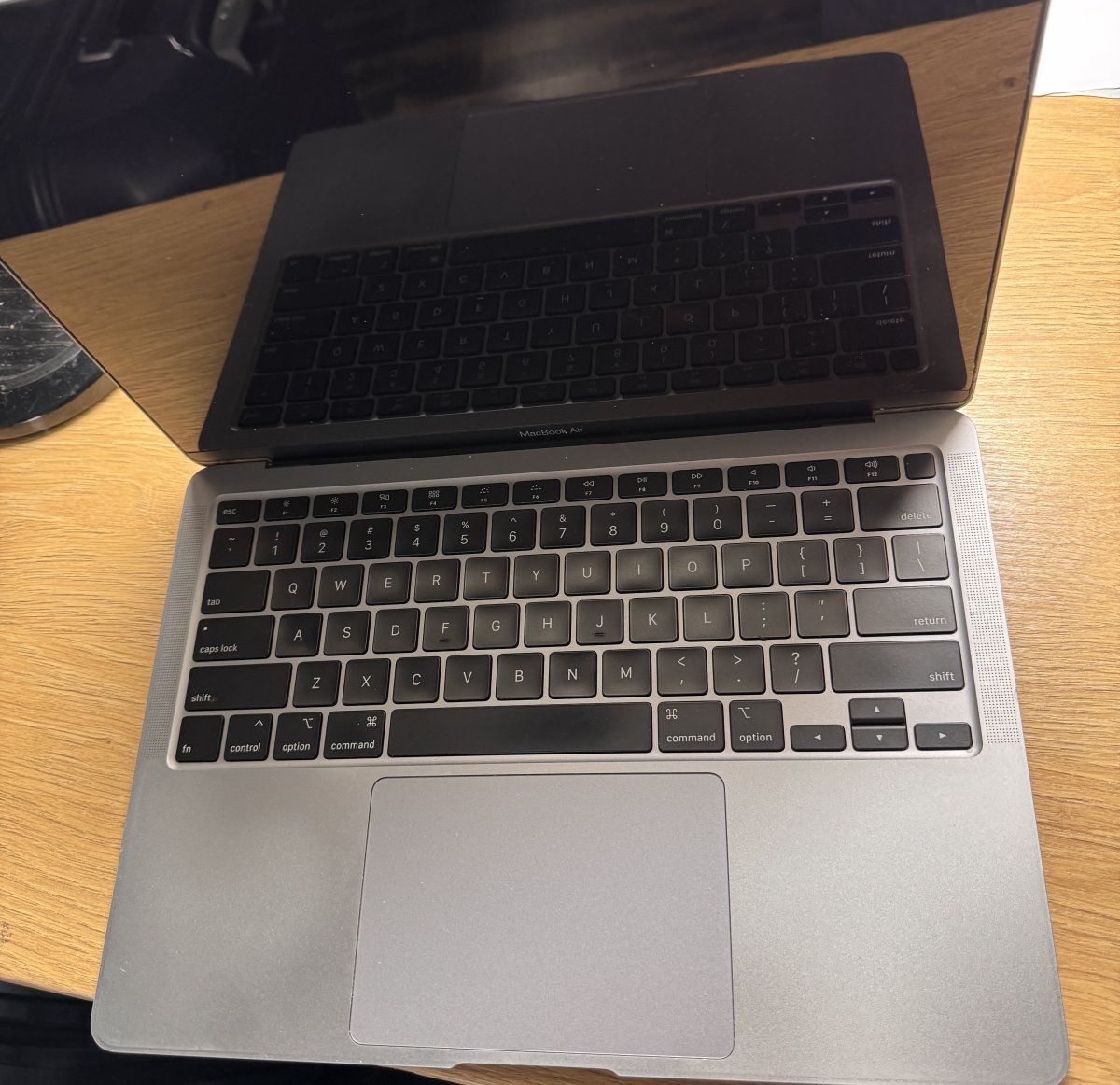
What if a hot MacBook doesn’t need a repair straight away? During video editing or other demanding work, some warmth is normal. It’s understandable to wonder whether your device is simply busy or signalling a problem. With the right macbook overheating solutions melbourne, you can start with safe checks before deciding what to do next.
This guide explains how to reduce heat by checking airflow and closing demanding apps, and how to spot signs that deserve attention, such as persistent fan noise, sluggish performance or unexpected shutdowns. You’ll learn how to distinguish a temporary workload issue from recurring heat that may need professional assessment. If basic steps don’t help, SIMSIM Repairs provides MacBook hardware troubleshooting at its Melbourne CBD store, 80 Flinders St, Melbourne VIC 3000. MacBook battery replacement is also available if an assessment indicates a battery issue. Start with the simple checks, then choose a sensible next step.
Key Takeaways
- MacBook warmth can vary with workload and surroundings. Persistent unusual heat alongside performance changes deserves closer attention.
- Start safely by saving your work, closing demanding apps, and placing your MacBook on a firm surface with clear airflow.
- A hot spell during intensive work is different from recurring heat during light use, which may warrant professional assessment.
- Before an assessment, note when the heat occurs, recent changes, charging behaviour and repeated alerts. Back up important files if it’s safe to do so.
- Explore macbook overheating solutions melbourne with SIMSIM’s MacBook hardware troubleshooting. Book an assessment or visit SIMSIM on YouTube.
MacBook Overheating: Normal Warmth vs. Serious Issues
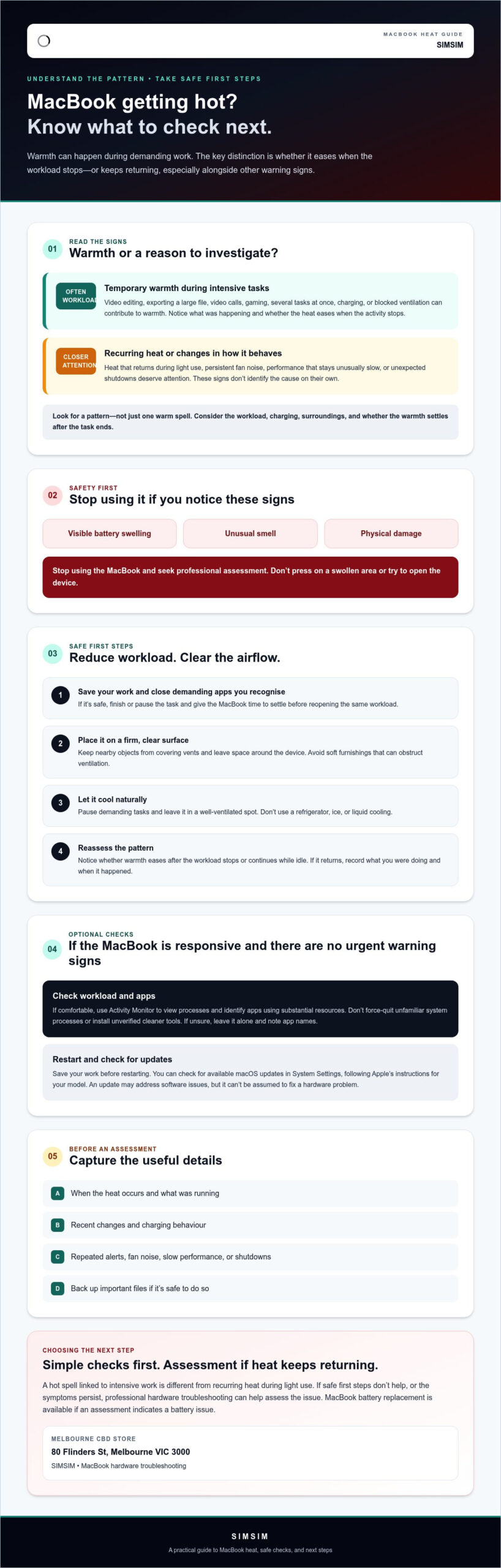
A warm MacBook can be unsettling, especially if you’re concerned about your work or the device. But warmth alone doesn’t confirm a fault. It can vary with what your MacBook is doing, whether it’s charging, and the conditions around it. Look for a pattern: what was running when the heat began, and does it ease when that activity stops?
Temporary warmth during demanding work is different from recurring, unexplained heat, particularly when it comes with shutdowns or lasting performance changes. That distinction helps you decide whether to monitor the situation or investigate further.
Why can a MacBook feel warm during everyday use?
Demanding apps and several tasks running together can make a MacBook work harder and produce more heat. Video calls, exporting a large file, gaming, or keeping many browser tabs open may all contribute. Charging and blocked ventilation can also affect how warm the device feels. Computer cooling involves moving heat away from components; learn more about how computer cooling works. Consider the workload and surroundings when the warmth started rather than judging by touch alone.
Which overheating symptoms deserve closer attention?
Look beyond a single warm spell. Recurring heat during light use, unexpected shutdowns, or performance that stays unusually slow are reasons to investigate, especially if they happen together. These signs don’t identify the cause on their own, but noting when they occur can help a professional assess the issue.
Take unusual smells, visible battery swelling, or physical damage seriously. Stop using the MacBook and seek professional assessment. Don’t press on a swollen area or try to open the device. If you’re considering macbook overheating solutions melbourne, first note whether the heat is brief and tied to a clear workload, or keeps returning without an obvious explanation.
Safe Ways to Cool an Overheating MacBook: First Steps
If your MacBook feels unusually hot, take measured steps rather than reaching for a quick fix. These checks can reduce workload and improve airflow, but they can’t confirm whether there’s an underlying hardware issue. Apple also shares guidance on managing your MacBook’s temperature.
- Save your work and close demanding apps you recognise. If you’re exporting a file or on a video call, save what you can, then close the task when it’s safe. Give the MacBook time to settle before reopening the same workload.
- Move it to a firm, clear surface. Avoid soft furnishings that can obstruct ventilation. Check that nearby objects aren’t covering the vents, and leave space around the device.
- Let it cool naturally. Pause demanding tasks and give the MacBook time in a well-ventilated spot. Don’t put it in a refrigerator, use ice, or apply liquid cooling. Sudden temperature changes or moisture can create further risks.
- Reassess the pattern. Notice whether the warmth eases after the workload stops or continues while the MacBook is idle. If it returns, note what you were doing and when it happened.
Safety first: don’t open the MacBook or handle a swollen battery. If you notice visible swelling, an unusual smell, or physical damage, stop using the device and seek professional assessment.
Check workload, apps, and ventilation
Close unnecessary high-load apps, then see whether the heat settles. If you’re comfortable doing so, use Activity Monitor to view processes and identify apps using substantial resources. Don’t force-quit unfamiliar system processes or install unverified “cleaner” tools to chase a temperature change. If you’re unsure what you’re seeing, leave it alone and record the app names for an assessment.
Restart, update, and reassess carefully
If the MacBook remains responsive and there are no urgent warning signs, save your work and restart it. You can also check for available macOS updates in System Settings, following Apple’s current instructions for your model. An update may address software issues, but it can’t be assumed to fix a hardware problem. Afterward, note whether heat returns during the same task or while the MacBook is idle.
These low-risk checks are a sensible first step for macbook overheating solutions melbourne. If recurring heat remains, you can book MacBook hardware troubleshooting with SIMSIM in Melbourne CBD.
DIY troubleshooting or MacBook repair in Melbourne: how to choose
A repair assessment isn’t automatically needed every time your MacBook feels warm. One brief episode during demanding work that settles afterwards is different from heat that keeps returning during light use. Use the pattern, any accompanying symptoms, and the result of basic checks to decide what makes sense next.
Decision rule: If the heat is brief, linked to a clear workload, and settles after basic checks, monitor it. If it recurs, comes with other symptoms, or basic checks don’t help, seek professional assessment.
| Situation | Reasonable next step | Limits |
|---|---|---|
| Warmth during a demanding task that eases when it ends | Monitor, and note the task, app, charging status, and whether it happens again. | Monitoring isn’t a substitute for help if serious symptoms appear or the heat persists. |
| Heat that returns during light use or continues after basic checks | Arrange a professional assessment. | Symptoms alone can’t identify the cause or confirm what service is needed. |
| Unexpected shutdowns or other concerning changes | Stop relying on DIY checks and seek professional advice. | Don’t open the device or attempt internal repairs. |
When is it reasonable to monitor the MacBook at home?
If the warmth has a clear explanation, such as a demanding task, and settles after you reduce the workload or improve airflow, it may be reasonable to observe what happens next. Keep a simple note of the app or task, whether the MacBook was charging, and whether the heat returns. Apple’s guidance on acceptable operating temperatures can help you understand its recommendations. Don’t rely on monitoring if the MacBook shuts down unexpectedly, shows other worrying symptoms, or stays hot.
When should a technician assess the MacBook?
Recurring heat, unexplained shutdowns, or symptoms that continue despite basic checks are good reasons to get a professional assessment. A technician can investigate possible hardware concerns, including whether the battery may be involved, without assuming a fault from your description alone. SIMSIM provides MacBook hardware troubleshooting in Melbourne CBD. MacBook battery replacement is available if an assessment indicates it’s appropriate. You can find Apple device repair information online, or book a MacBook assessment. SIMSIM’s store is at 80 Flinders St, Melbourne VIC 3000. For more from SIMSIM, visit its YouTube channel.
What to prepare before a MacBook overheating assessment in Melbourne
A clear account of what’s happening can help a technician assess the issue. You don’t need to identify the cause yourself. A few notes about when the heat starts, what the MacBook was doing, and whether the symptoms return can provide useful context for a MacBook overheating assessment in Melbourne.
What details help explain the overheating problem?
Before arranging an assessment, jot down what you’ve noticed. These details can help show whether there’s a pattern:
- Timing: When does the MacBook start feeling hot, and how long does it stay that way?
- Workload: Which apps or tasks were running? Note whether the issue happens during a particular activity or while the MacBook is idle.
- Charging: Was it plugged in when the heat began? Does the behaviour seem different when it’s charging?
- Other symptoms: Record fan noise, slowdowns, shutdowns, repeated alerts, or changes you’ve noticed with the battery.
- Recent changes: Note any recent software or usage changes, plus any impact or liquid exposure.
Bring the MacBook and its charger if practical, but don’t assume the charger is always required. The aim is to share what you’ve observed, not to reproduce a concerning symptom. This history can support an assessment, but it can’t guarantee a quicker repair or confirm what’s wrong.
How can you protect your files and device beforehand?
If the MacBook remains safe and usable, back up important files before taking it in. Follow Apple’s current support guidance for backing up your model, and don’t risk continuing a backup if the device shows warning signs.
If you see visible swelling, smoke, or notice a burning smell, stop using and charging the MacBook. Don’t open the device, remove internal parts, or attempt battery replacement yourself. A battery concern needs appropriate assessment.
For macbook overheating solutions melbourne, SIMSIM provides MacBook hardware troubleshooting at its Melbourne CBD store, 80 Flinders St, Melbourne VIC 3000. If basic checks haven’t resolved recurring heat, you can book a MacBook assessment with SIMSIM. For more from the business, visit the SIMSIM YouTube channel.
Book a MacBook overheating assessment with SIMSIM in Melbourne
If your MacBook keeps getting unusually hot despite safe basic checks, an assessment can help you decide what to do next. A technician can investigate possible hardware concerns, but heat alone doesn’t reveal the cause. The issue and any appropriate service can only be considered after the device has been assessed.
What can SIMSIM help assess?
SIMSIM provides MacBook hardware troubleshooting in Melbourne CBD. Share the pattern you’ve noticed, such as whether the heat occurs during a particular task, while charging, or even when the MacBook is idle. Notes about slowdowns, shutdowns or repeated alerts can add useful context. You don’t need to diagnose the problem yourself.
MacBook battery replacement is also available if an assessment indicates a battery-related repair may be appropriate. That doesn’t mean the battery is necessarily the cause or that a particular repair will be recommended. The next step depends on what the assessment finds.
How to take the next step in Melbourne CBD
If the heat keeps recurring or comes with other concerning symptoms, consider arranging professional assessment rather than relying on repeated resets or unverified troubleshooting tools. A clear description of what happens can help frame the assessment, but it can’t guarantee a diagnosis or repair outcome.
SIMSIM’s store is at 80 Flinders St, Melbourne VIC 3000. If you’re looking for macbook overheating solutions melbourne and would like to discuss your MacBook, you can book a MacBook assessment online. There’s no need to assume a repair is required before the device has been assessed.
For an optional look at SIMSIM’s repair information, visit the SIMSIM Repairs YouTube channel. It’s a supplementary resource, not a substitute for assessment if heat persists or warning signs appear.
Take the Next Step with Confidence
A warm MacBook isn’t automatically faulty. If heat follows demanding work and settles when the workload eases, safe airflow and app checks may be enough. Recurring heat, unexpected shutdowns, or persistent slowdowns deserve closer attention. Note when symptoms occur and what you were doing, then share those details during an assessment.
If you’re considering macbook overheating solutions melbourne, SIMSIM offers MacBook hardware troubleshooting in Melbourne CBD. MacBook battery replacement is also available if an assessment indicates a battery-related repair may be appropriate. The SIMSIM store is at 80 Flinders St, Melbourne VIC 3000.
If basic checks haven’t resolved recurring symptoms, book a MacBook assessment with SIMSIM. You can also explore the SIMSIM Repairs YouTube channel as an optional resource. Start with the signs you’ve noticed and take the next step that fits your MacBook’s situation.
Frequently Asked Questions
Is it normal for a MacBook to get warm?
Yes, a MacBook can feel warm during demanding tasks, while charging, or in a warm environment. Video calls, games, file exports, and multiple open apps can increase workload. Warmth by itself doesn’t confirm a fault. Notice whether it eases when the task ends or airflow improves. Heat that keeps returning during light use, especially with shutdowns or persistent slowdowns, deserves closer attention.
How can I cool down an overheating MacBook safely?
Save your work, then close demanding apps you recognise if the MacBook is responsive. Place it on a firm, clear surface and check that its vents aren’t obstructed. Pause intensive tasks and let the device cool naturally in a ventilated space. Don’t use ice, put it in a refrigerator, or apply liquid cooling. Avoid opening the MacBook or handling a swollen battery.
Can a blocked vent make a MacBook overheat?
Blocked ventilation can contribute to heat by restricting airflow around the MacBook. Check that the device is on a firm surface rather than bedding, a cushion, or another soft material that could cover its vents. Move nearby objects if they obstruct airflow. If the MacBook continues to get unusually hot after ventilation is clear, or heat returns during light use, don’t assume a blockage is the only cause.
What should I do if my MacBook overheats and shuts down?
A shutdown during overheating is a reason to pause and take care. Don’t repeatedly try to restart the MacBook or cool it with ice or refrigeration. Let it cool naturally in a clear, ventilated spot, and note what you were doing before it shut down. If shutdowns recur, or you notice swelling, smoke, or a burning smell, stop using and charging it and seek professional advice.
Can a MacBook battery cause overheating?
A battery-related issue may be one possible factor, but heat alone can’t confirm that the battery is responsible. Note any changes you’ve observed and share them during a professional assessment rather than attempting to inspect or replace internal parts yourself. SIMSIM offers MacBook battery replacement if an assessment indicates a battery-related repair may be appropriate. If you see visible swelling, stop using and charging the device.
When should I take an overheating MacBook to a repair service in Melbourne?
Consider professional assessment if heat recurs during light use, continues after basic checks, or comes with unexpected shutdowns or lasting slowdowns. For macbook overheating solutions melbourne, SIMSIM provides MacBook hardware troubleshooting at its store, 80 Flinders St, Melbourne VIC 3000. The cause and appropriate service need assessment. If you’d like to discuss next steps, book a MacBook assessment with SIMSIM.
Can I keep using my MacBook if it feels unusually hot?
If the warmth is brief and eases after a demanding task ends, reduce the workload and monitor whether it returns. If the MacBook stays unusually hot, slows down repeatedly, or shuts down, stop intensive use and arrange an assessment. Stop using and charging it if you notice swelling, smoke, or a burning smell. SIMSIM’s YouTube channel is an optional resource, not a substitute for assessment.