

What if a phone that looks completely dead isn’t actually switched off? A failed screen, drained battery or power-related hardware issue can all leave you staring at a black display, with no easy way to reach calls, messages or important information. If you’re searching for “fix phone that won’t turn on Melbourne,” start with calm, low-risk checks rather than repeated button presses or plugging the phone into anything you’re unsure about.
It’s understandable to worry that another attempt could make things worse, especially if the phone was recently dropped, exposed to liquid or behaving strangely before it went dark. Begin with simple checks, and watch for signs that it needs professional attention.
This guide explains how to check the charger, buttons and screen, outlines common reasons a phone won’t power on, and helps you decide when to stop troubleshooting. If it remains unresponsive, SIMSIM Repairs can assess power-related hardware issues at its store at 80 Flinders St, Melbourne VIC 3000. You’ll also learn what details to share about the fault, particularly if you’re concerned about accessing your data.
Key Takeaways
- A blank display doesn’t always mean your phone has no power. Check it carefully before deciding what’s wrong.
- Try a known-working charger and the correct restart method for your phone model, without forcing the connector.
- Learn how to fix phone that won’t turn on melbourne with safe checks, and recognise when repeated attempts could increase risk.
- Before seeking repair, note your phone model, symptoms, any recent drops or liquid exposure, and the checks you’ve already tried.
- If the phone remains unresponsive, visit SIMSIM’s Melbourne CBD store for a local next step. Book an appointment or visit the SIMSIM Repairs YouTube channel.
Phone will not turn on? Start with these safe checks
A blank display doesn’t always mean your phone has no power. The screen may have failed while the device is still responding, or the battery may be too depleted to show a charging symbol straight away. If you’re trying to fix a phone that won’t turn on in Melbourne, begin with calm, low-risk checks rather than repeatedly pressing buttons or reconnecting damaged accessories.
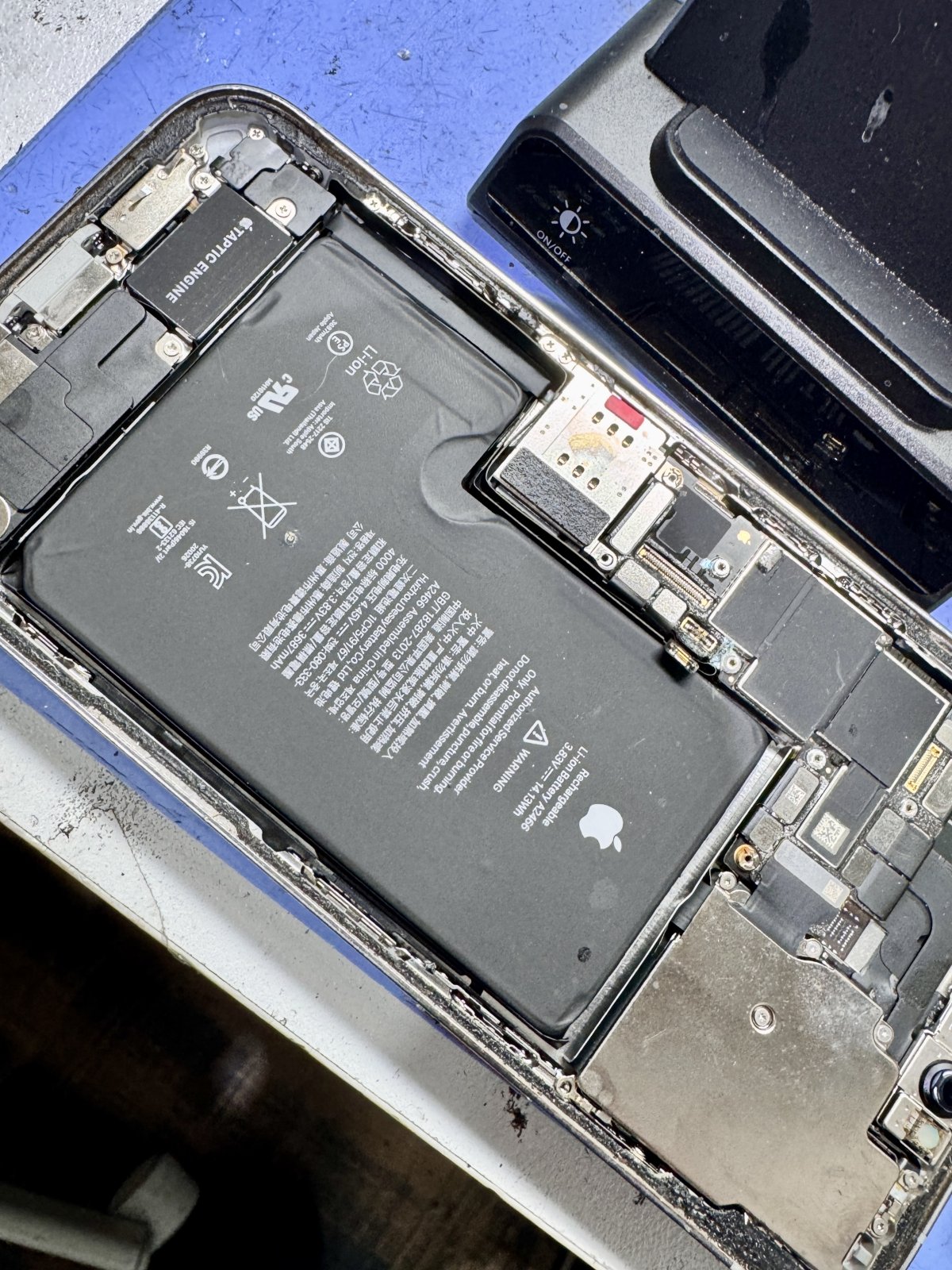
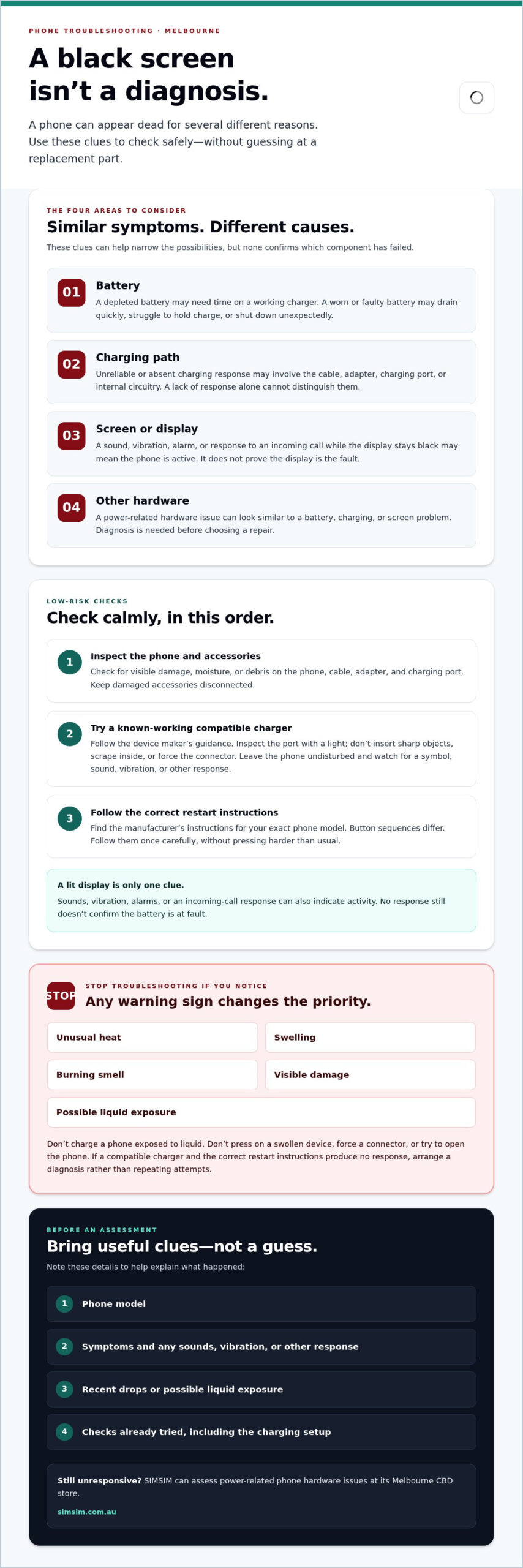
First, inspect the phone and accessories. Look for visible damage, moisture or debris on the phone, cable, adapter and charging port. Don’t reconnect anything that looks damaged, and don’t charge a phone that has been exposed to liquid. Stop if you notice unusual heat, a swollen case or screen, a burning smell or other visible damage. Don’t press on a swollen device or try to open it.
How to check whether the phone is charging
If everything appears intact and dry, connect the phone to a compatible cable and adapter you know work, following the device maker’s guidance. Use a light to inspect the port, but don’t insert sharp objects, scrape inside it or force the connector. Leave the phone undisturbed and look for a charging symbol, sound, vibration or another response. A lit display is only one clue. Other signs of activity can help distinguish a screen issue from a complete loss of power. For background on smartphone components and common issues, see this general overview.
How to try a force restart safely
If there are no warning signs and charging hasn’t helped, find the manufacturer’s restart instructions for your exact phone model. Button sequences differ, so don’t assume the combination for another phone will apply. Follow the instructions once carefully, without pressing buttons harder than usual.
Pay attention to what happens. If the phone vibrates, rings, makes a sound or responds to an incoming call while the display stays black, it may be on with a screen problem. If there’s no response, that still doesn’t confirm the battery is at fault. A charging issue or internal hardware problem can look similar.
Stop troubleshooting if the phone becomes unusually hot, shows swelling, smells burnt, has visible damage or may have been exposed to liquid. Don’t keep charging it, force a connector or attempt to open the device. If a compatible charger and the correct restart instructions produce no response, repeated attempts are unlikely to clarify the cause. Arrange a diagnosis instead. SIMSIM provides phone hardware troubleshooting in Melbourne, including assessment of power-related issues.
Why a phone will not turn on: battery, charging, screen, or hardware
A phone with no visible sign of life can leave you guessing, but a dark display alone doesn’t identify the fault. A no-power symptom means the phone shows no obvious sign of starting, not that its battery is necessarily the cause. Diagnosis needs to consider the screen, charging path, battery and other hardware. Similar symptoms can come from different components, so clues can narrow the possibilities without proving which part has failed.
A depleted battery may need time on a working charger before the phone responds. A worn or faulty battery may struggle to hold charge, lose power quickly or shut down unexpectedly. If charging has become unreliable, the cause could also involve the cable, adapter, charging port or internal circuitry. A lack of charging response doesn’t distinguish these possibilities on its own.
Could the phone be on with a failed display?
Listen and look for signs beyond the screen. A sound, vibration, alarm or response to an incoming call may suggest that the phone is active even though the display stays black. That points to a different possibility from a device with no observable response, but it still doesn’t confirm a display failure. A damaged screen can cause a black display, while other faults can produce similar behaviour. Replacing the screen won’t resolve every black-screen problem, so the device needs assessment before choosing a repair.
How charging or battery trouble can appear
Inconsistent charging, a battery that drains unusually quickly or no visible response when connected are useful details to report. They’re clues, not a diagnosis: the cable or adapter, port, battery or internal hardware may each need a different assessment. Note whether the problem changes when you use a known-working charging setup, and whether it began after a drop or contact with liquid.
Swelling or unusual heat changes the priority. Stop charging and seek professional help rather than continuing to test the device. For other persistent power issues, SIMSIM’s technicians can assess phone hardware and relevant battery or charging concerns at the Melbourne CBD store. If you’re ready to arrange an assessment, book a visit with SIMSIM. An assessment is a practical next step if you’re weighing how to fix a phone that won’t turn on in Melbourne without guessing at a replacement part.
DIY checks or phone repair in Melbourne: know when to stop
There’s a clear boundary between a safe check and an uncertain repair attempt. At home, stick to a visual inspection, compatible charging accessories and the manufacturer’s restart instructions for your exact model. Keep the phone and charging setup dry and undamaged. A black screen doesn’t automatically mean the battery needs replacing: the display, charging path or another hardware fault may produce a similar symptom.
| Situation | What to do |
|---|---|
| Safe home checks | Inspect the phone, cable, adapter and port without inserting anything. If everything is dry and undamaged, try a compatible, known-working charger and the correct restart instructions. |
| Stop and seek help | Stop if the phone is swollen, unusually hot, wet, visibly damaged or producing an unusual smell. Don’t reconnect it or keep charging it. |
| Symptoms needing diagnosis | Arrange assessment if the phone stays unresponsive after basic checks, charges inconsistently, or appears to respond while the display remains black. |
Which checks are reasonable to try at home?
Keep troubleshooting simple and reversible. Don’t force a connector that won’t fit, repeatedly reconnect a questionable cable, or open the phone to inspect its components. If personal data matters, avoid reset or erase options: these can remove information and won’t establish whether the fault is the screen, battery or another part.
When should you stop troubleshooting?
Liquid exposure, swelling, unusual heat, visible damage or an unusual smell are reasons to stop, not invitations to try another charger. Persistent non-response after the basic checks also calls for professional assessment rather than more button combinations or charging attempts.
Repeatedly charging a damaged device, forcing a connector or opening the phone can increase the risk of further damage. The right repair depends on the cause, so replacing the battery based on a black screen alone may not address the problem. If you’re considering how to fix a phone that won’t turn on in Melbourne, SIMSIM can assess power-related hardware issues at its store in Melbourne CBD. For broader context, read about Apple device repair services.
If the phone remains unresponsive, book an assessment with SIMSIM. For additional repair guidance, visit the SIMSIM Repairs YouTube channel.
What to do before bringing an unresponsive phone for repair
A few clear details can help the repair team understand what happened and avoid repeating checks unnecessarily. You don’t need to diagnose the fault yourself. Record what you noticed, what changed, and what you’ve already tried. If you’re considering how to fix a phone that won’t turn on in Melbourne, these notes are a useful starting point for discussing the issue with SIMSIM.
What details help explain the problem?
Before arranging an assessment, note the phone model and when the problem first appeared. Describe what the screen does, whether you heard a sound or felt a vibration, and what happened when you connected a charger. Mention any recent drop, impact or possible liquid exposure, even if the phone seemed fine at first.
- Model: Record the phone’s make and model, if you know it.
- Symptoms: Note whether the screen is black, whether the phone responds to calls or sounds, and whether charging produces any response.
- Recent events: Mention drops, visible damage or possible contact with liquid.
- Checks tried: List the charger and cable tested, and whether you followed the manufacturer’s restart instructions.
Share any passcode or data-access concerns directly with the repair team. If you have an iPhone 16 Pro, SIMSIM’s iPhone 16 Pro repair information may also be relevant.
How to think about data before diagnosis
A phone that won’t start may not let you make a fresh backup, because backing up usually depends on being able to power and operate the device. Don’t assume stored data will automatically be accessible during repair, or that recovery is guaranteed. Tell the team if specific photos, messages or other information matter to you, and explain whether you have an existing backup.
Those details help frame the assessment, especially if the phone has been exposed to liquid or suffered an impact. SIMSIM provides phone hardware troubleshooting and data recovery services from its store at 80 Flinders St, Melbourne VIC 3000. You can also find general repair guidance on the SIMSIM Repairs YouTube channel.
Once you’ve gathered the model, symptoms and checks attempted, book an assessment with SIMSIM.
Get help with a phone that will not turn on at SIMSIM in Melbourne CBD
If basic checks haven’t brought your phone back to life, the next step is assessment, not a guess at which part to replace. SIMSIM provides phone hardware troubleshooting in Melbourne CBD, helping assess power-related issues and the repair needs behind them. If you’re looking for help to fix a phone that won’t turn on in Melbourne, a clear account of what the phone did before it went blank can help guide the conversation.
What happens when you arrange a local assessment?
Book a visit and be ready to describe the symptoms and checks you’ve already tried. For example, note whether a known-working charger produced any response, whether the display stayed black while the phone made sounds, or whether the fault began after a drop or possible liquid exposure. These clues are useful, but no single symptom confirms the cause. The phone needs assessment before the right repair can be determined.
SIMSIM’s technicians provide hardware troubleshooting and component replacement, including battery repairs. If the phone has been exposed to liquid, mention when and what happened. SIMSIM also provides water-damage diagnosis and cleaning. If access to photos, messages or other information is a concern, raise that before repair. Data recovery services are available, but recovery cannot be guaranteed.
How SIMSIM can help with related phone issues
Power problems can involve the battery, charging path, display or other hardware, so the appropriate next step depends on the assessment. A phone that shows signs of liquid exposure calls for a different conversation from one that has simply stopped responding, while battery concerns can be considered as part of the hardware troubleshooting.
For related Apple-device services, explore SIMSIM’s Apple repairs page. The SIMSIM store is at 80 Flinders St, Melbourne VIC 3000, in Melbourne CBD.
When you book, include your phone model, the symptoms, any recent impact or liquid exposure, and the checks you’ve attempted. Book an assessment with SIMSIM to arrange your next step. For more repair information, visit the SIMSIM Repairs YouTube channel.
Take the next step towards a working phone
A blank screen doesn’t confirm that a phone is completely off, and a battery isn’t the only possible cause. Start with safe checks: inspect the device and accessories, try a compatible charger if everything is dry and undamaged, then follow the restart instructions for your exact model. If the phone stays unresponsive, or shows signs of heat, swelling, liquid exposure or damage, stop and arrange an assessment.
Before seeking help, note your phone model, what the screen or device did, any recent drops or liquid exposure, and which checks you’ve already tried. These details give the repair team a clearer starting point, especially if you’re concerned about accessing your data.
If you need to fix a phone that won’t turn on in Melbourne, SIMSIM provides hardware troubleshooting, battery repair and water-damage diagnosis at its Melbourne CBD store, 80 Flinders St, Melbourne VIC 3000. Book a phone assessment with SIMSIM, and visit the SIMSIM Repairs YouTube channel for more repair information.
Frequently Asked Questions
Why will my phone not turn on even after charging?
Charging without a response doesn’t necessarily mean the battery has failed. The cable, adapter or charging port may be involved, or the phone may have a display or internal hardware issue. Check that the accessories are compatible and undamaged, and note any sounds or vibrations. If basic checks don’t help, avoid repeated charging attempts and arrange an assessment to identify the cause rather than guessing at a replacement part.
Can a phone be on when the screen is black?
Yes, a phone may still be active even if its display is black. Listen for sounds or vibrations, or see whether it responds to an incoming call. These signs can suggest the phone is running, but they don’t confirm that the screen is the only problem. If there’s no response at all, the cause could still be the screen, battery, charging path or another hardware issue.
Is it safe to keep charging a phone that will not turn on?
Only try a compatible, known-working charger if the phone and charging accessories are dry and show no visible damage. Stop charging if the phone is unusually hot, swollen, wet, visibly damaged or producing an unusual smell. Don’t force the connector or repeatedly reconnect a device with possible liquid or physical damage. If there are no warning signs but the phone remains unresponsive, stop repeated attempts and arrange an assessment.
What should I do if my phone will not turn on after getting wet?
Stop charging it and don’t keep pressing buttons or reconnecting accessories. Dry the outside gently and arrange professional advice, as liquid exposure can affect internal components even if the phone initially seemed fine. Avoid opening the device or using heat to dry it. Tell the repair team when the exposure happened and what liquid was involved. SIMSIM provides water-damage diagnosis and cleaning in Melbourne.
How do I force restart a phone that will not turn on?
Use the manufacturer’s restart instructions for your exact phone model. Button sequences vary between devices, so a combination that works on one phone may not apply to another. Follow the instructions carefully, and don’t keep repeating them if there’s no response. If the device has signs of swelling, heat, liquid exposure or visible damage, skip restart attempts and arrange an assessment instead.
Can I recover data from a phone that will not turn on?
Data recovery may be possible, but it can’t be guaranteed. A fresh backup usually requires the phone to power on and be operated, so an unresponsive device may prevent you from making one. Tell the repair team which information matters to you, whether you have an existing backup, and any concerns about data access before assessment. SIMSIM provides data recovery services alongside phone hardware troubleshooting.
Where can I get a phone that will not turn on repaired in Melbourne CBD?
SIMSIM provides phone hardware troubleshooting at its store at 80 Flinders St, Melbourne VIC 3000. If you need help to fix a phone that won’t turn on in Melbourne, share your phone model, symptoms and checks already attempted when arranging an assessment. Book a phone assessment with SIMSIM, or visit the SIMSIM Repairs YouTube channel for repair information.