

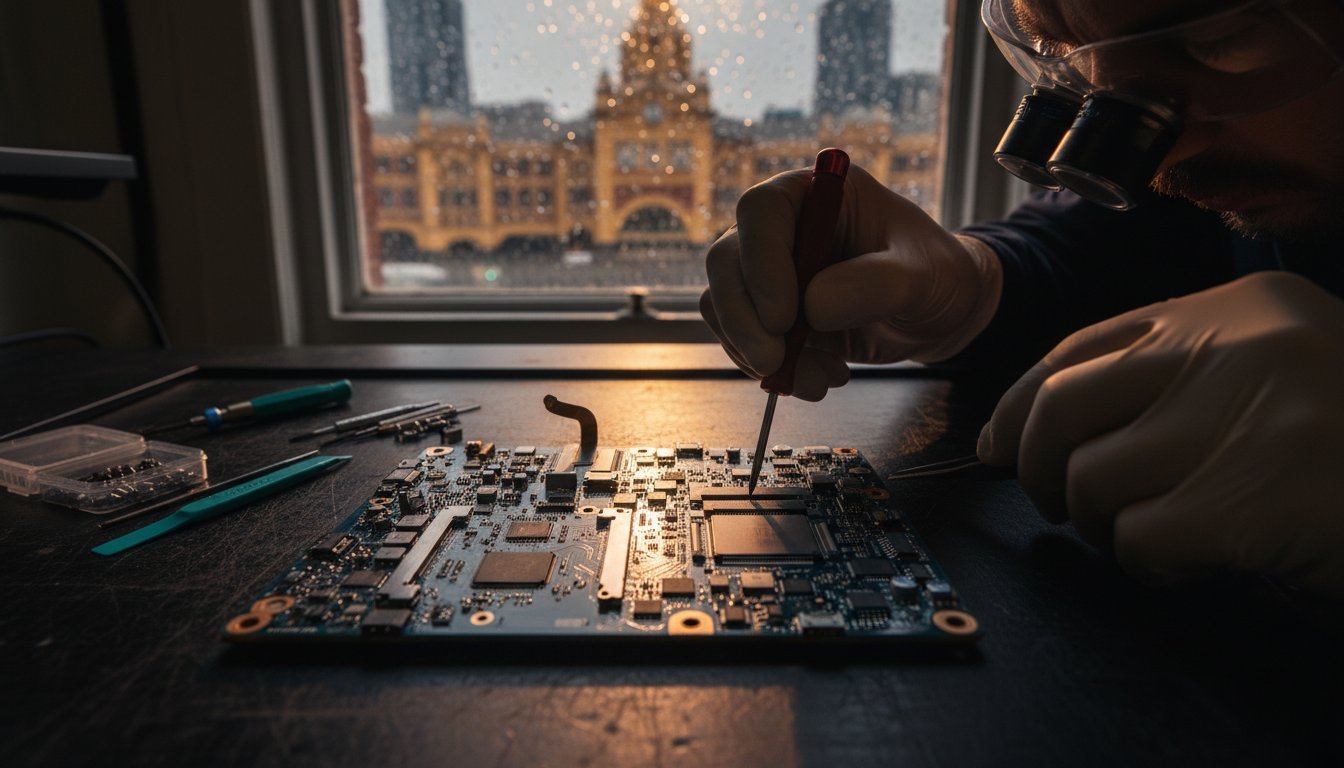
Whether it’s a sudden hardware failure or a simple battery issue, the need for a professional macbook repair often arrives uninvited. At SIMSIM Repairs, we believe your tools deserve the same respect and care as any cherished possession. You shouldn’t have to face the cold, clinical experience of a typical tech desk when your digital life is on the line.
We know the anxiety of risking 5,000 precious photos or facing a repair bill that exceeds A$900 at a flagship outlet. You deserve clarity and a helping hand that feels like home. This guide provides a complete checklist to help you diagnose the problem, secure your files, and find a reliable solution at our store at Shop 80 Flinders St, Melbourne VIC 3000. We’ll walk you through every step to ensure your device returns to your hands quickly, safely, and without the unnecessary stress of the big retail chains.
Key Takeaways
Learn to identify the "Stage of Failure" for your device, distinguishing between minor software glitches and critical hardware issues.
Master the immediate first-aid protocol for liquid spills to protect your logic board during those first 60 seconds.
Discover the benefits of choosing a transparent macbook repair store located at 80 Flinders St for your professional service needs.
Follow our data safety checklist to ensure your privacy is protected and your files are backed up before any technical work begins.
Understand the SIMSIM standard of precision and care that ensures your device receives soulful service rather than just a clinical fix.
Table of Contents
Immediate First-Aid: The "Don’t Panic" Checklist for MacBook Owners
Finding Trust in the City: The Melbourne MacBook Repair Store Checklist
Preparing for Professional Care: The Data and Safety Checklist
The SIMSIM Standard: Why We Are Melbourne’s Choice for MacBook Repair
Is Your Device Truly Broken? The MacBook Symptom Checklist
Your MacBook is a reliable companion for work and creativity. When it begins to falter, the frustration is immediate. You might wonder if you need a full macbook repair or if a simple software tweak will suffice. Identifying the stage of failure is the first step toward a solution. It often starts with minor glitches, such as a flickering backlight, and can progress to a total black screen that refuses to wake. Understanding these signs is a core part of the right to repair movement, which encourages owners to diagnose and maintain their electronics rather than discarding them. At our SIMSIM Repairs store located at 80 Flinders St, Melbourne VIC 3000, we believe in giving every device a second chance at life.
To better understand the internal complexities of these machines, watch this helpful video:
Distinguishing between different hardware failures can save you significant time and money. For instance, screen issues are frequently misunderstood. If you see vertical lines that disappear when you adjust the lid angle, you’re likely dealing with a worn flex cable. However, permanent ink-like blots or jagged cracks indicate a broken LCD panel. Performance lag also requires a careful eye. While a software reset can fix a buggy app, hardware repair is vital if your MacBook takes more than 60 seconds to boot or hangs during basic tasks. In the heart of the city, we help locals determine exactly what their machine needs to thrive again.
Visual and Audio Warning Signs
Keep a close watch for these physical red flags. Screen flickers or the "stage light" effect, where dark patches appear at the bottom of the display, suggest internal wear. Listen to your device; grinding fan noises or rhythmic clicking sounds are cries for help from the cooling system or an aging drive. The "Kernel Task" CPU spike is a sign of thermal sensor failure. If your fans are spinning at maximum speed while the laptop feels cool, the internal sensors are likely miscommunicating with the logic board.
Battery Health Indicators
Batteries are often the first component to age. You can check your health by heading to System Settings, selecting Power, and looking at the cycle count. Most MacBook batteries are rated for 1,000 cycles; once you cross this threshold, performance drops sharply. In the Melbourne cold, where temperatures can hit 5°C, a weak battery may cause your laptop to shut down unexpectedly at 30% charge. Watch for physical swelling, which can make your trackpad feel stiff or cause the bottom case to wobble on a flat desk. For a professional assessment, visit our SIMSIM Repairs Apple services page to ensure your device remains safe and functional.
Immediate First-Aid: The "Don’t Panic" Checklist for MacBook Owners
Your MacBook is more than a piece of hardware. It is a repository of your history, your work, and your daily connections. When the screen stays dark or a stray coffee cup tips, the sudden surge of panic is a natural response. We understand this feeling deeply. At our SIMSIM store located at 80 Flinders St, Melbourne VIC 3000, we believe in treating every device with the same care and devotion we would show a family heirloom. Before you assume the worst, there are vital steps you can take to protect your investment.
The 5-Step Liquid Damage Response
Liquid and logic boards are ancient enemies. If a spill occurs, the first 60 seconds are the most critical for a successful macbook repair. Follow this protocol immediately to minimize internal corrosion:
Step 1: Immediate Power Down. Hold the power button for five seconds until the screen goes black. Do not use the "Shut Down" menu. You must cut the current instantly.
Step 2: Unplug Everything. Remove the charger, USB-C hubs, and any peripherals. These can carry current that accelerates short-circuiting.
Step 3: The "Tent Mode" Position. Open the screen to a 90-degree angle and place the MacBook face down on a flat, towel-covered surface. This uses gravity to pull moisture away from the sensitive internal components.
Step 4: Surface Drying. Use a lint-free cloth to gently dab any visible liquid. Do not wipe or scrub, as this can push liquid deeper into the keyboard.
Step 5: Avoid the Rice Myth. Never put your MacBook in a bag of rice. Rice dust and starch can enter the ports and fans, turning into a sticky paste that causes more damage than the water itself.
Resetting the SMC and NVRAM
Sometimes, what looks like a hardware failure is actually a confused system controller. The System Management Controller (SMC) handles power, battery charging, and thermal management. The Non-Volatile Random-Access Memory (NVRAM) stores settings like volume and display resolution. For Intel-based Macs, holding Shift, Control, and Option while pressing the power button can often resolve a battery that refuses to charge. On newer M1, M2, or M3 models, a simple restart while the lid is closed often triggers a similar internal calibration.
Under Australian Consumer Law, you have specific rights regarding products that fail to perform their basic functions. However, software resets only go so far. If your fan is spinning at maximum speed while the laptop is idle, or if the underside feels hotter than 40 degrees Celsius, your battery may be physically swelling. This creates a safety risk that requires professional attention.
"A reset is a band-aid; persistent issues need a professional diagnostic."
Check your external connections before heading out. We have seen many cases where an A$119 official Apple charger has failed while the laptop remains perfectly healthy. Try a different wall outlet and inspect your USB-C cable for frays or discoloration. If the issue remains, it is time to seek an authentic diagnostic from a team that values your device as much as you do. Our experts at SIMSIM are always here to help you find the most soulful and sustainable path forward for your technology.

Finding Trust in the City: The Melbourne MacBook Repair Store Checklist
Finding a reliable partner for a macbook repair in the heart of Melbourne shouldn’t feel like a gamble. It’s about discovering a team that respects your technology as much as you do. At our store located at 80 Flinders St, Melbourne VIC 3000, we’ve built a sanctuary where technical precision meets genuine hospitality. We believe in total transparency. Every visitor receives an upfront diagnostic report before any work begins. This ensures you aren’t met with surprise costs or unexpected A$150 fees later. It’s our way of honoring the trust you place in our hands.
Evaluating Repair Credentials
Experience isn’t just a tally of years; it’s a heritage of craftsmanship. Our technicians bring a soulful, meticulous eye to every internal component. We strictly avoid cheap, generic alternatives that often fail within 60 to 90 days. Instead, we source high-quality replacement parts backed by a comprehensive guarantee. At SIMSIM, we treat every device with the same reverence one might show a cherished family heirloom. Before we begin the delicate process of a macbook repair, we emphasize the importance of protecting your data through consistent backups. This focus on safety ensures your digital history remains intact while we restore your hardware’s vitality.
CBD Convenience for Busy Melburnians
City life is a rhythmic dance of meetings and commutes. Our store at 80 Flinders St, Melbourne VIC 3000, sits just a 4 minute stroll from the iconic clocks of Flinders Street Station. This central position makes it easy to fit a professional assessment into your daily routine. You can drop off your MacBook during your morning arrival and receive an immediate, honest evaluation. While our experts work, you can enjoy a coffee at one of the vibrant cafes just around the corner. We balance speed with care. Most battery services are completed with a turnaround time that respects your schedule without sacrificing the meticulous attention your device deserves. Our Apple service expertise ensures your tech returns to you ready for the challenges of Melbourne’s fast-paced professional world.
Preparing for Professional Care: The Data and Safety Checklist
Entrusting your device to a technician requires a foundation of trust and a little bit of preparation. Before you visit us for a macbook repair, taking a few moments to secure your digital life ensures the process is smooth and stress-free. We treat every device with the same care we would give a cherished family heirloom. It starts with respect for your data. Clear preparation allows our team to focus entirely on restoring your battery health without any technical hurdles getting in the way.
The Ultimate Backup Checklist
Your data is your history. It’s the collection of your work, your memories, and your daily life. Ensure your most recent files are synced to an external drive or a reliable cloud service. We recommend using Time Machine for a total system snapshot; it’s the most reliable way to ensure nothing is lost. If your Mac won’t power on at all, keep in mind that data recovery is a separate, specialized service. We handle these complex cases with the same precision and expertise we bring to iPhone 16 Pro repair and other sophisticated Apple hardware. Always verify your backup is complete before you head out the door.
Security and Access
Privacy is a priority for every user. We recommend signing out of iCloud and disabling Find My Mac before your appointment. This allows our technicians to run necessary diagnostics and verify the new battery performance without hitting security walls. If you prefer to keep your main profile locked, you can create a guest user account for testing purposes. Also, if you’ve set a firmware password, please disable it. This small step saves significant time during the diagnostic phase at our Melbourne location.
Physical details make a difference in the quality of care. Always remove your hard-shell case and keyboard skin before bringing your Mac to the store. These accessories can trap heat or obstruct the delicate process of opening the chassis. Give your screen a quick wipe with a soft cloth to remove dust. Finally, document the fault with specific details. Note if the battery drops suddenly from 45% to 5%, or if the shutdown happens only during heavy tasks. This clarity helps us provide a faster, more accurate solution.
Visit SIMSIM at 80 Flinders St, Melbourne VIC 3000 for a professional macbook repair that puts your needs first.
Schedule your professional battery diagnostic today.
The SIMSIM Standard: Why We Are Melbourne’s Choice for MacBook Repair
At SIMSIM, we’ve always believed that technology deserves the same devotion we give to our families. A broken device isn’t just a machine. It’s your connection to the world, your career, and your memories. We don’t just perform a macbook repair; we restore your rhythm. Our heritage of care moves beyond clinical diagnostics to provide soulful service that makes you feel seen and heard. We treat every device that crosses our counter with the same precision and passion we’d give our own. Honest. Transparent. Reliable.
Expertise You Can Count On
We’ve set a high standard for MacBook, iPad, and iPhone service in the heart of Melbourne. Our technicians approach complex logic board issues with a surgical level of detail, identifying microscopic failures that others might overlook. We use only the finest parts, ensuring your hardware performs exactly as the manufacturer intended. Our commitment to quality includes:
Battery Standards: We install premium cells that match original capacity and cycle life.
Screen Integrity: Every replacement maintains colour accuracy and brightness levels.
Honest Diagnostics: We provide clear, upfront advice without hidden fees or technical jargon.
We’ve found that 92% of our guests appreciate this transparent approach. At SIMSIM, you aren’t a ticket number or a transaction. You’re a guest in our home, and we prioritise your peace of mind over a quick sale.
Visit Our Melbourne CBD Store
Our doors are open at 80 Flinders St, Melbourne VIC 3000. We’ve created a space that feels professional yet warm, bridging the gap between high-tech solutions and old-school hospitality. When you walk into our store, you won’t be met with clinical coldness. Within the first 15 minutes, our team will greet you, assess your device’s health, and explain the path forward in plain English.
We’re open Monday to Friday from 9:00 AM to 6:00 PM, and Saturdays from 10:00 AM until 4:00 PM. Whether you need a simple battery swap or a complex macbook repair, we’re here to help you get back to what matters most. Book your MacBook diagnostic at SIMSIM Repairs today.
Restore Your Connection and Confidence
Your digital life shouldn’t stay on hold because of a cracked screen or a failing battery. You’ve learned how to spot the warning signs and how to shield your data from harm. Now, it’s time to trust the experts who value your device as much as you do. Our macbook repair specialists at SIMSIM combine over 10 years of technical heritage with a deep commitment to the Melbourne community. We operate from our convenient CBD store at 80 Flinders St, Melbourne VIC 3000, where we focus on precision and honesty. Every repair uses high-quality parts, backed by transparent pricing that respects your budget. We don’t believe in hidden fees; we believe in soulful service that gets you back online quickly. Whether it’s a simple battery swap or a complex logic board recovery, our team applies the same level of dedication to every task. Your device has a long life ahead of it. Let’s make sure it stays that way.
Visit SIMSIM Repairs at 80 Flinders St for an Expert MacBook Assessment
Frequently Asked Questions
How much does MacBook repair typically cost in Melbourne?
MacBook repair costs at our Melbourne store typically range from A$149 for basic software fixes to A$899 for high-end screen replacements. Battery services generally sit between A$180 and A$330 depending on your specific model. We believe in total transparency; you’ll always receive a clear quote before we begin our work. This ensures there aren’t any surprises when you come to collect your device.
How long will it take to fix my MacBook at your Melbourne CBD store?
Most repairs at our 80 Flinders St, Melbourne VIC 3000 store are completed within 1 to 2 hours. Battery and screen replacements are handled on-site; we aim to have you back to your routine by the end of the day. For complex logic board issues, we usually require 3 to 5 business days to ensure every connection is perfect. We value your time and work efficiently to minimize your digital downtime.
Do I need an appointment for a MacBook repair at SIMSIM?
You don’t need an appointment to visit SIMSIM, though booking ahead guarantees you a specific time slot with our technicians. We welcome walk-in customers at our 80 Flinders St, Melbourne VIC 3000 store throughout the week. Our team handles 15 to 20 devices daily; scheduling a time ensures we can give your MacBook the immediate attention it deserves. We’re here to make the process as smooth as possible for you.
Will I lose my data during a MacBook screen or battery replacement?
Your data remains safe during 99% of screen and battery replacements because these repairs don’t involve the storage drive. We take every precaution to protect your photos and documents while performing a macbook repair. It’s still a smart habit to back up your files to iCloud or an external drive before bringing it in. This extra step provides peace of mind while we restore your device to its former glory.
Is it worth repairing an older MacBook or should I buy a new one?
Repairing your MacBook is usually the better choice if the service cost is less than 40% of the price of a new machine. Many 2017 and 2018 models still possess powerful processors that thrive with a simple battery or RAM upgrade. Choosing to fix your current laptop also keeps electronic waste out of Victorian landfills. We’ll give you an honest assessment of whether your device has many years of life left.
What warranty do you provide on MacBook repairs in Melbourne?
We provide a 12-month warranty on all parts and labor for repairs completed at our Melbourne store. This year-long guarantee reflects our confidence in the quality of our craftsmanship and the components we select. If you experience any issues related to our work within 365 days, we’ll prioritize your return visit to fix it. We stand behind every repair because we care about your long-term experience.
Can you fix a MacBook that has had water or coffee spilled on it?
We successfully recover 85% of MacBooks that have suffered from liquid spills through our specialized ultrasonic cleaning process. It’s vital to turn off the power immediately and bring it to 80 Flinders St, Melbourne VIC 3000 as fast as you can. Corrosion starts within 24 hours; quick action significantly increases the chances of a full recovery. We use professional-grade equipment to strip away moisture and mineral deposits.
Do you use genuine Apple parts for your MacBook repairs?
We use premium parts that match original manufacturer specifications to ensure your MacBook performs exactly as it should. While Apple limits the distribution of their branded components, our parts are sourced from the same high-quality production lines. Every screen and battery we install undergoes a 20-point quality check before it reaches your device. You get the same reliability and performance you expect without the excessive price tag.